
jejebdgbkkhgalnkdhopleaoikggghop
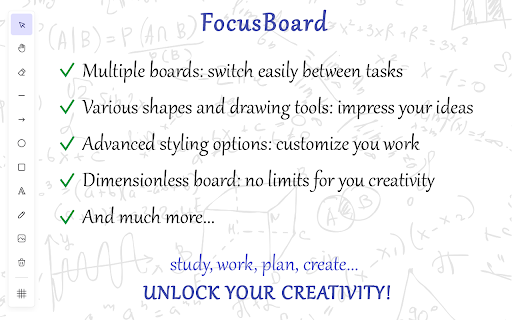


Organize your custom whiteboard to facilitate and boost your activity: studying, working, planning, daily routine, etc. Be focused! Since the New Tab page constantly appears before your eyes, it is the perfect place to display information that you need to focus on or memorize. - Planning tasks, goal lists, habit tracking. A visual board that regularly appears before your eyes is an excellent place for reminders of your planned tasks or goals, as well as for daily monitoring and tracking of habits you're building. - Studying a topic, memorization. For example, you can place key concepts, theses, and ideas of the topic you're studying on the board, draw structural diagrams, and display relationships for a better understanding of the subject area. - Vision board. It really works. No, it’s not magic, and a luxurious mansion won’t appear just because you placed it on your board. A vision board doesn’t perform miracles on its own, but it helps you focus on your goals and tasks, constantly reminding you of what’s important and what you aspire to. - Learning foreign languages. On the board, you can write down new words, phrases, and expressions in the foreign language you’re learning. It’s also useful to jot down grammar rules and other concepts that require memorization. The regular appearance of the interactive board before your eyes will help you memorize the necessary information quickly and effectively. - Design and planning. You can use the interactive board for design in any field: designing application logic, business processes, work planning, structuring texts, etc. - Creative work. Use the interactive board during your creative process for quick sketches and idea development. Or, on the contrary, take a break from work by immersing yourself in a spontaneous creative flow or creative relaxation. Create whatever comes to mind on the board — simply express yourself through your creativity. - Come up with your own use case! - Customize your activity with various widgets: Todo List, Search Bar, Quick Links, Quotes; - Multiple boards: switch between tasks easily; - Unlimited board: the board size is not limited — you can freely move and expand the boundaries of the workspace; - Drawing shapes: line, ellipse, rectangle, arrow; - Freehand drawing with a brush; - Adding text and images; - Styling elements: color, size, style, rotation angle, etc.; - Save the interactive board to a file and import it back later; - Exporting the board as an image; - Action history and undo functionality; - Snap grid for better arrangement of the elements on the board; - All data is stored locally in your browser. 💡 IMPROVEMENTS AND FEATURE EXPANSION If you think that this extension is missing some features or you'd like to see certain changes, please don't hesitate to share your comments using the contact button in our app to reach out to the developers. We will definitely review and implement your ideas and requests.

Homey: Productivity New Tab
Turn new tab into a productive workspace, organize bookmarks, motivates with daily live wallpapers and inspirational quotes Hey, I'm Homey, I'll Help You Stay Inspired and Organized with All Your Essentials in One Place. Transform your browsing with Homey, Chrome extension that turns your new tab into a cozy and inspiring start page. With a focus on productivity and personalization, Homey offers a wide range of features to make your browsing sessions more efficient and enjoyable, and now, incredibly interactive with ChatGPT. 🏠 A Personalized Home Page with Live Wallpapers: Enjoy a new level of personalization with stunning live wallpapers. Choose wallpapers from a variety of themes like Summer, Travel, Abstract, Animals, Space, and more to set the perfect mood when you open a new tab. Feel positive vibes and get inspired by captivating backgrounds that reflect your style and personality. With Homey, your new tab home page becomes a canvas for beautiful live wallpapers that bring your browsing to life. 📚 Organize Your Favorite bookmarks with Ease: Experience easy and fast access to all your favorite bookmarks with Homey's powerful bookmark manager. Create folders, tabs, and visually appealing bookmarks to keep everything organized and just a click away. Say goodbye to the hassle of searching for your most-visited sites, as Homey's intuitive bookmarks organizer allows you to effortlessly open bookmarks from your start page. Enjoy the convenience of Homey's user-friendly bookmark manager, streamlining your browsing experience like never before. With Homey, managing and accessing your bookmarks has never been easier. 🤖 Instant ChatGPT Access for Seamless Assistance: Homey now integrates ChatGPT, an advanced AI chatbot, right at your fingertips. With Homey, you can access ChatGPT instantly for any query or task. Simply click the ChatGPT icon on your start page, and you'll have a friendly AI assistant ready to help you with information, answer questions, provide recommendations, or just engage in a chat. It's like having a personal assistant right in your browser, enhancing your browsing experience like never before. ⚡ Boost Productivity with Widgets: Stay informed and productive with widgets. Get real-time weather updates to plan your day effectively. Take notes and set reminders on the personal notes widget to stay organized and never miss important tasks. Additionally, find daily motivation with inspirational quotes that uplift your spirits and inspire success. 🔍 Seamless Search Experience: Homey makes searching the web a breeze by offering a built-in search bar on your start page. No need to navigate to a search engine separately—find what you need with ease and efficiency. Switch between search engines effortlessly for diverse results. 🚀 Lightning-Fast and Lightweight: App is designed to be quick and lightweight, ensuring a seamless browsing experience without bogging down your computer's resources. Enjoy an intuitive and optimized interface that makes navigation effortless. 🎉 Festive Themes and Emotional Wellbeing: Homey understands the importance of emotional wellbeing for productivity. Experience a festive mood with holiday-themed live wallpapers, or choose soothing backgrounds to keep your stress levels in check. Let Homey be your personal mood assistant, making every new tab a refreshing experience with its delightful live wallpapers. ✨ Customize Your Tab Themes: App allows you to customize your tab themes to match your preferences. Select the perfect background and widgets to create a start page that resonates with your unique style and enhances your browsing journey. Choose from an array of live wallpapers to set the perfect tone for your online experience. 🌅 Daily Inspirations: Wallpapers play a significant role in influencing our emotional state and enhancing our daily experiences. With a vast collection of tab wallpapers, Homey provides a range of captivating options to suit every mood and occasion. From lively animated wallpapers to serene landscapes, Homey's dynamic live wallpapers transform your new tab into a visual delight. The daily wallpapers feature, brings each day a fresh burst of inspiration with thematic wallpapers. Mbrace the joy of festivities with our holiday-themed carefully curated wallpapers theme collection that capture the spirit of each special occasion. And as the seasons shift, revel in the breathtaking beauty of spring blossoms, summer sunsets, autumnal hues, and winter wonderlands. 🎛️ Convenient Sidebar: The sidebar provides access to other essential browser features. You can quickly view your browsing history, allowing you to revisit previously visited pages with ease. The sidebar also houses your downloads, so you can easily find and manage files that you've saved from the internet. Join the ever-growing community of Homey users who have unlocked the full potential of their new tab start page. Upgrade your browsing today and witness the transformation of your browsing into a productive, inspiring, and personalized journey with the added convenience of instant ChatGPT access. Install now and take control of your browsing like never before. Let Homey be your productivity partner, and ChatGPT your trusted assistant, and witness the magic unfold every time you open a new tab. Personalize, organize, get inspired, and chat with ChatGPT with Homey: Your Ultimate Start Page Extension. 🛍️ Shopping Offers (Affiliate Disclosure) Homey may display optional shopping offers or sales for some websites saved or suggested in Homey. Offers are shown only inside the Homey new tab interface and are designed to help you discover relevant deals. • Offers are curated to feature relevant deals, sales, and discounts • Affiliate attribution happens only when you directly open an offer • Homey does not inject offers into websites or modify external pages • Homey does not replace existing affiliate links or apply background tracking • Homey does not send your bookmarks or browsing history to choose which offers to show • You can disable Shopping Offers anytime in Settings When you click an offer, your browser is briefly redirected through our affiliate partner before reaching the retailer — at no extra cost to you. Full details are in our Privacy Policy.

New Tab Widgets - Personal Dashboard
Turn every new tab into your personal dashboard with widgets for weather, tasks, notes, and more. Your most-used tab. Now your most useful. Turn every new tab into a fully customizable workspace — notes, tasks, calendar, inbox, AI, live markets, Spotify, smart home controls, and more. Drag, drop, resize — done. Whether you keep it minimal or build a full command centre, everything loads instantly and works the way you want it to. • Google Drive widget (PRO) — search files, open recent uploads, and drag files in to upload • Bookmarks widget — search saved bookmarks and quickly open recent saved links • Multiple Gmail accounts (PRO) — connect more than one inbox • Background sync (PRO) — keep supported backgrounds in sync across devices • To-Do & Reminders widget — manage tasks with due dates and notifications • Daily Quote widget — start every tab with a fresh dose of inspiration • Currency Converter widget — convert between world currencies instantly • Unit Converter widget — quick conversions for length, weight, temperature, and more • Word of the Day widget — expand your vocabulary daily • TradingView live charts and stock ticker widgets • AI chat widgets for ChatGPT, Claude, Gemini, DeepSeek, and Perplexity • System Monitor for real-time CPU and memory stats • Sony Bravia TV Remote widget — control your TV directly from your dashboard • Picture-in-Picture mode — pop any widget into a floating overlay • Pre-configured news feed widgets • Cloud sync improvements and performance updates → Built for the tab you open all day — your workspace is always one click away → 69 widgets and growing — the largest library of any new tab extension → No sign-up, no account, no tracking required → Drag-and-drop layout with resizable widgets → Multiple pages for work, personal, trading, hobbies → Free plan with 10 widgets and 1 page — no time limits Everything you need, right where you already are. 📝 Sticky Notes – Quick notes, to-dos, and reminders ✅ To-Do & Reminders – Manage tasks with due dates and notifications 💬 Daily Quote – A fresh quote every time you open a tab 📖 Word of the Day – Learn something new daily 💱 Currency Converter – Convert currencies instantly 📏 Unit Converter – Quick conversions for everyday use 📅 Google Calendar (PRO) – See upcoming events at a glance 📧 Gmail (PRO) – Read and jump into email threads instantly, now with multiple accounts 📁 Google Drive (PRO) – Search Drive files, open recent uploads, and drag files in to upload 📰 RSS Feeds – Follow news, blogs, and podcasts in one place 🔎 Search – Use your default engine or add custom providers 📚 Bookmarks – Quick access to saved sites 🔗 Links & Link Groups – Shortcuts to your go-to sites (PRO: custom icons) ⏳ Countdown – Track deadlines and events ⏱️ Timer – Time-box tasks and meetings 🍅 Pomodoro Timer – Structured focus sessions with breaks 🧮 Calculator – Fast calculations with history 📋 Clipboard Buttons – One-click copy for frequent text 🕰️ World Clock – Multiple time zones, analog or digital Chat with ChatGPT, Claude, Gemini, DeepSeek, or Perplexity directly from your dashboard. Built for people who check markets throughout the day. 📊 TradingView Charts – Live, interactive price charts 💹 Stock Ticker – Track stocks, ETFs, and crypto in real time 📰 Market News – Financial news via RSS feeds 🎵 Spotify (PRO) – Mini-player with playback and search 🎮 Steam – Launch games directly 🖼️ Art – Rotating curated artworks 🖼️ Image Widget (PRO) – Display your own photos 📸 Instagram · 🎵 TikTok · 📌 Pinterest – Social feeds at a glance Control your environment without leaving your tab. 💡 Hue Scenes – Switch Philips Hue scenes instantly 💡 Hue Groups – Adjust brightness, color, and power 🎉 Hue Bookmark – Change lighting and open a URL in one click 📺 Sony Bravia Remote – Control your TV from your dashboard 🖼️ Iframe – Embed any website (Grafana, dashboards, anything) 🌐 Top Sites & Recently Visited – Quick access to browsing history 🧠 System Monitor – Real-time CPU and memory stats 🛒 OzBargain – Latest Australian deals ⛽ FuelWatch (WA) – Today’s and tomorrow’s fuel prices 🖼️ Backgrounds – Millions of HD wallpapers or your own images 📖 Multiple Pages – Separate dashboards for different workflows (PRO: unlimited) 🎨 Custom CSS (PRO) – Full control over design and layout ☁️ Cloud Sync (PRO) – Sync your setup, including supported backgrounds, across devices 🖼️ Welcome Screen – Clean time and date overlay The free plan is not a trial — it’s a fully functional dashboard with up to 10 widgets and 1 page. No time limit. No account required. Upgrade to PRO for: • Unlimited widgets and pages • Premium widgets (Gmail, Calendar, RSS, Spotify, Images, Stocks) • Freeform or grid layouts • Cloud sync across devices • Per-page wallpapers • Full design control with custom CSS • Priority support You open a new tab all day. Make it the most useful place in your browser.

Personal Kanban - Work Beautifully in your New Tab
Turn your new tab into a kanban board that helps you focus. The only extension with multiple boards and sync across computers. Unleash your inner productivity machine: Personal Kanban rewards you with a beautiful landscape after you complete all your tasks In Progress. Features 🛠️ Customizable boards and columns ☎️ Works offline. No internet access required 🏄♀️ Multiple boards 🛜 Sync across devices 🌓 Light and dark mode 🚛 Import and Export ➕ Much more to come FAQs Where is my data stored? If you stop working on the app, will I lose my data? - All of your data is securely kept in chrome.storage.local on your own device or if you use Sync Across Devices, within your Google account through chrome.storage.sync. Even if I stop working on the app, you would be able to continue using this app with no data loss until either Google stops being a company, or they make a sudden change to Chrome that would break 80% of Chrome Extensions. Contact me at swekage@gmail.com or submit a support request with any bug reports or questions.

Quick Note Tab - Notepad, Planner and Habits Tracker
Transform your new tab into a focused space to write notes, plan tasks, and build better habits Turn your new tab into a fast, distraction free space for notes, note taking, task planning, and habit tracking. This extension is built around three principles: accessibility, simplicity, and high performance. Capture ideas, to dos, and meeting notes instantly in a new tab without switching between apps. Clean interface, minimal visual noise, and quick loading. Great for managers, students, writers, founders, researchers, designers and anyone working with text, meetings, and deadlines. Boost productivity with three core modes: - Notepad: quick notes in a new tab for lectures, meetings, and online calls - Planner: planning and task management for the day, week, month, or year (split view) - Habit Builder: mark and track completion and follow progress Features and benefits: - No sign up required - No ads, no hidden paid features, and no upsells (100% free) - Responsive UI for different screen sizes and adating for operating system - Light and dark theme with automatic switching - Basic text formatting with partial Markdown support - Character counter for typed and selected text - Weekly and monthly remaining time estimate - Full screen mode - 21 day habit tracker with workday customization Security, privacy, and data storage: Only you can access your content, including notes, plans, and habits. Your data is not stored on the developer’s remote servers. The extension does not run external code and does not load third party frameworks. Data is stored locally and via Chrome Sync mechanisms. More details are available in the Privacy Policy. ☎️ Fast support and feedback on X (Twitter): @k_shirshov
