
pnncdeicbofogmklheappebjeaipgjfc
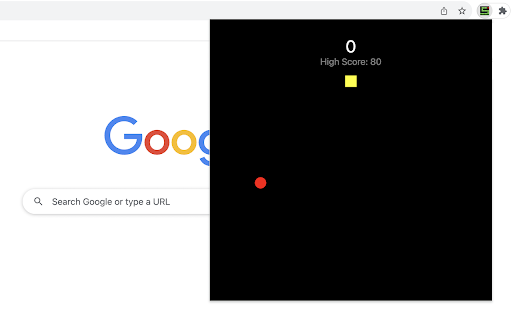
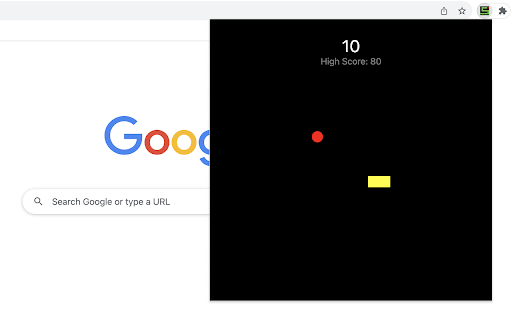


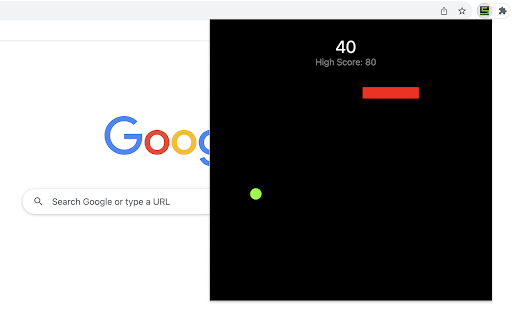
Navigate a snake that changes colors to gather items of the same color. Color Snake is an exciting and challenging game where the player navigates a snake through a field, collecting items that match the snake's color. The snake changes color at random intervals, adding a layer of strategy and quick decision-making to the gameplay. Color Change Rule: The snake's color shifts randomly every 2-3 seconds, while the items change color less often, about every 20 seconds. Therefore, pay close attention to their colors. The colors used in the game are red, green and yellow. How to Play: 1) Use the Arrow keys or WASD to control the snake's movement. 2) Guide the snake to consume items that match its current color. 3) Avoid colliding with the game area boundaries or the snake's own body. Tips for Winning: 1) Stay around: keep the snake near the item so that if its color changes to match the item's, the snake will be close enough to quickly reach and collect it. 2) Be cautious: prepare for sudden color changes in the snake as it approaches an item of matching color, as these changes can unexpectedly lead to game failure. 3) Act quickly: If the snake's color matches an item, quickly collect it before the snake changes color again and risks a missed opportunity. Color Snake is a game of quick reflexes and adaptability, perfect for players who enjoy an added twist to the classic snake game. Have fun playing the color snake game! After the game ends, we display our novel snake web game along with featured game extensions, offering you extra fun options. CHANGELOG ========== Version 0.1.2 - 0.2.1 - Add google analytics - Display featured products - Update featured product name - Present novel snake game - Dynamic update of featured games - Add WASD movement support - Prettify code and styles

Apple Snake Game
The objective of the game is to eat as much fruit as possible without colliding four borders of game area. The snake must move around the board to collect apple, which appears randomly on the screen. The player can control the snake's direction by using the Arrow keys or WASD. As the snake eats apple, its body grows longer, making it more challenging to navigate through the board without running into something. To boost the game's excitement, we've set the snake to move fast right from the start. Have fun with it! If you'd like to try its professional version, use the link below the Restart button. Additionally, we've showcased our featured game extensions after game over for even more fun options! CHANGELOG ========== Version 0.2.4 - 0.3.1 - Remove new game section in the footer - Update game pro version link - Add WASD movement support - Prettify code and styles - Update google analytics Version 0.1.6 - 0.2.3 - Display featured games after game over - Update featured game name - Present game pro version link - Enable dynamic updates for featured game list Version 0.1.4 - 0.1.5 - Improve the section on new games Version 0.1.0 - 0.1.3 - Initial release and feature updates

Fruit Collect Game
Collect as many fruits as you can in a given time! Playing the game is easy. Just move the collector (basket) across the screen to pick up as many fruits as possible in 20 seconds. Try to win the game faster each time you play and have fun! 1) Start the Game: Click the extension icon, and the game window will open immediately in a pop-up. 2) Control the Collector: Use the Arrow keys or WASD on your keyboard to move the basket around the game area. 3) Collect Fruits: Navigate the basket to the fruits that appear randomly on the screen. Each fruit you collect will increase your score. 4) Scoring: Different fruits have different point values. Aim for the ones that will give you the most points! The game ends after 20 seconds. Plan your route wisely and move quickly to gather all the fruits within this time. Have fun playing the fruit collect game! Additionally, we've shown our featured game extensions after the game ends to give you more options for fun. CHANGELOG ========== Version 0.1.1 - 0.1.7 - Add google analytics - Show featured games after game over - Enable dynamic update of featured games - Add WASD movement support - Prettify code and styles

Snake vs Block Game
Collect food while avoiding collisions with random blocks. Snake vs Block is an engaging game where players skillfully guide a growing snake to collect food while avoiding collisions with blocks and the snake's own lengthening body. 1) Game Start: The snake starts moving automatically from a set position as soon as the game window opens. 2) Movement Controls: Use the Arrow Keys or WASD on your keyboard to control the snake's movement. 3) Objective: Your primary goal is to guide the snake to collect the red food item appearing randomly in game area. Each food item collected increases your score and the length of the snake. 4) Avoid Collisions: Be careful not to run into the blocks randomly positioned or the snake's body. If the snake collides with them, it’s Game Over! 5) Restart: If the game ends, the screen appears with a "Restart Game" button. Tips for Success: - Plan Your Route: As the snake grows, navigating becomes trickier. Plan your movements to avoid collisions with blocks ahead of time. Enjoy playing this snake game variant, and see how high you can score! We've also highlighted our novel snake game and featured game extensions after the game ends, offering you extra enjoyment. CHANGELOG ========== Version 0.1.4 - 0.2.3 - Update featured product name - Present novel snake game - Dynamic update of featured games - Add WASD movement support - Prettify code and styles - Update google analytics Version 0.1.2 - 0.1.3 - Add google analytics - Show the list of more games - Display featured products

Table Tennis
Control the game using the Up and Down Arrow keys or W/S on your keyboard. No internet connection is required! 1) After installing, simply click the game icon in the Chrome extension toolbar to launch it in a popup window instantly. 2) The game ends when either you or the computer reaches 5 points, and your best score is recorded in the top right corner. 3) Pause or start a new game at any time during your session. 4) When you leave the game and return, it will remember your progress and let you continue right where you left off. Enjoy a fast-paced table tennis arcade game with simple yet exciting gameplay! Looking for a challenge? Click "Play More Levels" below the restart button to try different difficulty settings. For more fun, check out our featured game extensions after your match ends. CHANGELOG ========== Version 0.1.7 - 0.2.8 - Display featured products after game over - Add the link of more game levels - Remove the section on new games - Enable dynamic update of featured games - Add W/S movement support - Prettify code and styles Version 0.1.3 - 0.1.6 - Add the section on new games - Update the game list with time - Rename the game
