
pnkngfebkbjcehlgoflnfbflnbfkgibl
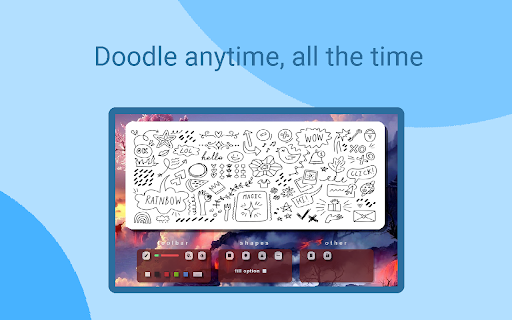

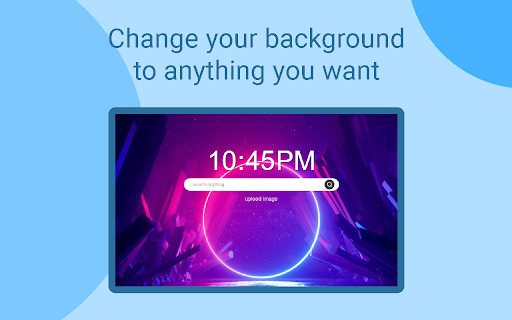
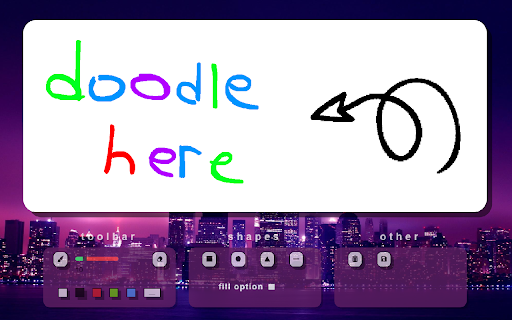
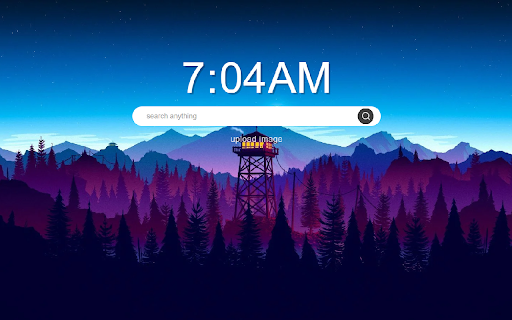
Replace new tab page with a personal space where you can search and doodle however you desire. Be able to doodle straight from your new tab with Sketch Tab. The features this extension entails: • Switch into draw mode to start doodling • Save your doodles with the click of a button • The ability to search from any new tab • Set your new tab background to any image you desire • Upload image related functionality • Change UI text color This extension gives you the opportunity to quickly use a whiteboard and draw immediately from your new page tab, draw mode is equipped with a variety of tools to use with ease. Another amazing feature is the ability to change your background, which then saves for the next time you load up a new tab.

The Blackboard - Lightning-Fast Real-time Collaborative Drawing tool
Lightning-fast, real-time collaborative drawing tool for seamless creativity and teamwork. Bring out your creativity with The Blackboard, a lightning-fast, real-time collaborative drawing tool designed for seamless integration with your workflow. Whether you're brainstorming in a meeting, collaborating with colleagues, or just need a quick canvas to sketch your ideas, The Blackboard is your go-to tool. Drawing is a proven way to convey messages faster. Annotate in the new tab or during meetings, save it and save your time. 🎨 Key Features 💡: - Blazing Fast Performance: The Blackboard opens instantly, whether in a new tab or during a Google Meet session, so you can start drawing without any delays. - Real-time Collaboration: Work together with teammates effortlessly. Draw, share, and edit in real-time, all within the extension. Perfect for quick brainstorming sessions or detailed project discussions. Two Flexible Modes 🙌: - New Tab Drawing: Open The Blackboard in a new tab for quick and easy freehand drawing. - Google Meet Integration: Launch The Blackboard directly within Google Meet. It appears in the sidebar, allowing you to collaborate on drawings without leaving your meeting. Smooth & Intuitive UI: Experience a user-friendly interface that’s designed for ease of use. The sleek and minimalistic design ensures that your focus stays on your work, not the tool. No Setup Required: Start using The Blackboard right after installation. No complicated settings or configurations are needed. - Free-form Drawing: Sketch your ideas freely in a new tab. - Brush Color Picker: Choose from a variety of colors to bring your drawings to life. - Textbox: Add the text box in canvas - use "shift + t" for shortcut. - Change Brush Size: Adjust the brush size to fit your needs. - Eraser: Easily correct mistakes with the eraser tool. - Undo: Quickly undo your last action. - Save Your Drawing: Save your creations for later use. - Reset: Start fresh with the reset button. - Share board: For real-time collaboration

PaintPro - Free Professional Drawing Tool
PaintPro is a powerful Chrome extension that provides users with professional-grade drawing tools and image editing capabilities. PaintPro offers a wide range of features, including: 1. Comprehensive Drawing Tools: PaintPro provides a diverse set of drawing tools, including various brush styles, an eraser, shape tools (such as rectangles, ellipses, and lines), and a text tool. You can choose the appropriate tool to suit your creative needs. 2. Layer Management: With PaintPro's layer functionality, you can easily create, manage, and control multiple layers within your images. Adjust the order, opacity, and visibility of layers to achieve precise image editing and composition effects. 3. Advanced Image Adjustments: PaintPro offers a variety of advanced image adjustment options, such as color correction, curve adjustments, and levels adjustments. You can exercise precise control over colors and exposure to achieve professional-level results. 4. Effects and Filters: PaintPro includes a collection of effects and filters, including blur, sharpening, and lighting effects, enabling you to add unique styles and visual effects to your artwork. 5. Import and Export: You can effortlessly import local image files into PaintPro for editing, and export your edited images in various common formats, such as PNG and JPEG. PaintPro is a professional-grade drawing tool that is also suitable for beginners and non-professional users. Whether you're performing simple image enhancements or creating complex art pieces, PaintPro will meet your needs and help you showcase your creativity flawlessly.

Custom sites
the application allows you to customize the interface of google and youtube. Select separate colors for the text of the background links using the full RGB palette for each site separately, the colors can be reset if necessary

Web Cursors
Don't feel alone on the internet anymore and add realtime features to any websites and pages Navigate on the internet and meet the people that are on the same website as you. You will be able to see their cursors, chat with them, and participate in fun activities 🎉. Have a glimpse of current features: • Chat 💬: Enjoy small-talks or great discussions, or just be a lurker. • Cursors 👀: Interact with others and play cat and mouse games. • GIFs 🎇: Too limited to express yourself? Send GIFs to others! • Notes 📝: Write small notes on pages for others to enjoy. • Tune ⚙️: Choose how and where to load the extension. And take a look at the coming ones: • Reactions 👌: Broadcast your mood in realtime and react in front of everyone! • Treasures 👑: Hide treasures on the internet for others to find! • Games 🕹: Engage with others in chaotic small games and be the best strategist. ❖ How is my data stored? Your data only transits on the servers at the moment it is sent and broadcasted to everyone. Nothing is stored. ❖ How can I disable the extension on some pages? If you don't feel comfortable sharing your presence on a website, you can click on the extension icon at the top-right and it will disable it globally. Or you can also add a blacklist of domains in the settings. ❖ How can I propose new features? Scroll down and you'll have a list of the upcoming features, however, if your idea is not in the list feel free to reach out to me on Twitter at @halftheopposite, or by email at contact [at] halftheopposite.dev.
