
plnlliclnceednefeebkgflnmlchdmcf

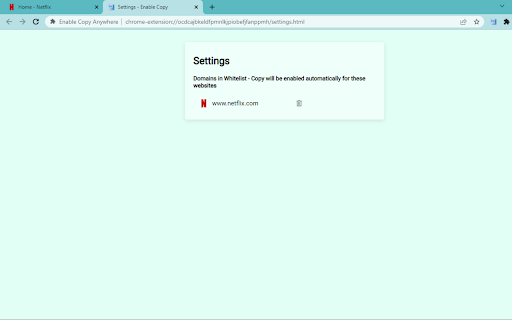
Activate the ability to select/copy from restricted sites. 1. Install and add the extension to Chrome. 2. Enable the right click, copy, select and paste in every site from the settings. 1. Enable/disable to select/copy/paste/use of right-click the text of the sites that restricts. 2. Disable copy by one click, and remembers which site to unblock for future visits. Pin 📌this extension, you can enable/disable to select/copy/paste/use of right-click the text of no selection sites.

Copy Text Easily
Extension that lets you view and reuse clipboard history with drag and drop, and copy text with one click 𝐶𝑜𝑝𝑦 𝑇𝑒𝑥𝑡 𝐸𝑎𝑠𝑖𝑙𝑦 — highlight, extract, and reuse text anywhere ⚡ Grab paragraphs, sentences, or custom selections from any webpage in one click. Turn it on, hover, click—done. Power users get regex extraction, system‑wide clipboard, per‑site controls, link‑click copy, and drag‑and‑drop into any field. 𝗪𝗛𝗔𝗧 𝗬𝗢𝗨 𝗖𝗔𝗡 𝗖𝗢𝗣𝗬 ✂️ - Paragraphs: Hover a paragraph and click to copy it. - Sentences: Skim with live preview, click to copy the exact sentence. - Custom selection: Select any text; it copies instantly—no Ctrl/Cmd+C. 𝗣𝗢𝗪𝗘𝗥 𝗙𝗘𝗔𝗧𝗨𝗥𝗘𝗦 🚀 - Regex extraction: Copy only what matches your pattern (emails, IDs, codes). Works with all modes. - Copy link text on click: Turn on link‑copy behavior so clicks (with your chosen keys) copy link text instead of opening it. - Quiet mode: Hide the preview bubble; show a subtle border only. - Per‑site enable: Precisely control where the extension runs. - Instant highlight: Press your key combo to preview exactly what will be copied under your cursor. 𝗞𝗘𝗬𝗕𝗢𝗔𝗥𝗗 𝗖𝗢𝗡𝗧𝗥𝗢𝗟 ⌨️ - Enable on keypress: Hold any combo of Ctrl, Shift, Alt to activate. - Multi‑key combos supported (e.g., Ctrl+Shift). - Shortcuts: Open Clipboard (Ctrl+Shift+H) and Settings (Ctrl+Shift+S). Customize in Chrome shortcuts. 𝗖𝗟𝗜𝗣𝗕𝗢𝗔𝗥𝗗 𝗛𝗜𝗦𝗧𝗢𝗥𝗬 𝗬𝗢𝗨’𝗟𝗟 𝗔𝗖𝗧𝗨𝗔𝗟𝗟𝗬 𝗨𝗦𝗘 📋 - On‑page Clipboard: A floating, distraction‑free overlay available on any site. - Drag & drop: Drop items from history directly into inputs, textareas, or contenteditable fields. - Smart capture: Automatically saves items you copy via the extension; reduces duplicates and noise. - Power users: System‑wide history—optionally listen to your OS clipboard so everything you copy, inside or outside the browser, stays in one place. 𝗦𝗜𝗧𝗘‑𝗔𝗪𝗔𝗥𝗘, 𝗙𝗔𝗦𝗧, 𝗔𝗡𝗗 𝗣𝗥𝗜𝗩𝗔𝗧𝗘 🛡️ - Global toggle: Turn the extension on/off for all sites from the popup. - Power users: Per‑site controls—enable only where you want it (docs, tools, notes). - Privacy‑first: Your content is processed locally. No account. No uploads. Lightweight by design. 𝗤𝗨𝗜𝗖𝗞 𝗦𝗧𝗔𝗥𝗧 🧭 1) Install and open the popup. 2) Choose a mode: Paragraphs, Sentences, or Custom selection. 3) Optional: Enable “Activate on keypress” and pick your Ctrl/Shift/Alt combo. 4) Hover and click to copy. That’s it. 𝗧𝗥𝗢𝗨𝗕𝗟𝗘𝗦𝗛𝗢𝗢𝗧𝗜𝗡𝗚 🛠️ - Reload the page after changing settings. - Ensure the extension is enabled in the popup. - Using keypress mode? Hold your chosen combo. If Shift/Alt conflicts with a site, try Ctrl. - See the guide for tips and visuals: https://devapt.com/copy-text-easily/how-to-use 𝗪𝗛𝗔𝗧’𝗦 𝗡𝗘𝗪 🎉 v2.7.1: - Adds option to Hide Copy Notifications - Adds text paste feature using middle click or modifier + click - Updates copy link text to copy only the visible text in preview instead of all v2.7.0: - Adds option to view Full Text in the preview bubble - Supports Click & Hold to Copy Links without keypress - Pin preview buble for reading long text - Organized settings layout v2.6.0: - Adds option to copy anchor text or URL on Link Click - Updates preview bubble to display mid and end sections of large text - Adds Word count display in the preview bubble v2.5.0: - Custom key option in keypress selection - Real time sync of changes/settings across all tabs v2.4.0: - Open floating window as a popup window to access clipboard outside webpage v2.3.2: - Supports manual addition to clipboard history. Prevents extension activation in input fields v2.3.1: - Adds context menu option to enable/disable the extension v2.3.0: - System‑wide clipboard history, revamped floating windows, drag‑and‑drop from history, clipboard access from any page. v2.2.0: - Clipboard history for free users plus more controls. v2.1.1: - Adds "How to use" guide in the popup and removes key icon v2.1.0: - Adds "How to use" guide v2.0.1: - Fixes preview bubble blinking issue on Windows OS v2.0.0: - Adds PRO features: history, site based controls and advanced settings v1.2.2: - Fixes link click issues due to "Copy link text on click" feature v1.2.1: - Adds dedicated option to opt-in/out link click to copy text v1.2.0: - Adds link click support to copy text - Adds twitter post click support to copy text - Adds direct keypress to highlight the element v1.1.0: - Adds multi key combination support for keypress function v1.0.0: - Complete revamp of the extension fixing bugs and making it work smoothly across all tabs

Enable Copy Everywhere
Allow right-click for copying text from restricted web pages. Enable copy-paste on all the websites. Unlock the freedom to enable copy-paste on websites with the Enable Copy Everywhere Chrome extension in 2025! This powerful text copy unblocker Chrome tool empowers users to bypass copy restriction Chrome on popular websites, allowing seamless text copying, even from protected websites that have disabled the right-click function. Perfect for researchers, students, and anyone needing to capture content without limitations, this easy-to-use tool makes copying restricted text as simple as a single click. Bypass Restrictions: Effortlessly copy text from protected websites with disabled right-click or copy functions. One-Click Enable/Disable: Instantly turn the extension on or off with a single click from your toolbar. Simple and Free: A free copy-paste Chrome extension that is user-friendly and completely free to install and use. Cross-Browser Support: Available on Chrome and Edge for maximum compatibility. Install the "Enable Copy Everywhere" Chrome extension by clicking on "Add to Chrome." Activate the extension by selecting the icon in your Chrome toolbar. Allow copy-paste everywhere and enjoy unrestricted access to text across the web with Enable Copy Everywhere. This disable copy protection extension is the ultimate Chrome extension for copying restricted text, giving you the power to enable right-click on restricted websites and bypass copy restrictions Chrome effortlessly. 1. What does the Enable Copy Everywhere Chrome Extension do? The extension allows users to copy text from any website, even if the site has disabled right-clicking or copy functions. It's ideal for accessing content without restrictions. Yes, Enable Copy Everywhere is entirely free to download and use. The extension is designed to work on most websites with copy restrictions, though a few heavily protected sites may still block copy functions.

Allow Copy - Select & Enable Right Click
Enable copy on protected websites: allow right click, unblock context menu. Enable text highlight and allow copy. Have you encountered situations where attempting to choose text, access a context menu, or copy content resulted in no response? Some website operators employ technical methods to prevent users from selecting and copying material from their webpages. Enable Right Click stands out as an advanced and comprehensive remedy for websites that impede users from utilizing right-click context menus, selecting text, or copying content." Features: - remove copy protection, enable copy text, remove block selection; - allow right mouse click and turn on context menu; - activate / deactivate for specific domain; - free and easy to use. Other similar extensions frequently break websites, so you are forced to disable and activate manually every time you want to use right click. In contrast, Enable Copy uses a unique technology, which minimizes effect on normal functions of websites which are unrelated to right click, text selection, and copy. Enable Copy extension is very easy to use. If you come across a website that has disabled the right-click button, simply click on the extension icon and it will reload the page. This will enable you to use the right-click button once again, giving you full access to all the functions and information on that website. Enable Context Menu and Select, Allow select, Allow right click in so restricted pages and Copy and Paste. Unlock Copying and Selection You can effortlessly unblock right click, context menu, selection, and copy functionalities on any website. Unblock context menu and Select is a tool that helps you bypass web site copy protection. No longer will you be held back by restrictive website settings. Copy and paste text, images, and more with ease, just the way you want it! Control of your browser context menu again. Please, add review to Allow Text extension. Embark on a stress-free, efficient, and productive browsing journey. Don't let website limitations hold you back any longer—break free and unlock the true potential of the internet!

Enable right click - allow copy & select
Enable context menus on protected websites. Unblock right click menu. Highlight and allow copy option for all pages works again. Enable Context Menu and Select, Allow select, Allow copy, Allow right click in so restricted pages. Installing this free extension enables you to cut, copy, and paste via right-click menus and the ribbon toolbar when using Office on the web. Due to limitations of web browsers, copying and pasting in Microsoft Office for the web through menus requires additional permissions which are provided through this extension. Enable copy and right-click on protected websites. Usage: - Click browser action icon to enter "copy mode" for current site Features: - Unlocks copy (for real) - Remembers which site to unblock for future visits ---> Once this extension is installed you must reload any open tabs in order for it to workIf you change the extension settings any open tabs must be reloaded in order for them to take effect
