
mmpljcghnbpkokhbkmfdmoagllopfmlm
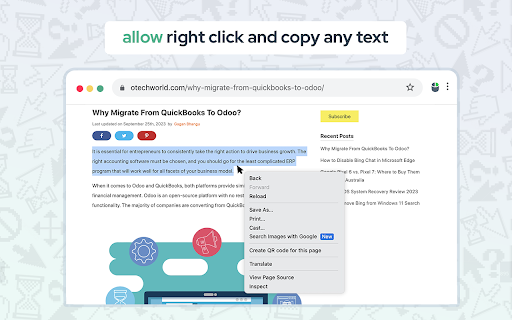


Enable copy on protected websites: allow right click, unblock context menu. Enable text highlight and allow copy. Have you encountered situations where attempting to choose text, access a context menu, or copy content resulted in no response? Some website operators employ technical methods to prevent users from selecting and copying material from their webpages. Enable Right Click stands out as an advanced and comprehensive remedy for websites that impede users from utilizing right-click context menus, selecting text, or copying content." Features: - remove copy protection, enable copy text, remove block selection; - allow right mouse click and turn on context menu; - activate / deactivate for specific domain; - free and easy to use. Other similar extensions frequently break websites, so you are forced to disable and activate manually every time you want to use right click. In contrast, Enable Copy uses a unique technology, which minimizes effect on normal functions of websites which are unrelated to right click, text selection, and copy. Enable Copy extension is very easy to use. If you come across a website that has disabled the right-click button, simply click on the extension icon and it will reload the page. This will enable you to use the right-click button once again, giving you full access to all the functions and information on that website. Enable Context Menu and Select, Allow select, Allow right click in so restricted pages and Copy and Paste. Unlock Copying and Selection You can effortlessly unblock right click, context menu, selection, and copy functionalities on any website. Unblock context menu and Select is a tool that helps you bypass web site copy protection. No longer will you be held back by restrictive website settings. Copy and paste text, images, and more with ease, just the way you want it! Control of your browser context menu again. Please, add review to Allow Text extension. Embark on a stress-free, efficient, and productive browsing journey. Don't let website limitations hold you back any longer—break free and unlock the true potential of the internet!

Enable Copy
Crack Disable Copy or Cancel Crack by click the icon. Unblock Context menu and Select is a tool that helps you bypass web site copy protection. Have you ever tried to select a text or access a context menu or copy a text, and nothing happened? Website owners can use technical tricks to disable selecting and copying content from their webpages. With Enable Copy extention, you control of your browser context menu again.

Blend & Run: Enable copy and paste
Extension to copy & paste text on websites which block it. Blend & Run is a Chrome extension that helps you paste text/code on websites that block copy & paste. Feel free to contribute: https://github.com/HASHCUT69/Blend-n-Run This extension was developed by Sandeep Pani, Sathvik Achanta, and Akash Muriki.

Allow Right-Click
Re-enable the possibility to use the context menu, copy, paste, and text selection on sites that prevent them. This extension is a clean implementation to re-enable right-click context menu on websites that prevent it. Some websites prevent right-click to prohibit the user from copying or pasting content. This is a misuse of a browser feature that is designed to allow website owners to provide their own context menu not to block the user from accessing the browser's default context. How to use the extension? Simply click on the toolbar button if the right-click is blocked on a website. That's it! Note that this extension uses a non-persistent background script which means it is not using any resource unless the toolbar button is pressed. So compared to the other alternatives it can be considered more efficient implementation. Features: 1. Reenables defualt context menu based on the context (for image, you will get image context menu, and for video, you will get the default video context menu with "Save As" context menu item) 2. Reenables copy and paste on websites that prevert them (unblocks clipboard) 3. One-click toggle on and off 4. Automatically gets enabled on the user requested websites 5. Disables web distraction by muting "window.alert" and other intruptting notifications 6. Unblocks text selection ("user-select", "-moz-user-select", and "-webkit-user-select") 7. Unblocks pointer event blocking ("pointer-events") 8. Unblocks image access within HTML5's custom elements 9. Open-source on GitHub 10. Unblocks touch events on Android (touchstart and touchend)

Enable Right Click for Google Chrome™
A simple way to allow right-click to work on websites that disables it for you. This extension helps you re-enable and allow right-click function on every website that blocks the right-click menu. The extension automatically works, and no action is required.
