
plnjlfpbjnjhmjgjohcfbdmgacancdmg
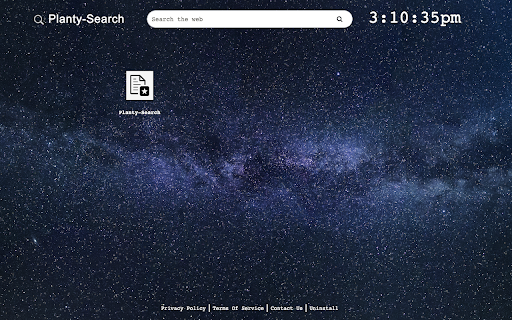
Planty-Search extension allows you to search directly from new tab. Planty-Search is an easy to use, space themed search new tab extension. Planty-Search - Space background themed new tab that allows you to search and navigate easily to your favorite bookmarks. For more information please visit: https://planty-search.com Enjoy and please don't forget to leave us a 5 start review! By clicking "Add to chrome" you accept and agree to installing the Planty-Search Chrome extension, and setting Chrome® New Tab search to that provided by the service and the Terms of Use at https://planty-search.com/#terms_of_service privacy policy at https://planty-search.com/#privacy_policy. The extension will update your new-tab search engine to be powered by Bing.

Smilebox Tab
With Smilebox Tab you get fast access to your favorite sites and to the amazing selection of Smilebox ecards for all occasions With Smilebox Tab you get fast access to your favorite social, shopping, and entertainment sites, as well as to the amazing selection of Smilebox e-cards/slideshows/invitations for all occasions, all in one place. The extension also features New Tab search functionality, making it easy to search for anything right from the new tab. By clicking “Add to Chrome”, you accept and agree to install the Smilebox Tab Chrome Extension, set the Chrome™ New Tab to Smilebox Tab with Yahoo, and to the Terms of Use and Privacy Policy. - Access 3500+ original designs for every occasion - Enjoy quick access to your favourite sites and create shortcuts - Use New Tab search included in the extension For easy access to shortcuts, we recommend pinning the extension to your browser toolbar. You may uninstall the extension at any time. To remove our extension from Chrome: 1) Click on the three vertical dots icon in the upper right-hand corner of your Chrome browser. 2) Go to "More tools” 3) In the left menu that appears, click on "Extensions.” 4) From the list of installed Extensions, locate the extension you would like to uninstall. 5) To remove the extension, click on the "Remove" button, which is to the right of the "Details" button (for the extension you wish to uninstall). 6) Close your browser completely and reopen it. The extension should now be removed from your browser. For assistance from our customer service team, please email us at extsupport@smilebox.com

Nature Extension
The Nature Extension is designed to bring a beautiful calming nature images to your every day peripheral. Now your first browser page will no longer be a boring search bar but your new extension will bring you the joy and calm of nature's landscapes. Once installed you are able to customize the Nature Tab by choosing your preferred background from one of the many nature settings in our image library. You are also able to view your local time and local weather. We hope you enjoy using the Nature Tab as much as we have. By clicking "Add to chrome", I accept and agree to installing The Nature Tab extension and setting Chrome™ New Tab search to that provided by the service. The search will be powered by Bing. Homepage URL: https://sites.google.com/view/nature-extension Terms & Conditions URL: https://sites.google.com/view/nature-extension/terms-and-conditions Privacy Policy URL: https://sites.google.com/view/nature-extension/privacy-policy Support URL: https://sites.google.com/view/nature-extension/contact-us

Nature NewTab Extension
The Beauty of Nature: A Photographic Journey Simple and beautiful nature backgrounds By clicking "Add to Chrome" I accept and agree to install the Nature NewTab Chrome extension and hereby agree to set the Chrome New Tab to that provided by the service and the Privacy policy and Terms of Use. The search results will be provided by Microsoft Bing. Privacy Policy - https://crushlinxmedia.com/privacy-policy-1 Terms and Conditions - https://crushlinxmedia.com/terms-and-conditions About Us - https://crushlinxmedia.com/contact-us All image are sourced from Unsplash.com with a commercial use

Smartbase
Enhance Your Browser SmartBase replaces your current Chrome New Tab window with a feature packed New Tab that provides you with search and social features right on your fingertips! By clicking "Add to Chrome", I accept and agree to installing the Chrome extension and setting Chrome New Tab, Homepage takeover, and Default Search to that provided by the service. The search features within the extension will be provided by Microsoft Bing. Permission required: Replace the page you see when opening a new tab
