
hijkamckfelgdjkjanhpjbcidfaagpbf
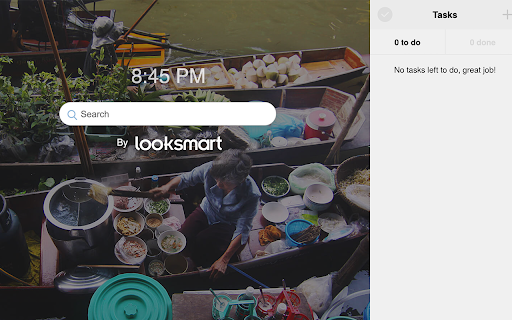

Enhance Your Browser SmartBase replaces your current Chrome New Tab window with a feature packed New Tab that provides you with search and social features right on your fingertips! By clicking "Add to Chrome", I accept and agree to installing the Chrome extension and setting Chrome New Tab, Homepage takeover, and Default Search to that provided by the service. The search features within the extension will be provided by Microsoft Bing. Permission required: Replace the page you see when opening a new tab

multi-searches.com
search the web - new tab search Multi-Searches is a simple and minimalist search new tab extension. Multi-Searches - Clean and minimal new tab that allows you to search and navigate easily to your favourite, recently visited sites. For more information please visit: https://multi-searches.com Enjoy and please don't forget to leave us a 5 start review! By clicking "Add to chrome" you accept and agree to installing the Multi-Searches Chrome extension, and setting Chrome® New Tab search to that provided by the service and the Terms of Use at https://multi-searches.com/#terms privacy policy at https://multi-searches.com/#privacy_policy. The extension will update your new-tab search engine to be provided by Bing.

Scoreboard Tab
Scoreboard brings you scores from NFL Football, NBA Basketball, NCAA Basketball, MLB Baseball, NCAA Football, NHL Hockey, WNBA Basketball, English Premier League Soccer, La Liga Soccer, Champions League Soccer, PGA Golf and every major league and competition. By clicking "Add to chrome", I accept and agree to installing the Scoreboard Tab extension and setting Chrome New Tab search to that provided by the service. The search will be powered by Bing. With Scoreboard, you get live views of every game in every new tab. You can see the latest scores for the sport you care about. You’ll have the ability to instantly see live scores from around all of the sports leagues and the ability to search the web right within your new tab window. Need help or have feedback for us? Reach out to us at scoreboardtab@gmail.com

Bookmark Drag and Drop
New tab Advance bookmark shortcut tool with screenshot,drag & drop feature and save your Bookmark shortcut to a specific folder. With this newest version of Bookmark Image Scan and creation you can turn all bookmarks into images and then drag and drop them into separate folders. The one and only extension of this kind we have been looking for this feature for many years and decided to build it on our own. Now you can organize hundreds of old bookmarks and researched pages into readable viewable formats. The search features within the extension will be provided by Microsoft Bing; however, the extension will not make any changes in your default browser search setting. https://bookmark-folders.com/eula.html https://bookmark-folders.com/privacy.html By installing the Bookmark Drag and Drop Chrome extension you agree to install this application, and you agree to the End User License Agreement and the Privacy Policy.

FindIt-All
Enjoy a quick and distraction-free search experience Looking to enjoy a rich and fast search experience? Try FindIt-All! FindIt-All - is a distraction-free search extension, offering a search focused experience on the default search without all the background noise: Quick access to search Rich search experience powered by Bing The Findit-All extension sets your default search provider to Bing. By clicking “Add to Chrome”, you accept and agree to install the FindIt-All extension, set the Chrome™ default search to FindItAll, and to the Terms of Use, and Privacy Policy. For easy access, we recommend pinning the extension to your browser toolbar. The extension requests the following permissions: Set your default search to FindIt-All Can read and change your data on sites: https://*.finditall.com/* You may uninstall the extension at any time. To remove our extension from Chrome: 1) Click on the three vertical dots icon in the upper right-hand corner of your Chrome browser. 2) Go to "Settings.” 3) In the left menu that appears, click on "Extensions.” 4) From the list of installed Extensions, locate the extension you would like to uninstall. 5) To remove the extension, click on the "Remove" button, which is to the right of "Details" button (for the extension you wish to uninstall). 6) Close your browser completely and reopen it. The extension should now be removed from your browser. For assistance from our customer service team, please email us at support@findit-all.com
