
pibckhncbjabhlomohgcdedacopeooml


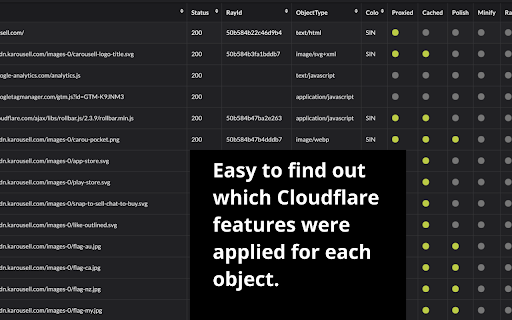
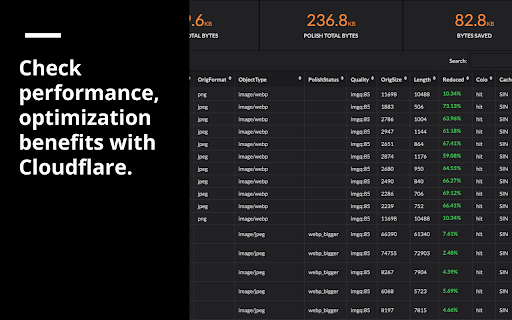
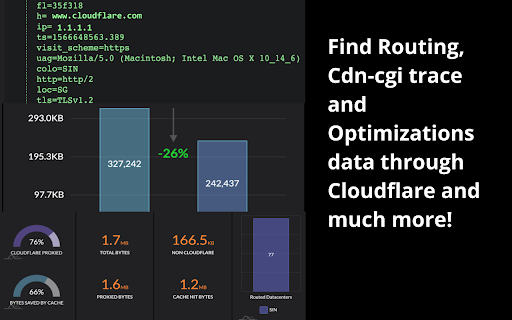
Get insights of your Cloudflared website. Provides an easy way to see benefits with Cloudflare. Get insights of your Cloudflared website. This tool provides an easy way to see all the benefits with Cloudflare. After installation, please open F12 (Developer Tools) and find "Dr.FLARE" tab to get started. This extension will paint images on websites indicating Cache HIT or MISS status with color filter, GREEN filter indicates the image was from cache, RED means cache MISS. The images were not delivered via Cloudflare server, it will be painted with faded-black. Hover on painted images, a popup will show more details at the right corner of your screen. You can disable this feature in the extension popup window. - Please REFRESH to reflect the change. Dr.FLARE Panel in developer tools provides more information on how much performance / optimization you are getting with Cloudflare. If you don't see any data, please refresh (F5) to receive requests. This plugin was introduced by Cloudflare as a community tips, please see here for more details. - https://community.cloudflare.com/t/community-tip-dr-flare-debug-tool-for-cloudflare-chrome-extension/110166 If you have any questions or suggestions, please leave a comment or send us email directly at ricky840@gmail.com / pbz1856@gmail.com. Thank you for installing and enjoy!!

AMP Validator
Automatically checks each page for AMP validation. The AMP Validator will check the current page to see if it is an AMP page and then run it through the AMP validator and report if the page passes (green) or fails (red) via the extension icon. If there are any warnings or errors it'll list the number underneath the extension icon and clicking the icon will display the warnings and/or errors. If the current page is not an AMP page and one is available via the extension icon turns blue and clicking it will load the AMP version of that page. By installing this item, you agree to the Google Terms of Service and Privacy Policy at https://policies.google.com/.

Content Security Policy (CSP) Generator
Automatically generate content security policy headers online for any website. Content Security Policy (CSP) Generator is a chrome extension for automatically generating Content Security Policy headers on any website in minutes.

Datalayer Checker
The easiest way to debug and check the dataLayer implementations without having to use the browser console! We are happy is happy to release Datalayer Checker 3 with several new features and a revamped design! NEW VERSION AVAILABLE! 🔹 Redesigned interface and intuitive user experience 🔹 Integrated event search engine 🔹 Flexible variable visualization: table format or JSON object 🔹 Google Tag Manager container injection removed (to respect manifest v3 rules) EXCLUSIVE FEATURES: 🔹 Capture what matters! Save up to 100 dataLayers with our revolutionary "Snapshot" function 🔹 Deep analysis! Verify your dataLayers in batches by methodically inspecting your captures 🔹 Organize efficiently! Structure your workspace with intelligent filters by domain, dataLayer name, or specific search (e.g.: event_name) to automatically classify your snapshots 🔹 Stay up-to-date! Reopen all your snapshot URLs to capture new data and compare them instantly Transform your analytics experience with Datalayer Checker! Because we're passionate about analytics...

Analytics Debugger
Your Single Source of Truth (SSOT) for debugging analytics implementations Formerly known as "GTM/GA Debugger," our tool is your ultimate Single Source of Truth (SSOT) for debugging analytics implementations! Are you a developer, analyst, or marketer committed to achieving top-tier web analytics and tracking results? Look no further! Our powerful debug tool is meticulously crafted to simplify your life. Analytics Debugger streamlines your daily debugging tasks, boasting user-friendliness for all while delivering in-depth insights to advanced users. v2.4.6 - Adds support for Chartbeat - Fixed Amplitude Regional Collection Endpoints 🛠️ Wide Compatibility: Our tool seamlessly supports a variety of analytics and tracking tools, including: - Google Tag Manager - Google Analytics - Tealium - Piwik Pro / Matomo - Adobe tools - and most commonly used Marketing Pixels. to mention some of them (Check the full list here) 🔒 Privacy Enhancement: Rest assured, our tool injects code only after DevTools has loaded, with no background monitoring. 🚀 Tools: Supercharge your tracking implementation with a rich toolkit including - GTM Preview Enhancer: USe this tool to bypass all the limitations from the original Preview Mode - Google Analytics Debug Libraries Loader - Block GA3/GA4 Hits: Prevent your - Export Features - Real-Time Data - Enhanced Ecommerce Reports - Data Filtering for Focused Insights - Clicks Blocker: Prevent being redirected to next page - and much more! Get started today and elevate your analytics debugging and optimization process effortlessly. Unlock the full potential of your analytics and tracking endeavors – streamline your workflow, enhance privacy, and gain profound insights seamlessly. Download now and experience the transformation! Changelog: You can check out our latest updates on our GitHub repository. https://github.com/analytics-debugger/analytics-debugger-browser-extension Support / Feedback: Offered via the Store or using the Github Repository Official Documentation: For detailed guidance, visit our official documentation at https://www.analytics-debugger.com/tools/browser-extension Don't miss out on this game-changing tool. Elevate your analytics game today!
