
ahlnecfloencbkpfnpljbojmjkfgnmdc
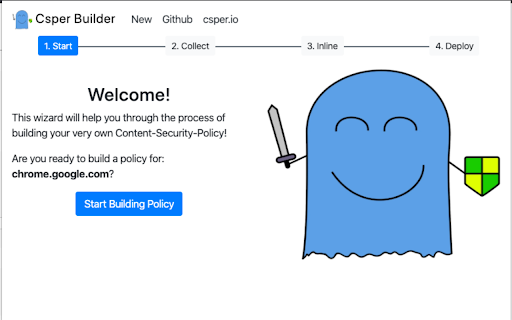


Automatically generate content security policy headers online for any website. Content Security Policy (CSP) Generator is a chrome extension for automatically generating Content Security Policy headers on any website in minutes.

BrowserStack
Instantly test your webpage on any desktop or mobile browser. Launch a new test session in any browser using the BrowserStack Quick Launch Extension. Select any combination from "All Devices" dropdown OR set up to 12 browsers for quick access under favourites and minimise the time spent in switching browsers. Review changes immediately and make cross-browser testing an integral part of development. To use the integration: 1. Install the extension. 2. Open the webpage you want to test and click on the BrowserStack logo on your extension toolbar. 3. Select the browser & device combination you want to test on. Your webpage will be launched in the combination selected. Test this webpage using BrowserStack’s Dev Tools, check page behavior in real user conditions and file bugs directly. NOTE: You need to have a BrowserStack account to use this Chrome extension. You can sign up from the extension or use this link: www.browserstack.com/users/sign_up

Allow CSP: Content-Security-Policy
Easily remove CSP (Content-Security-Policy) rules from the response header. Allow CSP extension lets you easily remove existing content security policy rules from any webpage (from the response header). This extension is useful for web or mobile app developers or whenever you want to temporarily disable CSP rules. To work with this addon, please open the toolbar popup and then click on the toggle button on the left side to activate the addon. When the addon is installed, the default state is inactive with a grey icon color. Once it is active, the toolbar icon becomes blue. You can add/remove the active tab domain to the whitelist table via the toolbar popup. If you have a feature request or found a bug to report please fill out the bug report form on the addon's homepage (https://mybrowseraddon.com/content-security-policy.html).

Apollo Client Devtools
GraphQL debugging tools for Apollo Client. Apollo Client Devtools is a Chrome extension for the open-source GraphQL client, Apollo Client. This extension has 4 main features: 1. A built-in version of the Apollo Studio Explorer that allows you to make queries against your GraphQL server using your app's network interface directly (no configuration necessary). 2. A query watcher that shows you which queries are being watched by the current page, when those queries are loading, and what variables those queries are using. 3. A mutation inspector that displays the mutations made to your Apollo Client application data. 4. A cache inspector that displays your Apollo Client cache data. You can explore the cache through a tree-like interface, and search for specific field keys and values. Code for this extension can be found at: https://github.com/apollographql/apollo-client-devtools

CORS Unblock
No more CORS error by appending 'Access-Control-Allow-Origin: *' header to local and remote web requests when enabled This extension bypasses the "XMLHttpRequest" and "fetch" rejections by altering the "Access-Control-Allow-Origin" and "Access-Control-Allow-Methods" headers for every request that the browser receives. You can activate the extension by pressing the action button. Also, use the right-click context menu over the action button to modify which headers the extension manipulates. You can also ask the extension not to overwrite these headers when the server returns values for them. The default values for the headers: Additional Features: 1. It can remove the following CSP-related headers: "Content-Security-Policy", "Content-Security-Policy-Report-Only", "X-WebKit-CSP" and "X-Content-Security-Policy". 2. It can overwrite the returned 4xx status code from the server. Use this feature when a server does not support a method, but you want to pretend it does. 4. It can permit cross-origin frame embedding (by removing the "X-Frame-Options" header) to simplify remote page embedding during local development. 5. It can include or exclude the "referer" and "origin" headers when a server is sensitive to them to work appropriately. 6. The extension optionally uses the "chrome.debugger" to overwrite 4xx status codes (in case a server does not support a method, you can use this feature to pretend the server accepts a response or supports an unsupported method). 7. The extension also optionally fixes CORS policies of redirected URLs. -- It is important to note that this extension fixes preflight requests to permit access to any custom header (when enabled). Links: 1. For reporting bugs, please use the link https://github.com/balvin-perrie/Access-Control-Allow-Origin---Unblock.
