
nkihdmlheodkdfojglpcjjmioefjahjb
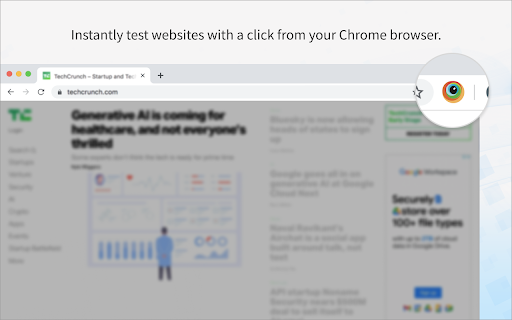
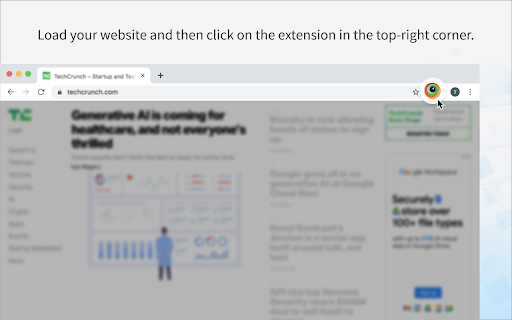

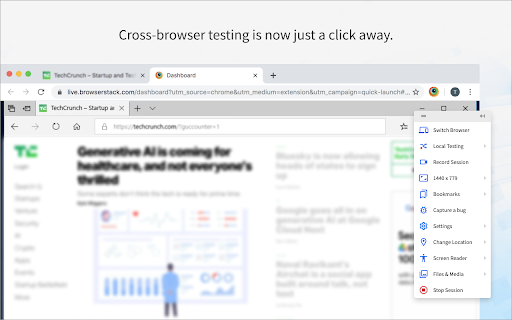
Instantly test your webpage on any desktop or mobile browser. Launch a new test session in any browser using the BrowserStack Quick Launch Extension. Select any combination from "All Devices" dropdown OR set up to 12 browsers for quick access under favourites and minimise the time spent in switching browsers. Review changes immediately and make cross-browser testing an integral part of development. To use the integration: 1. Install the extension. 2. Open the webpage you want to test and click on the BrowserStack logo on your extension toolbar. 3. Select the browser & device combination you want to test on. Your webpage will be launched in the combination selected. Test this webpage using BrowserStack’s Dev Tools, check page behavior in real user conditions and file bugs directly. NOTE: You need to have a BrowserStack account to use this Chrome extension. You can sign up from the extension or use this link: www.browserstack.com/users/sign_up

WAVE Evaluation Tool
Evaluate web accessibility within your browser. WAVE is a web accessibility evaluation tool developed by WebAIM.org. It provides visual feedback about the accessibility of your web content by injecting icons and indicators into your page. No automated tool can tell you if your page is accessible, but WAVE facilitates human evaluation and educates about accessibility issues. All analysis is done entirely within the Chrome browser allowing secure valuation of intranet, local, password protected, and other sensitive web pages. To run a WAVE report, simply click on the WAVE icon to the right of your browser address bar, or select "WAVE this page" from the context menu. WAVE errors align with WCAG 2.2 failures. The WAVE interface facilitates human evaluation of many other aspects of accessibility and Web Content Accessibility Guidelines, ADA, and Section 508 compliance. Version 3.3.1.0 (May 2026) - Various bug fixes and performance enhancements. Update AIM score to align with 2026 WebAIM Million. Version 3.3.0.4 (December 2025) - Bug fix for scripting exception with some pages with small text. Minor interface improvements. Version 3.3.0.3 (November 2025) provides performance, interface, and testing improvements. Improved support for ARIA headings and prefers-reduced-motion user settings. Version 3.3.0.0 (October 2025) adds numerous new features, enhancements, and bug fixes. Resetting the extension no longer refreshes the page, thus supporting better testing of dynamic content. The Summary and Details panel are now combined. The AIM Score is presented. Viewing the Order, Structure, or Contrast tabs now filters to only relevant page icons. The WAVE sidebar can now be collapsed out of view. Version 3.2.7.2 (September 2024) fixes a bug that disallowed checking of local files and suppresses errors in some cases where role="presentation" is present. Version 3.2.7.0 (August 2024) adds compatibility with Manifest v3. Inputs with aria-disabled=true are no longer considered for contrast checking. Version 3.2.6.0 (August 2024) adds support for contrast checking when foreground alpha/opacity is defined. The Contrast sidebar tools are updated to support foreground alpha. Also numerous minor bug fixes and improvements. Version 3.2.5.3 (February 2024) fixes numerous minor bugs and adds testing refinements. Some hidden inputs are no longer incorrectly flagged as not labeled. Version 3.2.4.4 (October 2023) fixes a few minor bugs with testing hidden content and with the sidebar contrast tools. Version 3.2.3.9 (June 2023) removes the warning message on UserWay pages due to them removing code that changes page content when the WAVE extension is activated. Version 3.2.3.8 (June 2023) includes numerous accessibility test enhancements, several minor bug fixes, and simplification of the contrast checking tools. Users are informed that WAVE results may be manipulated on pages that utilize UserWay or accessiBe overlays. Version 3.2.3 (March 2023) includes several minor bug fixes. A previous update to test for contrast errors in hidden elements has been reverted. While this was useful for finding contrast errors in drop-down menus, tab panels, dialog windows, etc., identification of errors in hidden elements caused user confusion and, in some rare cases, false positives. Version 3.2 (December 2022) includes over 100 bug fixes and performance enhancements. The extension no longer utilizes jQuery, resulting in faster testing and better compatibility with a variety of pages. A new Navigation Order panel is available that shows the navigation order, element roles, and accessible names (what is read by a screen reader) for all navigable elements. Version 3.1.6 (October 2021) includes numerous bug fixes and test rule enhancements for better testing contrast (filters, background images, and other complex color definitions are better handled), document language (IANA-defined language values are now tested), empty links and buttons (better ARIA support for accessible name computations), broken ARIA references, etc., etc. Performance and accessibility has been improved. Version 3.1.3 (November 2020) includes performance enhancements and fixes several minor bugs, including fixes for multiple alerts for some pseudo-lists and disabled controls being incorrectly flagged for contrast failures. Version 3.1.2 (October 2020) fixes several minor bugs, including with the Structure tab sometimes incorrectly showing no structure, and improves performance and accessibility testing reliability. Version 3.1 (September 2020) includes new accessibility tests (region, figure, possible list, select element missing label, and image with title), improved contrast checking, expanded lang attribute value checking, and numerous other bug fixes and improvements. Version 3.0.9 (July 2020) includes numerous bug fixes, improved accessibility, and improved color contrast checking including fewer false positives and expanded contrast checking for form inputs.

Testing Toolkit: 15+ Essential Manual Testing Tools
Redefine manual testing with best-in-class tools, supercharged with AI. JSON Formatter, Cache Manager, Responsive testing & more All the tools you need across the manual testing workflow— from test creation and setup to execution, bug reporting, and debugging— are now accessible with a single click. Trusted by QAs, SDETs, and FE developers, to streamline their testing workflows. ––> Skip the hassle of juggling multiple tools & accounts — manage everything through one extension. ––> Offload tedious manual tasks to our AI agents & tools for smarter, faster testing. Best Chrome extension to streamline your manual testing workflow. Access all the essential testing tools in one click: Live Testing - Perform cross-browser testing across 3,500+ real desktop and mobile browser combinations Bug Capture - Generate detailed, data-rich bug reports with screenshots, console & network logs, and system information in one click Accessibility Toolkit - Manually test accessibility with Assisted Tests, Workflow Analyzer and Screen Reader on real devices Cookie Manager - Easily manage your browser cookies - search, add, edit, and delete cookies Cache Manager - Clear cache with full control over what gets cleared and how far back Network Simulator - Simulate different network speeds and conditions to test real-world user experiences Responsive Testing - Check responsiveness of your webpage across multiple screen resolutions side-by-side Visual Overlay Testing - Overlay Figma designs on your webpage to detect visual differences Requestly - Test, Mock, Intercept, and Debug APIs with local-first API client JSON Formatter - Automatically format, validate and debug JSON data Proofreader Agent - AI powered webpage inspection to find broken links, and spelling & grammar errors. Common Workflow Automation - Automate repeated workflows like test account creation or order modification. Easy to use API client and workflow recorder AI Form Filler - Leverage AI to analyze form fields and instantly generate and fill realistic data. ⭐️ Who is Testing Toolkit for?

Grid Ruler
Create grids and measure their distance easily. It allows web developers to create vertical and horizontal grids, Photoshop style. It has a ruler to measure distance between your grids too. - click & drag from main vertical/horizontal ruler to create grid guides. - click on intersection of vertical ruler and horizontal ruler to go into measurement mode. - while in measurement mode, hold `Shift` key to get a straight line.

axe DevTools - Web Accessibility Testing
Accessibility Checker for Developers, Testers, and Designers in Chrome ★Digital accessibility testing right in your browser: The Axe DevTools Extension is an automated accessibility testing tool that helps you find and fix accessibility issues early in web development right in your Chrome browser. It helps ensure your team gets fast, accurate, actionable results so you can save time on costly reworks, and create digital experiences that are compliant and work for everyone. ★Leverage the global standard in automated web accessibility testing: The free version of the Axe DevTools Extension gives you the tools to conduct page-by-page, automated accessibility testing—all run on Axe-core, the global standard in automated web accessibility testing. With the free browser extension, teams get a useful introduction to accessibility and a quick, automated way to catch defects, all while benefiting from the same reliable and consistent results trusted by industry leaders around the world. ★Find and fix even more accessibility issues with AI and automated testing: Upgrade to the pro version of the Axe DevTools Extension to move faster, smarter, and further streamline workflows with AI-enhanced features, intelligent guided testing, component-level checks, the ability to test entire user flows, central administration, deduplicated results, Jira integration, and more. Dev teams can use this pro version of the browser extension to fix a majority of issues before production by combining traditional test automation with AI, reducing remediation costs and saving time. It’s great for teams who want to check specific pages, groups of pages, or workflows for accessibility issues. To learn more about the Axe DevTools Extension visit https://www.deque.com/axe/devtools/extension Use of this extension is governed by this license agreement https://www.deque.com/terms-of-use/axe-ext/ and the privacy policy linked under the developer information Data collection information can be found here: https://docs.deque.com/devtools-server/4.0.0/en/data-collection#axe-devtools-browser-extension-free Upgrading to the Axe DevTools Extension pro plan gives you more control over what data is collected.
