
phjkepckmcnjohilmbjlcoblenhgpjmo
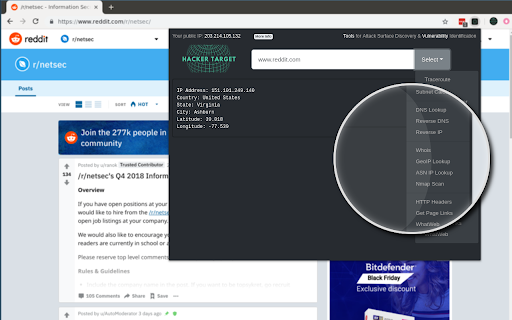

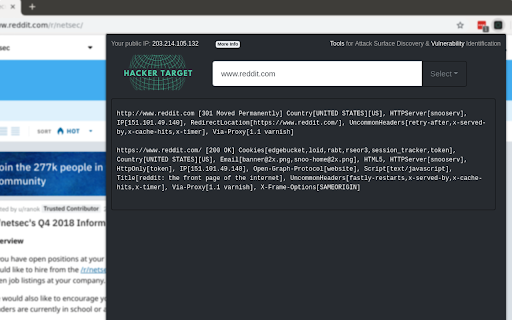
Quick access to IP, DNS & Network Tools. Check DNS, Whois, ASN, Traceroute, Ping and more. Tools for technical operators. IP, DNS and Security tools for technical systems operators. Instant access to Whois, GeoIP, DNS, Traceroute, Ping, HTTP Headers, Nmap and more all from your browser. Perfect for: - security professionals - network operators - systems administrators - analysts - or simply those who are curious about technical aspects of the Internet While all these tools are available on HackerTarget.com, our Chrome Extension offers quick and easy access, saving you time. Perform external network queries in a single click. HackerTarget.com is an established provider of hosted open source security scanning services such as Port Scanners (Nmap), Vulnerability Scanners (OpenVAS) and Web application security (WordPress, Nikto) testing. Online Nmap Port Scanning has been available from HackerTarget.com since 2007. While continuing to provide a stable hosted vulnerability scanning service the site continues to evolve and provides tactical information to those who manage Internet connected systems. By using hosted security scanning and network testing tools you are able to probe and troubleshoot your networks, firewalls and servers from an external perspective. This testing from outside the network perimeter or firewall simulates probes and scanning that may be performed by a determined attacker. In addition to finding vulnerabilities and security configuration errors in your systems these types of probes will also enable you to test intrusion detection (IDS / IPS) and even incident response processes.

DNS Lookup
Lookup DNS records for any domain name The whatsmydns DNS Lookup extension for Google Chrome lets you quickly and easily see DNS records for the current website you are on, or any other domain name that you enter. You can use the extension to see all the common DNS record types directly within Chrome without having to leave the page. This includes A, AAAA, CNAME, MX, NS, SOA, TXT, CAA, SRV, PTR, or even all records at once. After performing a DNS lookup, you can easily check global DNS propagation using the full whatsmydns.net website.

HackBar
A browser extension for Penetration Testing * Supported * HTTP methods * GET * POST * application/x-www-form-urlencoded * multipart/form-data * application/json * Request editing mode * Basic * Raw * Custom payload * For more information, please visit https://github.com/0140454/hackbar/blob/master/README.md * XSS * Vue.js XSS payloads * Angular.js XSS payloads for strict CSP * Some snippets for CTF * Html encode/decode with hex/dec/entity name * String.fromCharCode encode/decode * Helper function for converting payload with `atob` For more information, please visit https://github.com/0140454/hackbar#third-party-libraries

d3coder
Encoding/Decoding Plugin for various types of encoding like base64, rot13 or unix timestamp conversion This extension enables you to encode and decode selected text via the context menu. This reduces the time you spend on looking up values and gives you more time to concentrate on the important things of development. The context menu this extension enables is customizable through the options page. To get there either click on the item or go to Wrench -> Tools -> Extensions -> d3coder options. Via the popup you are able to choose between four message types: alert the result, adding a DIV-element to the bottom of the page, via console.log() or replacing the selected text on the page. You can also deactivate functions(e.g. if you don't need them and want to free the space they use). The current version has implemented the following en-/decoding functions:

Sputnik
OSINT web extension Sputnik is an extension to quickly and easily search IPs, Domains, File Hashes, and URLs using free Open Source Intelligence (OSINT) resources. • Text - Select the artifact you wish to search and right click • Links - Right click on links, audio, images, videos • Select an OSINT tool • In most cases, you will be redirected straight to results • For tools that require user interaction such as captchas: • The highlighted artifact will be saved to your clipboard • You will be directed to the submission page
