
phjalkbgdbmbdlpclmbmfigmlbbmniac
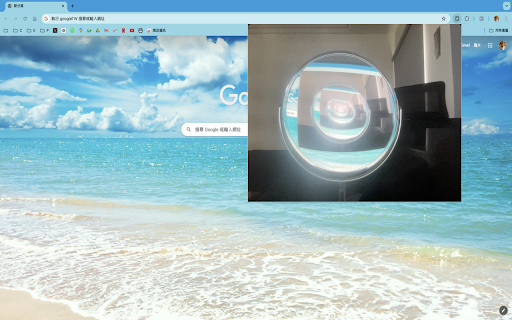
A Chrome extension that displays a popup below the extension icon and requests camera access, acting like a mirror. Feature Overview The Camera Preview Extension is a practical tool designed specifically for the Chrome browser, allowing you to easily use your computer's camera to preview your image directly in the browser with left-right mirroring. This extension features an elegant interface design, providing an excellent user experience. Key Features Real-Time Camera Preview: Simply click the extension icon to open the embedded camera window without any additional steps. Left-Right Mirror Effect: Provides left-right mirror effects, simulating a real mirror for convenient daily use. Flip Functionality: Easily flip your camera preview horizontally with a single click, enhancing usability for different scenarios. High-Quality Design: A beautifully designed interface that makes your camera preview more refined. Easy to Use: With just a few setup steps, you can use it effortlessly without complicated operations. Why Choose This Extension? Instant Efficiency: Preview your camera image directly in the browser without opening other applications, convenient and fast. Multi-Scenario Application: Whether it's for video conferences, online teaching, or daily photos, it can handle it with ease. Lightweight Tool: Does not take up too many system resources, ensuring smooth usage. High-Quality Interface: Simple yet sophisticated design provides a premium visual experience. Installation Guide Open the Chrome browser and go to the extension store. Search for "Camera Preview Extension" and click the "Add to Chrome" button. Follow the prompts to complete the installation. Once installed, click the extension icon at the top right corner of the browser to start using it. Usage Tips Before video conferences or online teaching, preview your image to ensure you present your best look. Use the flip functionality to switch the camera preview direction according to your preference. The Camera Preview Extension is an essential tool for every Chrome browser user. Install it now and enjoy a more convenient and efficient camera experience! User Feedback and Improvements Continuously improve the extension's functionality based on user feedback, such as adding window size adjustment and filter effects. Security Considerations Data Privacy: The extension should not store or transmit user image data; all processing should be done locally. Camera Permissions: The extension should request camera access only when the user clicks on it, and release the permissions immediately after use. If you encounter any issues, you can visit the support page or contact customer service for assistance.

Mirror Video
This extension mirrors videos on web pages. Mirror a playing video Works with Twitch

CamFlip
Flips your webcam CamFlip creates a virtual webcam in your browser which is mirrored horizontally. This is useful for video chat applications because others in the video chat receive the mirrored version instead of the original from your webcam. - Useful for video chat applications - Tested in Google Meet, Zoom for web, Microsoft Teams - Free for unlimited use with a small watermark. Remove the watermark for a small one-time payment

Webcam Mirror Flip
Mirror and flip your webcam video horizontally or vertically. Works offline. by AIO.com.ai Webcam Mirror Flip lets you instantly mirror your webcam video horizontally or vertically on any website. Perfect for video calls on Zoom, Google Meet, Teams, and more. See yourself as others see you, or correct reversed text in your background. Works completely offline with zero data collection. Simply click the extension icon, toggle your preferred flip direction, and apply. The extension automatically detects video elements and applies transformations in real-time. Free forever with no premium features locked. Developed by AIO.com.ai.

OKIO Mirror Image Corrector
The OKIO Mirror Image Corrector extension allows you to correct the adjusted image that occurs when using Google Meet. 📝 The FREE OKIO Mirror Image Corrector is an extension meant to work in conjunction with Google Meet that helps you enable and disable the adjusted mirror image so that you can accurately see what you are writing, drawing, presenting, discussing, or creating! 😀 The OKIO Mirror Image Corrector gives you the power to toggle between the mirrored and non mirrored image. After downloading, you can use the extension by clicking the extension’s popup and then you will be able to enable and disable the mirrored image. 🎥 The OKIO Mirror Image Corrector helps you to explicate difficult math problems, model unique art techniques, and demonstrate good penmanship! 😀 Google Meet automatically mirrors the preview window (sender’s video). The OKIO Mirror Image Corrector lets you correct the preview window by toggling between the unmirrored image as well as the mirrored image.
