
nlphdnkfmgjdhmancnmdmjkbpmcebejf
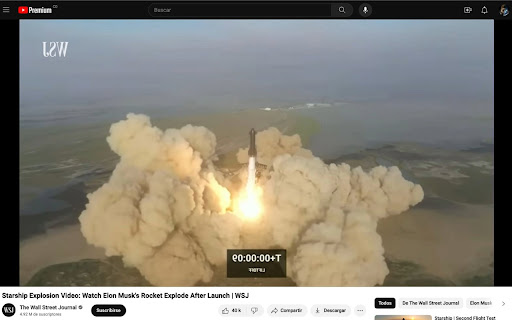
This extension mirrors videos on web pages. Mirror a playing video Works with Twitch

Video DownloadHelper
Download Videos from the Web. Download videos from the web. Easy, smart, no tracking. Best video downloader for 10+ years! Video DownloadHelper supports 1000+ websites (Dash, HLS, MPD, …), live streaming, high-definition and conversion to your preferred formats (MP4, MKV, WebM, …). Video DownloadHelper also support audio download (extract audio from videos into MP3s). Please note that this extension doesn't support YouTube.

Mirror extension!
The mirror extension mirrors web pages! With the mirror extension it is now possible to turn your Internet around, using the MIRROR! extension. Free for educational, research and entertainment purposes. >>>Instructions:>>About Mirror Read

Video Loop Extension
Easily loop a fragment of a video on any page Easily loop a video on any page, setting starting time and end time to loop over and over until stopped.

Blur. The Image and Video blur extension
A browser extension that blurs all images on a page, for when you want to be discreet or don't want to look at certain images. Celebrating 100,000 installs, we've updated your favourite browser extension with a new look and feel! Here's to many more years of blurring! Watch this space as we continue to roll out new and exciting changes. The Blur Team. We’ve all had those times when we've 'accidentally' searched for something online and ended up seeing images we didn't want to see. Or maybe you’ve experienced browsing Facebook or Instagram at work or in a public place, only to catch someone glancing at your screen. Or perhaps you just want to read an article without being distracted by all the images and videos. Well, now you can. This add-on blurs all images and videos on a webpage, so you can concentrate on what’s important. You can choose to view the content or not. To see or not to see? The choice is yours. Shortcuts: ALT + K: Blur or unblur an image or video when hovering over it ALT + L: To quickly enable or disable the extension Language Support: We now support over 5 languages including English, Mandarin, Russian, Arabic, Bangla, Hindi and Urdu. Simply change your preferences via the settings tab. Themes: Change between light and dark theme or choose the system default. Two additional fun themes have been added, install to find out what they are. Allow list: You can also white list websites, simply open the extension and add the site to your allow list!
