
pfneigogocifpmjngcpbhfmjhbckjcao
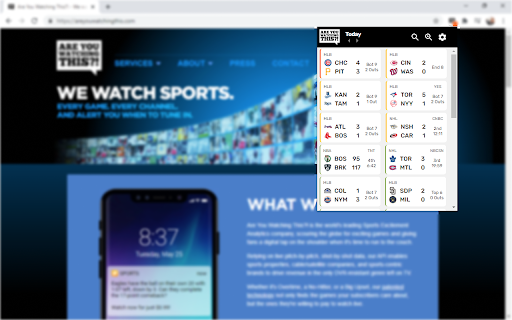

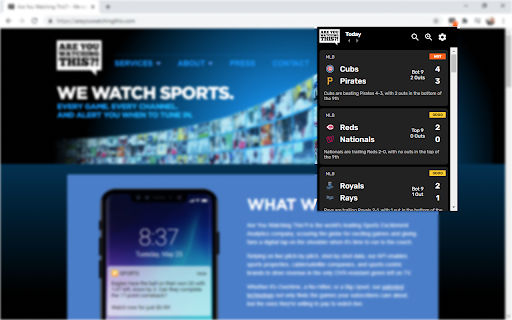


Live Scores and Excitement Alerts for NFL, NBA, NHL, MLB, NCAA Basketball, NCAA Football, and Soccer. Never miss an Instant Classic! This is a Chrome Extension that has Sports Scores, TV Listings, and Excitement Ratings.

TV Show Tracker
Keep track of your favourite TV shows. Do you want a simple way to keep track of all your favourite TV shows in one place? This extension does just that! Features: • Shows the air dates of previous and next episodes • Easy to add or remove series • Episode dates are updated every day • Settings • Sort your TV shows (can be changed in settings): • Alphabetically • By previous episode date ascending • By previous episode date descending • By next episode date ascending • By next episode date descending • Change appearance • Device default - follows device preferences • Dark • Light This extension uses www.tvmaze.com to get episode dates. Change log: Version 3 • New design, including light & dark theme. • Full rewrite from scratch, hopefully fixed edge case where syncing would stop working after a while for some users.

MLB Baseball Tracker
Adds an icon with your selected MLB team's game information with real-time score and in-game data. Note: This extension does not support the Vivaldi browser - it has some differences from Google Chrome around how extensions are handled that cause the extension to not function properly. This extension adds an icon with your chosen MLB baseball team at the top of the browser that shows information about today's game in the icon's hover-text, real-time score and play information during games (including teams, location, inning, and pitcher), and the appropriate win/loss flag when it's over! This is an active project - if you find a bug (or think of a useful feature), please report it via the extension's page in the Chrome store, and I'll get it updated as soon as I can! All icons and team names are trademarks belonging to Major League Baseball Properties, Inc. or the respective teams, the owner of this application disclaims ownership of any trademarks, logos or images belonging to Major League Baseball Properties, Inc. or the respective team appearing on this site. The appearance of trademarks and/or team logos belonging to Major League Baseball Properties, Inc. or the respective team on this website does not constitute affiliation or endorsement by Major League Baseball or respective team of any of the services provided by this application. Change History: 1.3 - Fixed bug where the "Teams" list could show just the first 2 teams repeatedly on initial startup 1.4 - Fixed time zone issue, changed icon left-click from Scoreboard to the current game's Box Score 1.5 - Fix issue with hovertext when a team has >10 runs 1.6 - Handle games that are Postponed 1.7 - Handle games that are Delayed Start 1.8 - Fixed issue where Delayed Start game wouldn't get updates right away after starting 2.0 - Updated to use MLB's new API, and updated the in-game icon so that you can see the score as well as what bases have runners on them, how many outs, top/bottom and inning number. Also includes additional info in hover-text like number of balls, strikes, outs, and current batter. Revert to the old, simpler in-game icon by ticking the "Enable Simplified In-Game View" option in the right-click menu. 2.1 - Fixed an issue with a previously unseen game state that caused game status to no longer update. Implemented a workaround that should prevent this from causing breaking changes in the future. 2.2 - Fixed a bug occurring on days with no games, and added handling for new game status. 2.3 - Fixed a (timezone conversion) bug causing night games to not register as a game today. 2.4 - Updated game postponement info in hover text 2.5 - Fixed a bug in the hovertext where the incorrect team would be named with players on base 2.6 - Added a third view option for non-fans to only see if there's a home game today or not without any game details, and restructured the menu a bit to accommodate it 2.7 - Added Arizona timezone 3.0 - Updated to Extension Manifest v3, logic updates to handle changes in MLB API that broke in-game hovertext, added partial/hack support for Vivaldi browser (which only shows one sub-menu, so Team is now first, still no way to change timezone or mode), updated Indians team name to Guardians. This release required a TON of changes; please let me know what issues you find. 3.1 - Fixed logo image quality issue

Earth 3D Maps
Explore bird’s eye 3D maps of the Earth – cities, mountains, wonders and new places. Travel virtual around the Earth with 3D maps. Plan your next real-world adventure by exploring destinations virtually with Earth 3D Maps: bringing the wonders of the world directly to your screen through your Chrome browser. Discover new destinations from the comfort of home — install Earth 3D Maps and start your virtual journey today! On the popup of the extension Earth 3D Maps you will explore the globe in 3D. When you click the "Open larger map" button, a new 3D map of the Earth opens on an external website. You can zoom in and out, rotate and move around on the 3D maps. We have created this extension to plan your next vacation in popular cities and places on Earth. Earth 3D Maps Chrome extension uses ArcGIS embed code in iframe. User Agreement Use the Chrome extension “Earth 3D Maps” at your own risk. No guarantee or warranty is given. The author shall not be held liable for any damage or loss of data caused by its use. Usage of “Earth 3D Maps” means that you agree to these terms. We collect information about your Web Browser, IP, ISP, the time and date of your visit with Google Analytics. This is standard procedure and most of the extension do the same. Disclaimer The Chrome extension “Earth 3D Maps” is have no affiliations with the popular website Google Maps. All copyrights belong to their respective owners. Google doesn’t endorse or sponsor this Chrome extension. This Chrome extension is not owned by, is not licensed by and is not a subsidiary of Google Inc. All copyrights belong to their respective owners. Contact Us We will be very happy to help. Please send us a message on the support tab. Uninstall of Earth 3D Maps To the right of your address bar, look for the extension's icon - a blue Earth circle. Right-click the icon and select Remove from Chrome.

Online Radio
All your favorite radio stations in one extension. Listen to your favorite radio station without leaving the browser. * Extension already contains a list of popular radio stations. The list is constantly growing. * You can add your own radio station. * Add your favorite radio stations to favorites list for quick access. * Hotkeys support
