
peppjiknkjiakajeanjmeadlipjhabjl
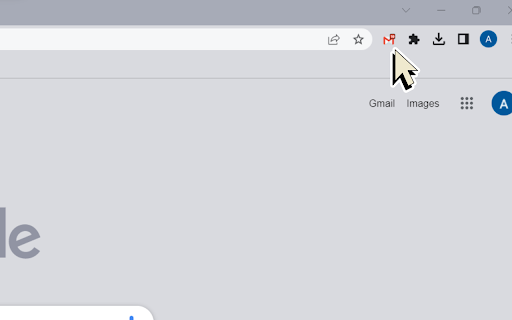
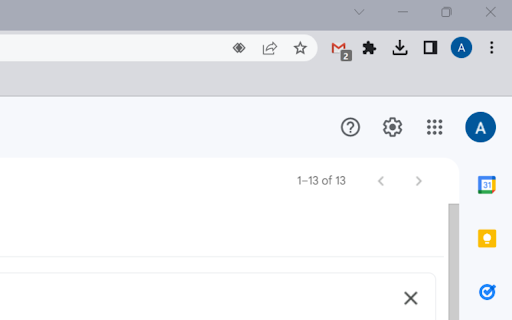
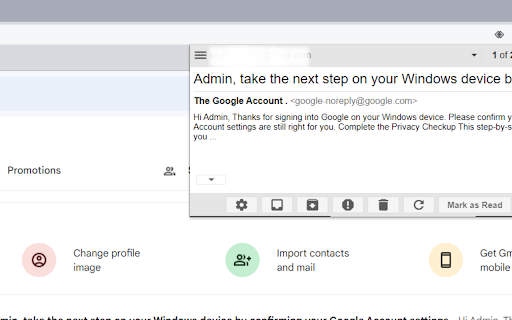
Multiple label and account notifier for Gmail. 1. Install and pin the extension to Chrome. 2. Sign up/into your Google account. 3. Now you can access your emails 📩 in an add-on from your current window open. 4. Mark as read, report spam, trash, or archive messages ✉️ right from the browser's toolbar. 1. No requirement to enter your credentials. 2. Multiple account and label support. 3. Low bandwidth usage by using RSS technology. Notifier for Gmail is an open-source project that notifies you about incoming emails ✉️ from all your Google Mail accounts and labels.

Notifier for Gmail™
Multiple label and account notifier for Google Mail (Gmail™) Gmail™ Notifier is an open-source project that notifies you about incoming emails from all your Google Mail accounts and labels. Features: 1. No requirement to enter your credentials. 2. Multiple account support 3. Multiple label support 4. Low bandwidth usage by using RSS technology 5. Mark as read, report spam, trash or archive messages right from browser's toolbar 6. Dark theme support Source Code: Source code of the extension is available on Github: https://github.com/inbasic/ignotifier To report bugs and track them submit them: https://github.com/inbasic/ignotifier/issues?state=open FAQs: Addon's homepage has a FAQ section. Some of the QAs are listed here: Check this page for more instructions: https://webextension.org/listing/gmail-notifier.html ----------------------------------------------------------------------------- Please don't use reviews as a support forum. If you are experiencing problems with the add-on, send a support request: https://github.com/inbasic/ignotifier/issues?state=open -----------------------------------------------------------------------------

Gmail Checker - Multi Account Gmail Notifier
Get notifications for multiple Gmail accounts, and read or delete email without opening Gmail This extension provides quick access to your email inbox, saving time on opening messages or switching profiles. Receive instant alerts with a notification sound for new emails, ensuring you never miss important correspondence. It supports reminders for all connected accounts, seamless profile switching, and viewing emails across profiles. Manage messages effortlessly—read, mark as read, delete, archive, or move to trash—without visiting the website. Features: ➢ Effortless account support and profile switching. ➢ Immediate alerts with sound for new emails. ➢ Background notifications even when the browser is closed. ➢ Full email management directly from the extension. Tips: No manual setup—automatically syncs with accounts logged into your email service on the web. Developed by independent creators and not affiliated with the official service provider.

Ext. for Gmail
Ext. for Gmail Gmail Chrome Extension: Mail Checker & Notifier The gmail extension is a powerful mail extension that brings email right to your desktop. It provides notifications and quick access to your inbox. The extension acts like a personal inbox manager to simplify your email tasks. Enjoy seamless browser integration and use it as a mail app or email app on Chrome. Download this for Chrome to enjoy Gmail quick shortcuts and alerts in one place. You can even set a Gmail reminder for important follow-ups. 🚀 For example, every new email triggers an instant alert so you never miss something urgent. Key Features 📬 Instant notifications: Always stay updated with Gmail alerts and new email notifications. For example, each incoming message can trigger a desktop pop-up with sender and subject info, so you never overlook important emails. 🔔 Sound alerts: Choose custom sounds for notifications to catch important messages. Never miss urgent emails thanks to audible cues. 🛡️ Real-time tracking: This mail tracker shows which messages have been read or forwarded, letting you track message status. 🔍 Powerful search: Quickly find any message with the built-in search tool, even across large archives. 🧩 Gmail plugin: Enhance your inbox with powerful new tools and shortcuts, right in the toolbar. Smart Alerts & Notifications 1️⃣ Mail checker: Instantly refresh your inbox and see unread counts at a glance. Keep an eye on your inbox while working in other tabs. 2️⃣ Mail notifier: Receive desktop pop-ups and sound alerts for every new email. You’ll never miss a message, even when you’re away. 🔔 mail Notifier: Desktop pop-ups and custom sounds for every new message. You control which alerts are most important to you. Track & Remind 🔒 Mail tracker: Monitor your important messages and track opens, so you know when someone reads or forwards your emails. 🔍 Mail tracker: Get insights on recipient interaction with your emails. Useful for knowing who engaged with your content. ⏰ Mail reminder: Automatically remind yourself or snooze emails to follow up later. Perfect for ensuring you never forget an important reply. 📱 Application of Gmail: Access a mini mail app in the toolbar with full account sync. It’s like having a dedicated email app built right into your browser. Operate like a mini mail app inside your browser. All your settings, labels and filters are preserved, giving you a familiar mail experience. Easy Access & Management 🔧 Chrome gmail integration: Launch your mailbox on any computer with one click. 🛠️ gmail addon chrome: Enhance your email with extra tools in Chrome. From productivity add-ons to security, find it all here. 📌 Mail extension features: A compact and organized view to read, archive, or delete messages quickly. Keep everything tidy without leaving your page. 🔌 Email extension: A simple add-on that brings advanced Gmail features to your inbox. Gain the power of desktop tools in the web interface. 📨 Mail checker: Instantly see which messages are read or unread without leaving your current tab. Great for multitasking, seeing new email status at a glance. 🖥️ Gmail app mode: It acts as a fully-featured Gmail app right in your browser. Manage multiple accounts or large inboxes without opening Gmail web. ⚡ GMail fast mode: A lightning-fast interface to scan emails quickly. Even with thousands of messages, scrolling and searching remain smooth. 🌐 Gmail online: Works with the full Gmail web interface without missing any features. All the familiar functionality is here, just a click away. 🌐 gmail web: Designed to enhance the Gmail web interface with powerful tools. Customize your web-based inbox with extension-only features like reminders or enhanced privacy mode. 💻 gmail computer access: Use Gmail like an app on any desktop with full offline support. Your emails are available even without internet connection. Quick Setup 1️⃣ Download this extension from the Chrome Store in seconds. 2️⃣ Sign in with your Google account to get started. 3️⃣ Customize Gmail alerts, reminders, and tracker settings to your needs. 4️⃣ Instant inbox: Click the toolbar icon to open and check your inbox quickly. 📨 Refresh inbox: Quickly update your inbox to see new messages without delay. Why Choose This Gmail Extension ⏱️ Productivity boost: Quickly check your Gmail and reply faster with smart alerts and reminders. ☁️ Works offline: Access your Gmail in any browser, even when offline, then sync later. 🌐 Multiple accounts: Manage personal and work Gmail addresses simultaneously. 💾 Free & secure: A gmail extension you can download gmail from the Chrome Web Store, always free and regularly updated. 🔄 Gmail manage: Quickly organize and handle your inbox with powerful controls. 💡 Gmail tool: Packed with utilities like reminders and trackers, making it an indispensable email extension. Use this extension to transform how you manage your mail. No more missed messages or cluttered tabs – this mail app puts email right at your fingertips. Enjoy the fastest, most intuitive way to check email on your computer. 💡 Ready to simplify your email routine? Install this tool now and experience inbox freedom. ✨ 💼 It’s ideal for both busy professionals and casual users alike.

Gmail app badge notification
Show badge notifications in the taskbar when using Gmail as an app 1. Install the extension 2. Add Gmail as an app. You can do so by following this guide: https://support.google.com/chrome_webstore/answer/3060053?hl=en - make sure to select the option "open as a window". 3. Open the newly installed app.
