
peaiabjigdmcjiigljknblkdmllgmklp
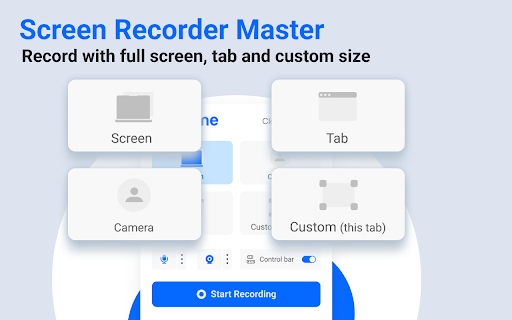

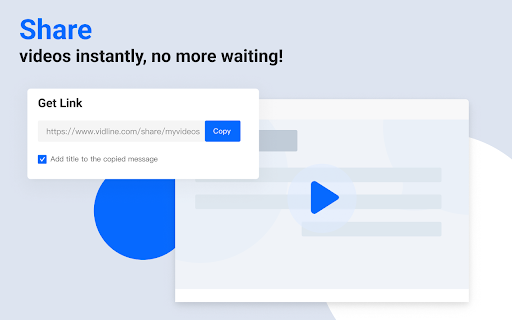
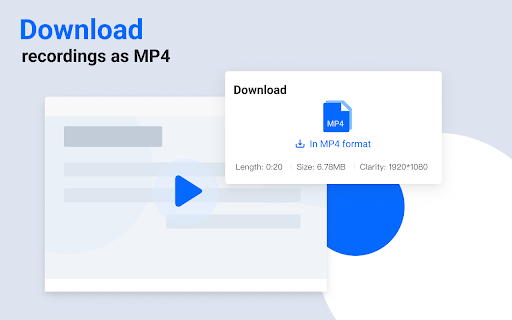

Quickly record screen with audio and camera. Instantly share videos with one click. Vidline helps you to record your screen and cam quickly, and share the recording instantly. You can record screen with camera and audio, share videos instantly with links, collaborate with teams, upload recordings to the cloud, or download videos, and more! Get Vidline now for free! No ads! No recording time limits! KEY FEATURE ⏺️ Record screen, camera, microphone and system audio 🔗 Share recordings instantly with links, viewers could watch the video without login 🔒 Choose if viewers could download and save your shared videos 💾 Save videos to the cloud, without occupying your computer space ⏬ Download HD screen recording files without watermark 💬 Comment and interact with people on videos 🖌️ Mark contents and explain clearly through annotation tools 🎬 Right click web to start recording quickly 🖥 Manage recorded videos easily in the video library 📀 Record videos of different resolution at 720p, 1080p, 2k and 4k RECORD SCREEN - Record videos at full screen, in a window, a browser tab, or custom area - Record system audio, microphone, output Bluetooth, earphone, voice - Select cloud recordings, recorded videos will directly save to the cloud, with no space occupied - Select local recordings, recorded videos will directly save to your computer RECORDING SCENARIO - Study: record videos of online courses and remote teaching, connect educators and students, record screen of research reports, useful information - Work: Screen record business meetings, zoom meetings and personal presentation - Entertain: Screencastify game videos, and share them with friends and family, capture live stream, facecam reaction, music video, Youtube video - Daily life: Record everything you think that is worth stored and memorized VIDEO NOTES FOR WORK - Create workspaces for teams to collaborate, store materials - Leave time-based comments, tag team members to notify them - Get notified immediately when someone comments - Save time for meeting arrangements ABOUT VIDLINE Vidline is a video recorder created for hybrid workplaces and remote workers. There are now countless uses for short videos in the workplace from daily standups to online classes, from bug reports to design demos. Vidline is trying to be the best easy-to-use screen recorder extension to help improve video communication and productivity in work, study and daily life. If you have any questions or feedback, please feel free to contact us at care@vidline.com. We’ll be always here to help along the way.

Screenshot - Webpage Screen Capture
Convenient screenshot tool. Capture, edit and save them to jpeg, gif or png, drop comments and share. Screenshot is an all-in-one platform for all your needs. Just choose what you need now! This handy tool integrates seamlessly into your browser, providing a quick and efficient way to capture the content you see on your screen. All for Free & No sign in needed! Here are some features: ▸ Whole Page screen capture - No matter how long the page is, you can turn the page into a picture for easy editing and sharing. ▸ Visible Area screen capture - Fast capture the viewable area of the current web page. ▸ Selected Area screen capture - Select and capture anything you want. Our extension is not only feature-rich but also incredibly user-friendly. You'll be capturing screenshots in no time. Best of all, it's completely free, so there are no hidden costs or subscriptions to worry about. If you have any questions, suggestions or feature requests, feel free to submit to our Screeshot team.

RecordBro - Screen Recorder & Annotation Tool
A secure, privacy-first screen recorder that’s completely free. Record, annotate, and edit videos with ease — no sign-in needed. **RecordBro – Free, Powerful & Private Screen Recorder** Capture, annotate, edit, and share videos with zero sign-in and zero data collection. RecordBro is a powerful and privacy-friendly screen recording and annotation tool designed for work, education, demos, tutorials, and everyday use. Create high-quality videos right from your browser — quickly, simply, and securely. 🎥 Record anything, anywhere * Record your browser tab, desktop, any app window, a specific region, or your camera * Create unlimited high-quality recordings with no time limits 🎙️ Crystal-clear audio * Record your microphone or system audio * Use features like push-to-talk for more control ✏️ Annotate in real time * Draw on your screen, add text, arrows, shapes, and highlights while recording * Perfect for demos, tutorials, lessons, and feedback videos ✨ Smart video enhancements * Apply AI-powered background blur or virtual backgrounds * Smooth zooming to focus on important areas * Blur sensitive information anywhere on the screen ✂️ Built-in editor * Trim, cut, crop, and manage your audio * Remove or replace audio tracks * Export clean, polished videos in minutes 👀 Better viewer experience * Highlight clicks and cursor movements * Spotlight mode for guided walkthroughs * Countdown timers and auto-stop alarms 💾 Flexible export options * Save videos as MP4, GIF, or WebM * Export directly to local storage * Integrate with cloud storage (optional) 🔒 Privacy you can trust * Your recordings stay on your device * No accounts, no tracking, no data collection * Works even when you’re offline 💙 Free with no limits * Record as many videos as you want, for as long as you want — completely free and sign-in-free. * RecordBro is open source

Reelia Record - Screen Recorder & Editor
Record screen, website and webcam to a video - free, quick and easy. Reelia Record – Free, Fast & Easy Screen Recorder & Editor Effortlessly capture and share your screen, website, or webcam in one click! • No Sign-Up Required • No Watermarks • Completely Free 🎥 Record Your Way: • Versatile: Record your screen, specific app, browser tab, or just your webcam. • Engaging: Embed webcam & mic for screencasts. • Clearly Communicate: Annotate live while recording. • Focus Viewers: Highlight mouse clicks & movements. 🖊️ Edit Effortlessly: • Organized: Local library for your recordings. • Powerful Editor: Trim, cut, crop & merge clips. • Flexible: Easy undo/redo for any edit. 🔥 Why Reelia? ✔️ Unlimited Recording: No limits. ✔️ No Watermarks: Your content, your brand. ✔️ HD Quality: Crystal-clear videos. ✔️ Privacy First: Everything stays on your computer. 🚀 Help Shape Reelia! We're always improving based on your feedback! ✔️ Recording Library – Done! ✔️ Bug Fixes & Performance – Ongoing! 💡 Ideas or Bugs? Let us know via the "Support" tab in the Chrome Web Store. 🙌 Love Reelia? Share with friends & leave a review! Your support means the world to us! 😊

Screen recorder
Elevate your productivity with Screen Recorder tool. Effortlessly capture and share your screen recordings for optimal efficiency. 🌟 Introducing our Chrome Screen Recorder extension, your ultimate solution for seamless screen recording directly from your browser. 🎥 Whether you're a content creator, educator, or business professional, this free screen recorder offers unparalleled convenience and functionality. 🚀 With our Chrome Screen Recorder, capturing your display has never been easier. Simply install the extension, and you're ready to record from the display with just a few clicks. No complex setup or technical expertise required! Here's why our Screen Recorder stands out: 1️⃣ Effortless Screen Recording: Record your screen with unparalleled ease. Whether it's a tutorial, demo, or presentation, our extension simplifies the process. 2️⃣ Audio Recording: Capture not only video but also audio with our screen recorder. Perfect for narrating tutorials or adding commentary to your recordings. 3️⃣ Flexible Recording Options: Choose to record your entire display or select specific windows or tabs. Our flexible options cater to your recording needs. 4️⃣ High-Quality Output: Enjoy crisp and clear recordings every time. Our screen recorder ensures that your videos maintain excellent quality, making them suitable for professional use. 5️⃣ Customizable Settings: Tailor your recording settings to suit your preferences. Adjust video resolution, frame rate, and audio input to achieve the perfect recording. 📝 Enhance Your Content Creation ✔ Dive into content creation effortlessly with our Screen recorder. ✔ Perfect for capturing high-quality videos directly from your display. ✔ Benefit from a free screen recorder that enriches your video blogs or tutorials. ▸ Utilize the chrome screen recorder for all your professional needs. ▸ Record from the dispaly to create engaging webinars and training sessions. ▸ Leverage screen recording during presentations to provide valuable resources afterward. 🎮 Streamers and Gamers' Ideal Tool 🔺 Use this online screen capturing for live streaming games. 🔺 Capture every exciting moment with robust screen and audio recorder capabilities. 🔺 Share your high scores and gameplays online with a dedicated video capturing. 🎶 Music and Tutorial ➤ Ideal for musicians wanting to share performances or tutorials. ➤ Record video from the display that syncs flawlessly with your audio. ➤ Screen recorder with audio lets you educate and entertain seamlessly. 💻 For Software Developers and Tech Enthusiasts 📌 Show off new software or coding projects using our recorder screen. 📌 Create clear, instructive clips on bug fixes or feature demos. 📌 Makes sharing technical walkthroughs straightforward and effective. 📚 Education and Online Learning 📘 Record educational materials that students can access anywhere, anytime. 📘 Use the Screen recorder to capture online classes, enhancing the e-learning experience. 📘 Educators can create reusable content that helps students outside of classroom hours. 🌐 Remote Work and Collaboration ✅ Record meetings or remote sessions for future reference or those who couldn't attend. ✅ The Screen recorder is an excellent tool for teams to share project updates. ✅ Ensures that everyone stays in the loop, maintaining team synergy. 1. Capture step-by-step guides using Display capture. 2. Combine screen video recorder and audio to fully narrate the procedures. 3. Increase viewer comprehension and retention with visually appealing guides. 🖥️ UI/UX Design Feedback and Revision — Capture real-time user interactions to better understand user experiences. — Use the Screen recorder to document reactions and provide constructive feedback. — A tool that is vital for UI/UX designers seeking to perfect application design. 🛠️ Customer Support and Troubleshooting • Provide customers with clear, concise visual aids and troubleshooting videos. • Use the online recorder to capture common problems and their solutions. • Enhance support services by creating a library of easy-to-follow help videos. 💎 Experience the convenience and versatility of our Chrome Screen Recorder today. Start recording from the display with ease and take your content creation to new heights!
