
giolfdhelhkknfnplanblpbjeaiojikm


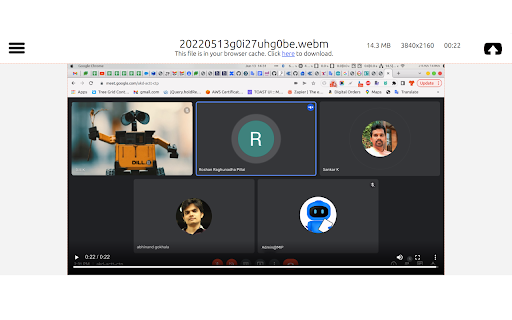
A secure, privacy-first screen recorder that’s completely free. Record, annotate, and edit videos with ease — no sign-in needed. **RecordBro – Free, Powerful & Private Screen Recorder** Capture, annotate, edit, and share videos with zero sign-in and zero data collection. RecordBro is a powerful and privacy-friendly screen recording and annotation tool designed for work, education, demos, tutorials, and everyday use. Create high-quality videos right from your browser — quickly, simply, and securely. 🎥 Record anything, anywhere * Record your browser tab, desktop, any app window, a specific region, or your camera * Create unlimited high-quality recordings with no time limits 🎙️ Crystal-clear audio * Record your microphone or system audio * Use features like push-to-talk for more control ✏️ Annotate in real time * Draw on your screen, add text, arrows, shapes, and highlights while recording * Perfect for demos, tutorials, lessons, and feedback videos ✨ Smart video enhancements * Apply AI-powered background blur or virtual backgrounds * Smooth zooming to focus on important areas * Blur sensitive information anywhere on the screen ✂️ Built-in editor * Trim, cut, crop, and manage your audio * Remove or replace audio tracks * Export clean, polished videos in minutes 👀 Better viewer experience * Highlight clicks and cursor movements * Spotlight mode for guided walkthroughs * Countdown timers and auto-stop alarms 💾 Flexible export options * Save videos as MP4, GIF, or WebM * Export directly to local storage * Integrate with cloud storage (optional) 🔒 Privacy you can trust * Your recordings stay on your device * No accounts, no tracking, no data collection * Works even when you’re offline 💙 Free with no limits * Record as many videos as you want, for as long as you want — completely free and sign-in-free. * RecordBro is open source

Screen Recorder
Screen recording for active tab and app that download screen video in mp4 Screen recording is a recent digital technology that allows users to capture video and audio from their computer screens. It has become increasingly popular due to its ability to capture videos or images from a variety of sources, including websites, applications, and games. Screen recording is used in a variety of applications, from creating instructional videos and tutorials to capturing a game’s progress or taking screenshots of a website to highlight a new feature. Screen recording is a simple process. The user first needs to select the screen area they would like to capture. This can be done with mouse clicks or through a recording software program. Once the area is selected, the user can begin recording by pressing a button or using a keyboard shortcut. The recording will then capture the audio and video from the designated area, which the user can then save or share with others. Screen recording can be used in a variety of settings. For example, in the classroom, teachers can record instructions for students to watch later. It can also be used to create instructional videos for employees, or to capture a video game’s progress for a review. Additionally, screen recording can be used to take screenshots of websites to show off new features.

ApowerREC Screen Recorder
One-click to start your unlimited recordings! ApowerREC Screen Recorder is a lightweight screen recording software providing a bunch of amazing features. With its high flexibility, you can customize the whole screen, browser window, or tab exclusively. More so, if you desire include the audio, sure it can! Multifunctional Screen Recorder ▶ Microphone & System sound recorder Record system sound, microphone, or both audio sources at the same time. ▶ Browser Recorder Screen record a selected browser tab. ▶ Desktop Recorder Record all the desktop activities. ▶ Webcam Recorder Include webcam screen into the recording. ▶ Application window Recorder Record designated application interface. Contact Us ☛ Customer Service: support@apowersoft.com ☛ Desktop Program: https://www.apowersoft.com/record-all-screen

Desktop Screen Recorder
Record the computer's screen, entire application or a single browser tab with audio support Desktop Screen Record is a powerful recording tool that captures the screen for sharing content. This extension has three modes: 1. Capture the entire screen. This mode supports monitor selection if more than one display is detected. 2. Application window capturing. It only captures one application's window, and the video size would be equal to the application's window size. 3. Browser tab mode. The extension captures the content of one browser tab only. You can optionally switch to a different tab during the recording This extension can record in HD quality if the recording is placed on a high-quality LCD monitor. Also, it supports audio recording. The user can either ask the extension to record the system sound (whatever is playing in the background) or use the user's microphone device for recording. The output format of the media files is the WebM format, which is the best choice for media sharing due to its compression level and real-time rendering. Features: 1. It is possible to use this extension to record long screen captures since it directly writes chunks to the disk while recording. 2. Recover recordings in case of a browser crash. 3. Use a built-in tool to draw or write during the presentation 4. Record audio from speaker, microphone, or both 5. Adjust video quality (HD, Medium, Low, or Default) 6. Define global shortcuts to pause, resume, or stop recording. 7. Record as long as you need. There is no watermark on the recording 8. Writes the stream directly to the disk. There is no need for recovery after a possible browser crash.

Reelia Record - Screen Recorder & Editor
Record screen, website and webcam to a video - free, quick and easy. Reelia Record – Free, Fast & Easy Screen Recorder & Editor Effortlessly capture and share your screen, website, or webcam in one click! • No Sign-Up Required • No Watermarks • Completely Free 🎥 Record Your Way: • Versatile: Record your screen, specific app, browser tab, or just your webcam. • Engaging: Embed webcam & mic for screencasts. • Clearly Communicate: Annotate live while recording. • Focus Viewers: Highlight mouse clicks & movements. 🖊️ Edit Effortlessly: • Organized: Local library for your recordings. • Powerful Editor: Trim, cut, crop & merge clips. • Flexible: Easy undo/redo for any edit. 🔥 Why Reelia? ✔️ Unlimited Recording: No limits. ✔️ No Watermarks: Your content, your brand. ✔️ HD Quality: Crystal-clear videos. ✔️ Privacy First: Everything stays on your computer. 🚀 Help Shape Reelia! We're always improving based on your feedback! ✔️ Recording Library – Done! ✔️ Bug Fixes & Performance – Ongoing! 💡 Ideas or Bugs? Let us know via the "Support" tab in the Chrome Web Store. 🙌 Love Reelia? Share with friends & leave a review! Your support means the world to us! 😊
