
pcfcnkkjfmcncimnkdigpkjhagmdkbnj
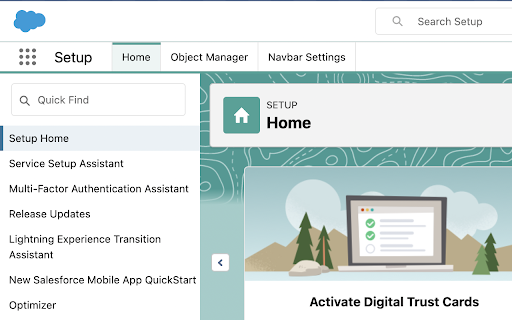


If you want to have more tabs on your quick navigation bar in the Salesforce Setup page, this extensions is made for you. Instead of having only Home and Object Manager tabs you will have possibility to add most used tabs to that navbar. Just click the settings button and add more tabs, then order them as you wish. Don't be afraid to add too many tabs, as the navbar is horizontal scrollable from now. Featured updates: 1.1.x - donate button to support further development 1.2.x - settings are stored in chrome extension storage

Salesforce Change Set Helper
Enhances the Salesforce change set. Adds last changed date and allows sorting, searching, validation and comparison with other orgs. A Chrome extension to improve the usability of Salesforce change sets NEW! Release 3.1.4 Optimizations for large organization Release 3.1.3 - Fix Compare and allow multiple orgs to be connected. - Add the ability to validate and deploy changes directly to other orgs. - Ability to select components from different types and add them at once. - Added a new Change Set Cart where the user can see what are the items have been added without needing to leave the add screen. - Persistent cart panel with sync badge, search, virtualised list, filterable chips. - Export/Import package.xml from cart and both page toolbars. - Bulk Remove via Tooling API DELETE (no A4J reload dance). - Single-row Remove without page reload. - Hide native Import entry point. - Fix lighting page issue. Release 3.0.2 Supports Chrome extensions best practices and manifest v3 updated better loading of components for large orgs. Features include: - Includes the last modified date and user and api name for each item. - Automatically ordered by most recent modified first - Filter/Search/Order by any field. - Sets all pages to show the 1000 rows. If more than 1000 items in a page, asks if you want to continue to retrieve more. - View and Search on items in the change set. This allows you to see the whole change set and search to make removing much easier. - Compare to another org (uses OAuth2.0 -- no username or password information is seen or stored by this extension). - Shows the last modified date and user for the compared org as well. - Click the file name to see a diff of the metadata file between orgs. Note that there is a delay when loading large pages and you may need to disable other chrome extensions that alter the change set page. Release 3.0.0. Lightning compatible! Fixed issue with Validation. Added Quick Deploy. Updated compare files content to compare all files (for example, in a Aura Component). Fixed issue with constantly spinning wheel if there is an error. Added ability to change API Version. Removed extension from all pages except change sets. Release 2.2.0 Now includes Validation helper. Log into another org and validate the change set. Release 2.1.2 Fixed bug with Quick Links on VF page even when disabled Fixed bug with Sharing Criteria Rules Release 2.1.1 Fixed bugs with hanging when no content. Merged with "beta" extension -- new features such as download zip file of the change set. Release 2.02 Now can compare files between orgs. Log in to a sandbox or dev/prod org. Uses Oauth2.0 for authorization -- no user or password information is seen or stored locally. Shows the last modified date and user for the compared org. Click the name and see a diff comparison of the two. Release 1.4 Updated to add ability to keep getting 1000 more items on pages. (Salesforce will only retrieve 1000 a time.) Added in a "clear" function to clear the search filters. Clear is automatically called before items are added to change set -- this is because of a bug where the items will not be added unless they are visible. Release 1.3 Updated to support workflows, reports, email templates and many more.

Salesforce advanced Code searcher
By using the advanced quick find you can get your code few clicks shorter. Also, you can search any string your code Using this extension you can search your code components your salesforce instance: 1) apex Classes 2) Apex Triggers 3) visualforce Pages 4) Visualforce Components 5) Lighting Component In addition to the above you can use this extension to jump to classes / pages / triggers from the advanced quick find section on the left hand side. How to make it work in Lightning: 1) We embed the extension in the setup page. Please navigate to the setup home page where you can find the extension injected in the right. 2) You need to authorize (this is a one time activity) for the application to make the API calls. 3) On clicking the button, you will be navigated to the Salesforce to authorize. Once you have successfully completed the authorization, you will be redirected back to the home page. 4) Once this is done, all the functionalities will be enabled. Both the below section get added in the set-up pages, so this is only useful for developers and Admins, this tool will not make any sense for salesforce users. 1) Advanced Quick Find section:This part gets added in side navigation bar on all set-up pages. Select the code component that you want to go to, then start typing the name of the code,an autocomplete suggestion pops up, select the one that you want to go to. 2) Developer Utilities: 2.1) This component get added in force.com home page only. Let's say you want to know where you have hard-coded a profile name in your code, like if(profile.name =='sys Admin'){//you're doing something}. Right now to find this out you have to either go thru all the code individually or create a force.com project in eclipse and then search there. There's no way we can do this directly in salesforce. This string search will help you do that. You have to check the code components in which you want to search the code, enter a string in the input text field and hit enter. You will be presented with a list of code components where the string is used. 2.2 ) Code Coverage Extract: You can View and download the code coverage in your org. 2.3 ) This extension now allows you to lint the lightning code via the Lightning Linter tab. 2.4 ) You can now run PMD against your code 2.5 ) Added a new tab which will allow the users to view the record and its child information . update 1.22 Improved the static code analysis functionality update 1.15 Added the LWC Editor with Autocompleting for html & xml files. update 1.10 Added the ability to get the record Information by just giving the record Id. update 1.8, 1.9 Added support for the application to work on lightning update 1.4.2 Added support for Custom label Addes support for Apex PMD Update 1.1.1 Expanded the quick search scope to Email Templates, Validation Rule, Workflow Rule, Custom Object Added edition checks. Update 1.2 Update the UI to be more in sync with Lightning Update 1.3 Added Code coverage Extract section allowing user to view and download the code coverage. Update 1.3.3: UPdated the cookie issue. NOTE: 1) Salesforce's REST API is used to accomplish the above functionalities Update 1.3.5 1) Added support to delete all the Debug logs 2) Added a button on traceflag to renew the startDate / expiration date.

ORGanizer for Salesforce
ORGanizer - The best Salesforce Extension ever The ORGanizer Chrome Extension (BETA) lets you forget about your Salesforce.com® username and passwords and help you to recognize Salesforce.com® tabs on your browser. With Salesforce ORGanizer you can: - Store your frequently used accounts (basic encryption for password, details on the guide): username / password / login url / landing page - Login an account on a new tab, window and window on incognito mode or get the full login URL for other browsers - Change an ORG tab and title to instantly recognize which tab belongs to which ORG - Use the built in Quick Link tool to quickly access your most used standard Salesforce links - Create your personal ORG's quick link library to handle special links - Use the Quick Links tool to make a global search or open a custom relative link (e.g. from a copied Salesforce ID) or login to another ORG - Use the Quick Console right inside your Salesforce tab to have quick access to describe manager, queries, execute anonymous and other handy tools More and more features to come in the next releases! N.B. Ads are displayed in the free version on the popup and quick console. To remove ads purchase a license.

EasyCrud(Salesforce)
Assign your CRUD and FLS for Salesforce in Bulk from Single Screen This Extension allows Salesforce Admins/Developers to assign CRUD and FLS Permissions from Single Screen. There are also features that provides ability to export permissions in CSV and also generate dashboard for the permissions.
