
pccckmaobkjjboncdfnnofkonhgpceea
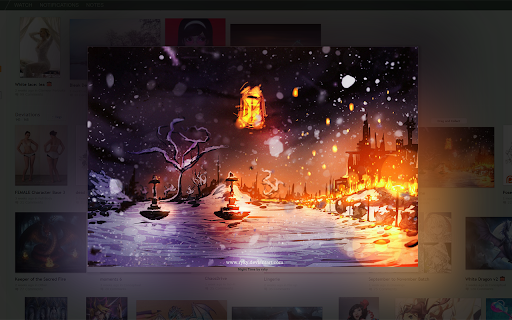


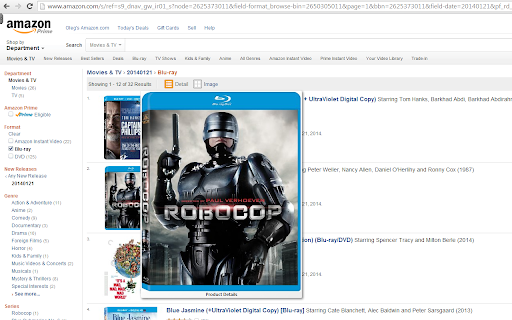
Zoom images/videos on all your favorite websites (Facebook, Amazon, etc). Simply hover your mouse over the image to enlarge it. Hover your mouse over any image on the supported websites and the extension will automatically enlarge the image to its full size, making sure that it still fits into the browser window. This is an open source version of the original HoverZoom extension which is now overrun by malware and deleted from store. In this version all spyware has been removed, many bugs were fixed and new features were added. It doesn't collect any statistics by default. The only permission it needs is to access data on all websites (to extract full images), and *optional* permissions to access browser history, download/save images or get tab urls for per-site configuration. Sometimes sites change design and when it happens extension needs to be updated. Please report any issues with zoom not working by using Support tab or https://github.com/extesy/hoverzoom/issues page.

Reddit Hover Text
Shows the content of a reddit text post when you hover on it's link. Displays the contents of text submissions in a box under the link when you hover on the link. Does the same thing Hover Zoom does for images but for text submissions. Very convenient if you read a lot of self subreddits. Version 1.0.0 Migrates to v3 manifest required by newer versions of Chrome. Adds support for the current Reddit design along side the old design. Version 0.9.1 Fixes an issue with future versions of Chrome that introduce stricter security related to fetching data from websites. Version 0.9 Adds support for Chrome version 73 and up. Fixes an issue where links wouldn't get marked as visited when not using www.reddit.com. Version 0.8 Add support for the old.reddit.com domain. Version 0.7 Fixes a bug which broke all links starting with the letter g (https://gyfcat.com/... for example). Version 0.6 Support for RES night mode. Version 0.4 Fixes issues related to changes in the Reddit page structure and https forcing. Version 0.3 Fixes RES never-ending scroll and significantly improved performance.

Fullscreen Image
Right-click any image to view it in fullscreen mode, cropped to fit the entire screen for maximum immersion. Note: If you want to view images from your hard drive, you must first open the extension options, close the small dialog that appears, and check "Allow access to file URLs" on the page behind it.

Magnifying Glass (Hover Zoom)
Press on the toolbar button to see the magnifying glass on the current page. Magnifying Glass (Hover Zoom) is a lite addon that enables you to magnify a portion of a webpage with a click of a button. Please click on the toolbar button once to see the magnifying glass. Then move your mouse to see the magnified page within a circular section. If you want to hide the magnifier, simply click on the toolbar button once or click anywhere on the page. This addon has also an options page to adjust the magnifier zoom level and coverage area. Moreover, the toolbar button serves as an ON|OFF switch to turn the addon ON or OFF. Note 1: when you install the addon, it is turned off. Please click on the toolbar button once to activate the addon. The toolbar icon is red when the addon is active and grey when it is inactive. Note 2: if you want to change the zoom level, please visit the addon's options page. To report bugs, please fill out the bug report form on the addon's homepage (https://mybrowseraddon.com/magnifying-glass.html).

Image Zoom
Image Zoom is a lightweight, no-fluff Chrome extension that lets you zoom into any image with a simple right-click – no ads, no bloat, just works. 🔍 How it works: Right-click on any image and select "Image Zoom" from the menu. A zoomed view pops up where you can: - Scroll to zoom in/out - Click and drag to pan around - Press Esc to close - Rotate left or right (NEW in v0.0.3) ✅ Features - Zoom with mouse wheel - Rotate images left/right - Drag to pan - Escape to close Works without interfering with site design - 🌀 Rotate image left/right - 🛠️ Fixed CSS conflicts with some sites v0.0.2 - 🖱️ Added mouse wheel support - ⎋ Close with Escape key Perfect for developers, designers, or anyone who constantly works with images online. Try it once – you’ll never go back.
