
pbgbkaiaeaoehbphelhidlkjjfefcfdf
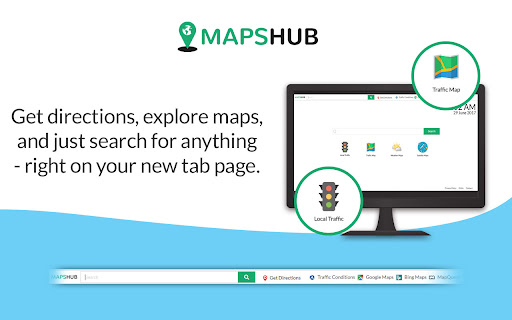
Get accurate maps & directions while ensuring web searches lead you there with geo-optimized Yahoo as your default search. Maps Hub Search’s singular focus is preparing you for your journey. Never get lost again. Never arrive late. And never run out of gas! Join the thousands of delighted Maps Hub Search users. All the top search tools are together in one place—always for free. Get accurate, easy-to-understand maps and directions with Maps Hub Search. And ensure that all of your web searches take you there with geo-optimized Yahoo default search. As your trusted travel-planning companion, Maps Hub Search sets your new tab page to Maps Hub Search and your default search engine to Yahoo. Unified and harmonious: - Get directions from your location to a preferred destination quickly - Quick links for easy access to commonly used maps and navigation apps - Optimized searches for locations and much more Thanks for using this extension! Get in touch with us any time at https://www.newtabtools.com/contact-us

Shortcuts for Google™ Products
The "Shortcuts for Google Products" extension lists all Google products in your browser's toolbar popup. Clicking on an icon will open the product in a new tab. Operation: Click: Opens in a new active tab next to the current tab Shift + Click: Opens in a new window Ctrl + Click or Command + Click: Open in a background tab next to the current tab Updates: 1. Drag & drop to re-arrange your icons. 2. Re-size popup and also icons. 3. Add a new custom product to the list Notes: 1. In order to change the popup width, please enter an integer value from 5 to 24 in the designated space. This value represents the number of columns in the popup. 2. In order to change the icon's size, please enter an integer value from 16 to 64 in the designated space. This value represents the icon size in pixels. 3. in order to see the new icons after each update (not for the first install), you need to reset the toolbar popup once. To do so, open the toolbar popup, click on the settings icon at the bottom left corner, and then click on the reset button.

MapIt!
Quickly open a map by selecting some text or address, right-click, and select MapIt! Quickly open a map using one of several popular mapping services such as Google Maps™, Mapquest™, Zillow™, or even Apple Maps (macOS only). Highlight an address, right-click to open a context menu, then select 'MapIt!'. Chrome will open a new tab and display the location using your preferred mapping service. The default is Google Maps.

Search All
The easiest way to access different search engines. Search All makes it super-easy to switch among the most widely used search options, so that searching the same terms on different search engines is just one-click away. Search All is a perfect complement to Chrome's Omnibox, and can really speed up your search process. 1) Fast switch between different search engines. 2) Support search engine customization. Add your favoriate search engine now! 3) Add bookmark search. Now when you do a google search, the extension will also search your bookmarks and display the search results on the google search result page. 4) Multiple search in the right click menu. 5) Record search keyword history, so you can use it in different search engines. [Updated privacy policy] There is no any data collection in this extension, so no privacy policy for it now.

Map Overlays
Provides an easy way to change the satellite images displayed in Google My Map and Waze Map Editor. There's several international maps available and some country specific (Romania, Poland, Check Republic, France). After installing the extension, you'll need to pin it to your Chrome toolbar. This will make its icon appear at the top of your browser window. Once pinned, you can use the icon to interact with the layer selection menu and other extension features. There is a shortcut, default Alt+L, to switch between the default layer and selected layer. You can change the keybinding in the chrome settings chrome://extensions/shortcuts Do not use layers for editing the maps unless you comply with the terms of use specific to each layer provider.
