
paoeccckpgalcckjjeajohcofbacphdo
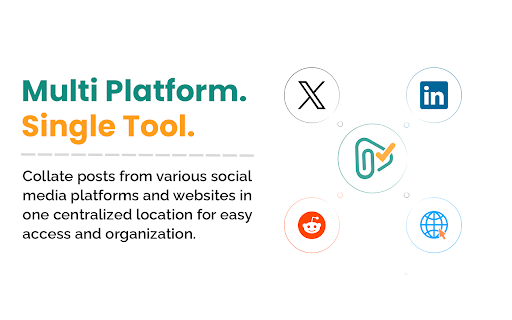


Save and organize posts from LinkedIn, Reddit, X and across the web - just by clicking an icon below the post. "Capture Inspiration. Keep It Forever." Clippe.me is your all-in-one Chrome extension for effortlessly saving and organizing content from across the web. With just one click, you can capture posts, pages and content from various social media platforms and websites. ★ One-Click Save: Instantly save any post or content with a single click on the Clippe.me icon seamlessly integrated in every post (in a non-obstructive way!) for your favorite platforms. ★ Cross-Platform Compatibility: Collate posts from LinkedIn, X (Twitter), Reddit, and any website in one centralized location. ★ Versatile Clipping: Save webpages or selected text on a page with a simple right-click, preserving the original source link for future reference. ★ Quick Tagging: Apply custom tags to your saved content for efficient organization and quick retrieval of related information. ★ Powerful Search: Easily find any saved content with our robust search function that scans through all your clipped posts and web pages. ★ Quick Access Side Panel: Access your saved content instantly with our convenient side panel, without leaving your current browsing session. Clippe.me is perfect for: ― Content Creators: Save inspiration from top creators in your field across various platforms. ― Developers: Keep track of valuable articles, coding resources, and snippets shared by fellow programmers. ― Researchers: Easily collect and organize academic papers, data sources, and relevant discussions from social media and academic forums. ― Students: Compile study materials, reference articles, and helpful explanations from various online sources for easy revision. ― Journalists: Gather story ideas, sources, and background information from diverse platforms for comprehensive reporting. ― Digital Marketers: Save competitor strategies, campaign ideas, and industry trends from multiple social media channels in one place. ― Product Managers: Collect user feedback, feature ideas, and market insights shared across different platforms to inform product development. ― Designers: Curate visual inspiration, UI/UX discussions, and design resources from various websites and social media. ― Entrepreneurs: Save business ideas, market insights, and potential investor information from diverse online sources. ― HR Professionals: Compile job market trends, recruitment strategies, and potential candidate profiles from various professional networks. ― Hobbyists: Whether you're into crafting, cooking, or collecting, save ideas, tutorials, and rare finds from across the web. ― Travel Enthusiasts: Collect travel tips, destination recommendations, and hidden gems shared by fellow travelers on different platforms. ― Everyone: From detailed posts you want to read later to recipes you want to try, or unique gift ideas – save it all in one place. No matter your profession or interests, Clippe.me streamlines your online research and inspiration gathering, making it easier than ever to save and organize valuable content from across the web. ✔ Streamline your digital life by consolidating saved content from multiple platforms ✔ Boost your productivity with quick and easy content organization ✔ Enjoy a clutter-free browsing experience with our intuitive interface Install Clippe.me now and revolutionize how you capture and organize digital inspiration!

R Discovery: Academic Research
Read quick summary of a research article, find related articles and patents, save an article to your reading list to be read later This browser extension enables you to obtain new recommendations or factually validated answers to your questions from 250Mn+ research artifacts. All of these, and more, while you are reading an article from any publisher on your browser. With the help of Quick Summary you would be able to understand "What the article is about " and "Why is it important" along with key takeaways. This browser extension is an add-on to our mobile application, RDiscovery, a free app for students and researchers to find and read research papers. When in a hurry, you can save the article to the Library from the browser extension and listen to it from the mobile app on the go. Subscribers to RDiscovery Prime have unlimited access to audio listening, paper translation, Ask RDiscovery and more. Visit https://discovery.researcher.life/

Copy To Notion: Clip anything to Notion
Easily capture, organize, and access all your online clips directly in Notion. Copy to Notion: The Ultimate Web Clipper and Organizer for Notion Save and organize web content seamlessly into Notion with Copy to Notion—the ultimate Chrome extension designed for Notion users. Transform how you collect, organize, and retrieve online content directly into your Notion workspace. ✅ Web Clipper for Notion: Easily save articles, text snippets, screenshots, images, bookmarks, notes, and any webpage elements directly to Notion, preserving original formatting. ✅ Multi-Select Functionality: Select multiple items—text, images, or any webpage elements—and save them to Notion in one go. ✅ Intuitive Notion Integration: Save web clips directly to specific Notion pages or databases, fitting seamlessly into your Notion workflow. ✅ Advanced Highlighting & Screenshots: Capture essential website highlights and full-page screenshots for thorough research documentation. ✅ CSS Selector Feature: Auto-fill your database fields dynamically with data such as images, text, and URLs from web pages using your preset CSS selectors. ✅ Personalized Notes: Add custom notes to your saved clips, capturing your insights and thoughts instantly. ✅ Automatic Link Saving: Each clip includes the source URL for quick reference and citation. ✅ Bookmarking & Embedding Made Simple: Bookmark URLs or embed them within Notion pages for organized access. ✅ Web Clips Manager Template: Utilize our exclusive ready-to-use Notion template to centralize and manage your clippings effectively. ✅ Flexible Saving Options: Choose exactly where in Notion you save your clips, allowing for customized organization. ✅ Right-Click Image Saving: Save images directly to Notion via right-click, streamlining your content gathering process. ✅ Full-Screen Capture: Easily capture and save entire webpage screenshots to Notion for comprehensive reference. ✅ Customizable Saving Options: Tailor how and where your clips are saved within Notion for personalized organization. ✅ Site-Specific Database Forms: Set up unique database forms for different websites, enhancing organization. ✅ Keyboard Shortcuts: Leverage shortcuts for rapid note-taking, bookmarking, and more, enhancing your productivity. ✅ Multi-Workspace Support: Easily switch between multiple Notion workspaces for diverse projects. 👥 Ideal For: ✅ Notion Users Seeking a Web Clipper: Save web content like articles, images, and text snippets directly into Notion. ✅ Researchers and Students: Build a personal knowledge base by capturing design assets, statistics, and research findings. ✅ Content Creators and Designers: Collect inspiration, visuals, and design elements for your projects. ✅ Professionals Tracking Competitive Intelligence: Gather competitor information, pricing, and marketing materials. ✅ Newsletter Curators: Compile content and resources effortlessly for upcoming issues. ✅ Project Managers: Develop project plans and roadmaps by gathering relevant information and resources. ✅ Social Media Managers: Clip quotes, articles, and images for future social media posts. ✅ Language Learners: Save vocabulary words, grammar rules, and learning resources into Notion. ✅ Recipe Collectors: Clip recipes and cooking tips from different websites. ✅ Travel Enthusiasts: Gather information on destinations, attractions, and accommodations. ✅ Anyone Streamlining Online Research: Efficiently collect and organize information from various sources. ✉️ We Value Your Input For assistance or feedback, reach out to us at support@copytonotion.com. We're committed to continually improving Copy to Notion based on your insights.

Curateit
Introducing CurateIt - the ultimate all-in-one Chrome extension for organizing and saving your favorites. Introducing CurateIt - the ultimate all-in-one Chrome extension for Your Second Brain for AI Research, Productivity and to Showcase your work Organize and save your favorite ideas, articles, and inspirations from across the web. With CurateIt, you can keep track of all the exciting recipes, style ideas, DIY projects, and more, ensuring that you never lose access to the content you love. With CurateIt, you can easily import and connect to various platforms such as Pocket, Raindrop, and Kindle. Save content directly from Twitter, upload bookmarks, and even save highlights from text, images, PDFs, code, and YouTube videos. CurateIt’s extensive list of features includes: 1. Import and Save Features - Import from Pocket - Import bookmarks from Raindrop - Upload bookmarks - Save tweets (bookmarks, likes, tag @savetocurateit) - Save for later (Read later) - Highlight text (like weava, liner) - Save any image like Pinterest - Save Code snippets - Save or download any images - Save or annotate PDFs 2. Organization and Management Features - Bookmark manager - Web clipper - Text Expander - AI Prompts - Spotlight Universal search - Smart search assistant (using Gems & History) - Tabs Manager (like workona, toby) 3. Reading and Accessibility Features - Reader view mode - Dark reader mode - Read aloud (Text-to-speech) - Text Highlights - YouTube highlighter - Import your Kindle highlights 4. Advanced Features and Utilities - Image Screenshot (full page screenshot, select image area or component or annotate) - Image OCR to copy text or code (including language identification and code convert) - Site info on any page (company details, technology stack, brand, traffic, etc.) CurateIt also offers a unique browsing experience with its Spotlight Search and Reader’s View, making it easier to discover content tailored to your interests. Simply hover over an image, code and click to explore save you’re passionate about on CurateIt. Download CurateIt today and experience the convenience and simplicity of this easy-to-use Chrome extension!

teleprompt AI – Improve and Craft AI Prompts Instantly
Improve and craft powerful AI prompts instantly with one click. Works with ChatGPT, Claude, Gemini, and more. teleprompt AI is the all-in-one Chrome extension for anyone using ChatGPT, Claude, Gemini, or other AI tools. It helps you write better prompts, faster – whether you’re starting from scratch or refining an existing one. With just one click, you can improve vague prompts or generate powerful new ones tailored to your needs. - Improve Mode: Instantly enhance existing prompts for clarity, depth, and better AI responses - Direct Integration: Use teleprompt directly inside ChatGPT, Claude, Gemini, and more without copy-pasting - One-Click Workflow: Save time and effort by optimizing prompts instantly - Model-Specific Optimization: Prompts are tuned for each AI tool to deliver smarter, more accurate results - Multi-Language Support: Create prompts in 100+ languages with native fluency - Real-Time Feedback: Get instant insights to refine your prompts as you type 💡 Who Is teleprompt For? - Content Creators – craft engaging AI-generated posts, blogs, and scripts - Developers & Product Builders – refine technical prompts and feature requests - Marketers & Copywriters – write stronger ad copy, SEO content, and brand messaging - Prompt Engineers & AI Enthusiasts – perfect your craft with optimized prompts With teleprompt you get: ✨ Better AI responses with less trial and error ✨ Faster workflows for any type of prompt ✨ Consistent quality across multiple AI platforms 🧩 Compatible With - ChatGPT (OpenAI) - Claude (Anthropic) - Gemini (Google AI) - No-Code Tools: Lovable, Bolt, Base44, and more Discover how teleprompt works and explore tutorials: 👉 www.get-teleprompt.com Save time, write better prompts, and unlock the full potential of AI tools. Install teleprompt AI today and start crafting powerful prompts in one click.
