
pafddkhaocklakonboekmgodcmgmfcbp
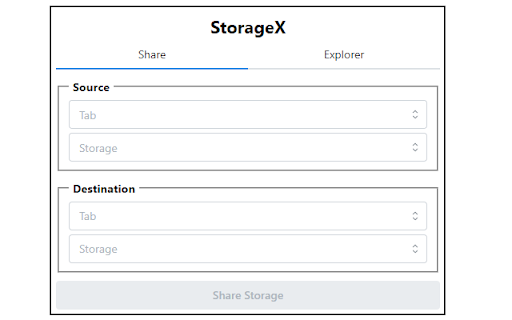
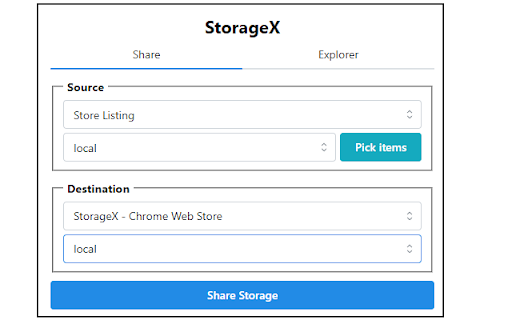
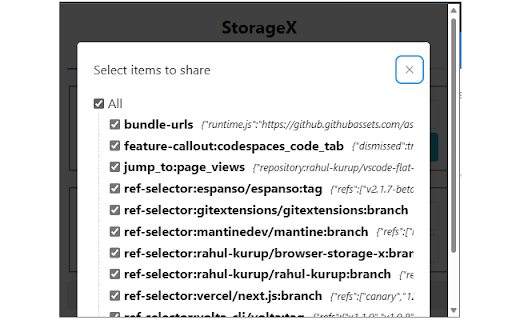
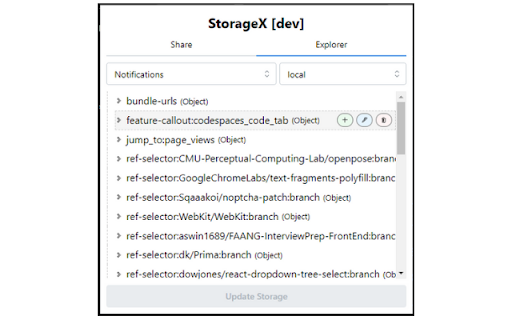
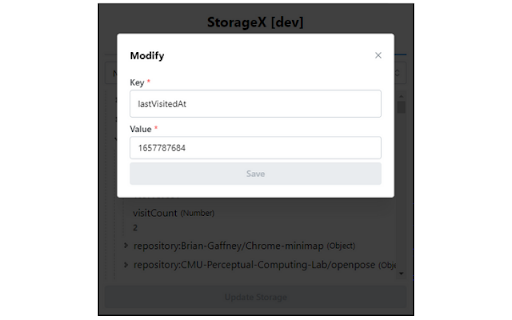
An all-in-one localStorage/sessionStorage/cookie manager browser extension for Chrome/Edge/Firefox browser. Supported features: Share - Transfer Application storage/session across tabs Explorer - Read/add/update/delete the contents of Application storage items This extension does NOT track or share user data with others, nor does it store the same for itself. So, it's safe to use

Link Roamer
A browser extension for gathering, organizing, and inspecting all the links on a web page. 1. Inspect links - Highlight broken links on a page (i.e. 404) - Highlight non-secure links on a page (i.e. http) - Quickly find, view, organize, and navigate links on a page - See the status and reasoning for requests that don't succed - View links and where they redirect to before navigating 3. Interact with links - Copy links to clipboard - Open links in a new window or tab - Open individual links in a background tab - Export links as `json`, `text`, or `csv` - Export detailed URL and fetch request data Open source This extension is open source and doesn't collect any information from users. You can inspect the source fode at https://github.com/rossmoody/link-roamer. It's free, and made available because I like making useful things for the web. Please consider contributing with an idea, bug fix, or feature request on GitHub.

StorageAce
Easily manage Cookies, Local Storage and Session Storage for the selected tab. StorageAce provides ability to easily manage Cookies, Local Storage and Session Storage. ★ Add Cookie ★ Import Cookies in JSON format ★ Edit Cookies using form ★ Edit Cookies using JSON Editor ★ Delete Cookies ★ Search Cookies by cookie name or cookie value ★ Sort Cookies by cookie domain, cookie name, cookie path and cookie value by clicking table column headers. ★ Protect Cookies (Set cookies as read-only) ★ Block cookies by domain, name and value filters ★ Export cookies in JSON, Netscape HTTP Cookie File, Semicolon separated name=value pairs, Perl::LWP formats. Also, you can export cookies in JSON format that can be imported by Puppeteer. ★ Backup Cookies ★ Select multiple Cookies and do actions like view, edit in JSON editor, delete, protect, unprotect, block, save etc. ★ Limit Max Age of Cookies. ★ Quick Filters available for filtering cookies in one click. ★ Add item in local storage ★ Import items in local storage in JSON format ★ Edit item in local storage using form ★ Edit item in local storage using JSON Editor ★ Delete items in local storage ★ Search items in local storage by key or value ★ Sort items in local storage by key/value by clicking table column headers. ★ Export local storage items in JSON format ★ Select multiple items of local storage and do actions like view, edit in JSON editor, delete etc. ★ Add item in session storage ★ Import items in session storage in JSON format ★ Edit item in session storage using form ★ Edit item in session storage using JSON Editor ★ Delete items in session storage ★ Search items in session storage by key or value ★ Sort items in session storage by key/value by clicking table column headers. ★ Export session storage items in JSON format ★ Select multiple items of session storage and do actions like view, edit in JSON editor, delete etc. ★ Right-click and select "StorageAce" via Context menu ★ Incognito mode Supported and settings are synced in incognito and normal modes. ★ Beautified JSON View for storage items ★ Choose path for download. ★ Ability to Remember last download path. ★ Extra feature to allow copying JWT using "Copy JWT" button. It will copy the JWT in the selected storage type. ❚█══ Privacy ══█❚ StorageAce respects your privacy and all your data is safe. If browser syncing is enabled, then the settings of the extension is synced to any Chrome browser that the user is logged into. All your localStorage, sessionStorage and cookies remains offline.

Local Storage
A browser extension for managing local storage. Local Storage is a handy Chrome extension that offers a user-friendly interface to view, manage, and manipulate the items in your browser's local storage. Forget about delving into the Console tab every time you need to check on your local storage. This extension provides all the tools you need at your fingertips.

Storage Editor
Editor for Local Storage and Session Storage. You can use it to edit your website local storage and session storage. ✨ Feature 1. 🙈 Preview Local Storage and Session Storage Data as a tree. 2. ✏️ Edit, Add, Remove or Clear Storage Data. 3. 🔌 Add a New Node or Data to Object or Array. 4. 🔍 Search Value or Key in Storage Data Tree.
