
opfphcebignofejehlpbniikajkkggch
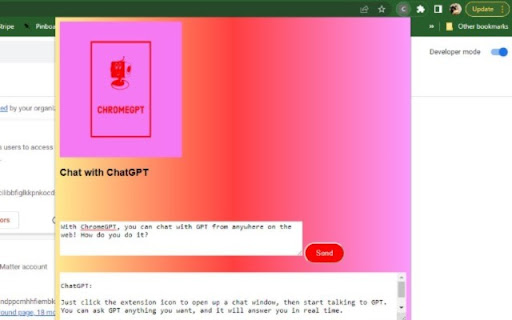
This extension allows users to access ChatGPT from Google Chrome. A Chrome extension to let you send and receive messages with OpenAI's GPT, from anywhere on the web.

ChatGPT Bulk Delete
A Chrome extension to bulk delete ChatGPT conversations This Chrome extension is designed to help users quickly and efficiently delete conversations in the ChatGPT’s left sidebar. With the extension installed, users can add checkboxes to each conversation in the sidebar, select multiple conversations to delete or archive, and accomplish this with just a few clicks. Hold Shift and click to select multiple conversations for efficient bulk actions. This extension is particularly useful for users who frequently use ChatGPT and need to manage their conversations efficiently. Instead of deleting conversations one by one, users can remove multiple conversations at once, saving both time and effort. Additionally, this extension now offers a “bulk archive” feature for a one-time fee of $0.99 USD. This paid feature allows users to archive multiple conversations simultaneously, further enhancing the tool’s utility and convenience. The extension popup includes a small advertisement labeled “Ad” in the footer, linking to TubeVocab (https://www.tubevocab.com/), a third-party language-learning product. This ad helps support the continued development and free distribution of ChatGPT Bulk Delete. Clicking it is entirely optional and does not affect any of the extension’s core functionality.

ChatExtension - A ChatGPT Extension
A Chrome extension to interact with ChatGPT for All Websites. ChatExtension is an innovative browser add-on that empowers users with AI-powered assistance while they browse the web. By leveraging the advanced capabilities of OpenAI's ChatGPT API, the extension can answer any question with current page contenxt. Key features of this extension include: 1. Instant Summaries: With just one click, users can generate concise summaries of web pages, enabling them to quickly understand the main points without having to read the entire content. 2. Intelligent Assistance: The extension integrates a user-friendly chat interface that allows users to communicate with GPT3.5 AI model and ask questions about the content they are browsing, getting instant answers and insights. 3. Wide Range of Use Cases: From summarizing news articles and research papers to getting quick answers and insights on complex topics, this extension is a versatile tool that can benefit users across various fields and industries. By installing this extension , users can enhance their browsing experience with AI-powered assistance that helps them save time, improve productivity, and gain a deeper understanding of the content they encounter online. The extension's convenient, user-friendly interface and powerful AI capabilities make it an essential tool for modern web users who seek to make the most out of their time on the internet.

ChatGPT Explain
A ChatGPT Chrome Extension that explains concepts in a simple way Looking for a way to understand complex concepts with ease? Look no further than ChatGPT Explain, the Chrome extension that simplifies even the most challenging topics. 📚 Select any text on your screen and get concise, brief, or detailed explanations of the concepts it contains. 💡 Customize the amount of detail you receive, from a quick overview to an in-depth analysis. ⏰ Save time and effort by getting instant access to the information you need. 👩🎓 Perfect for students, professionals, or anyone who loves to learn new things. 🆓 Completely free to use and easy to install with just a few clicks. With ChatGPT Explain, understanding new information has never been easier. Say goodbye to confusion and frustration and start learning with ease today!

storageGPT
Save, edit, search, and download ChatGPT conversations locally in Markdown. storageGPT helps you keep useful ChatGPT conversations organized without sending your saved data to any external server. Save conversations: Save ChatGPT responses directly from the conversation screen and keep them in your local browser storage. Editable notes: Open a saved conversation in the drawer and edit both the title and the body. The body editor is powered by Milkdown, so Markdown content stays easy to read and update. Fast drawer access: Use `Control + Shift + X` to open the storage drawer quickly. Search and trash management: Search saved titles, restore deleted notes, or permanently clean up the trash. Theme-aware UI: The extension follows ChatGPT light and dark modes for a more natural experience. Local-first privacy: Saved conversations stay on your device. storageGPT does not transmit your saved data to a server. Added editable saved note bodies with Milkdown. Improved drawer layout, fixed click handling, and reduced CSS conflicts through Shadow DOM encapsulation. Improved light mode support and visual styling. storageGPT makes it easier to save, edit, search, and export the ChatGPT conversations you want to keep.
