
oniajjnndbjjgongdhbhknpnnfcjpojp
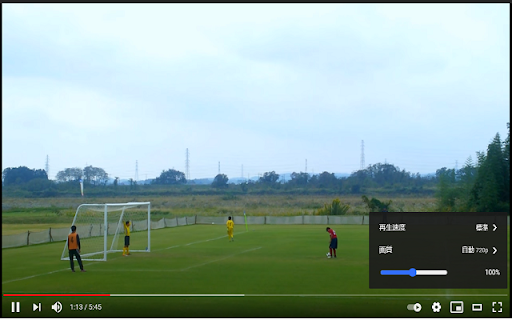
Youtube video の輝度調整を行うためのスライドバーを表示 Youtube video の輝度調整を行うためのスライドバーを表示

Video Filters
Easy access to html5 video filters and shaders Extension enables you to change brightness and more of any video on the web. Includes a button for playing the videos in Picture in Picture mode. Available filters are; Brightness, Contrast, Saturation, Invert, Sepia, Opacity, Grayscale, Hue, Blur and playbackrate. Experimental effect; Sharpness, Vignette, Temperature, Chromatic Aberration and Edge Detection. Tested on; Netflix, Disney+, YouTube and more. Experimental effects unfortunately can not work with DRM protected content.

Video Filter
Enhance your video color everywhere you watch! Just drag and drop any available filters, connect and tweak to make a magical result. Video Filter works everywhere: YouTube, Vimeo, Facebook, Netflix, HTML5 video and so on. Available filters: * brightness * contrast * gamma * saturate * grayscale * sepia * hue-rotate * flood (SVG display on) * image * blur * opacity * blend * composite * merge * morphology * SVG-code

Video Image Control ( new gamma )
The extension regulate sharpness, contrast, brightness, saturation and other settings for video and images on the all websites. The settings can be applied to video, pictures, flash players, as well as to any items you select. Opens the video in a separate window (picture in picture mode) Used Picture-in-Picture Web API Extension works in YANDEX BROWSER It supports GOOGLE MAPS, and YANDEX MAPS, 2D and 3D games, and many other other applications built on HTML5. Just press the FLASH button ;) ALLOWS YOU TO SHARE VIEWED PAGES IN SOCIAL NETWORKS!!! ADJUST VIDEO SETTINGS ✫ Sharpness ✫ Brightness ✫ Contrast ✫ Color Balance ✫ Saturate ✫ Gamma ✫ Grayscale ✫ Sepia ✫ Crazy mirror ✫ Decrease or increase the video speed (from 0.1x up to 4x) ✫ The ability to rotate or flip video, pictures, flash players, and any other content ✫ Connected smart sharpening allows more flexible editing of video and other graphics You can control the extension from both the extension panel and the player (the button is located in the upper left corner) The extension supports players based on both HTML5 and Flash. You improve video in this video editor. Enhance video will make clean and bright video color the picture. Correct video image in real time. Video correction settings are saved, all the parameters of the video effect stored. Edit quality sharpen video can in the range from 0 to 3 Speed control works in the range from 0.1x to 4x in increments of 0.1 You can control the speed by holding down the CTRL + ALT keys and pressing the ↑ ↓ arrows on the keyboard

Video Brightness Controller
A Chrome extension to adjust video brightness using a slider. You can easily set the brightness of the current main video in the page. Default is 1.0 for every page, you can decrease and increase according to how much you want. If you want something to be fixed or you have some suggestions for the extensions, please let me know.
