
glkdajeidfbnmaehchohlcdcdkledpeh
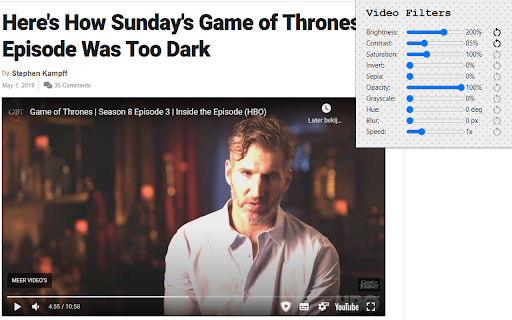
Easy access to html5 video filters and shaders Extension enables you to change brightness and more of any video on the web. Includes a button for playing the videos in Picture in Picture mode. Available filters are; Brightness, Contrast, Saturation, Invert, Sepia, Opacity, Grayscale, Hue, Blur and playbackrate. Experimental effect; Sharpness, Vignette, Temperature, Chromatic Aberration and Edge Detection. Tested on; Netflix, Disney+, YouTube and more. Experimental effects unfortunately can not work with DRM protected content.

Video experience enhancer
This Chrome extension provides additional functionality for video players played in the web. This extension provides additional functionality for video players played in the web. You can check all supported functionality here: https://github.com/walidghallab/video-experience-enhancer/tree/latest#supported-functionality The popup (when you click on the extension icon) will always show the supported functionality for the current tab. The code is publicly available on github: https://github.com/walidghallab/video-experience-enhancer If you have any feature requests or ideas for improving the extension and adding any new functionality, please follow instructions here to submit a feature request: https://github.com/walidghallab/video-experience-enhancer/issues

Video filters for YouTube [QVI]
Add filters to any YouTube video! Quickly apply filters like blur, brightness, grayscale and many more with simple sliders. 🎥 **Enhance your YouTube experience with video filters!** 🎥 This extension adds a variety of filters that you can apply to any YouTube video. In just a few clicks, you can adjust the image using the convenient sliders in the pop-up window. 🌀 **Blur**: Soften or blur the image. 🌞 **Brightness**: Brighten or darken the displayed video. 🎨 **Contrast**: Increase or decrease the contrast to bring out details. ⚫ **Grayscale**: Turn the video into black and white. 🌈 **Hue-rotate**: Change the colors of the video by rotating the colors. 🔄 **Invert**: Invert the colors to create a negative effect. ⚪ **Opacity**: Change the level of transparency. 🎨 **Saturation**: Increase the intensity of colors or make them more muted. 🧡 **Sepia**: Add a warm, sepia tint to the video. The operation is very intuitive – you can adjust the filters using sliders directly in the pop-up, allowing you to quickly adjust the appearance of the video to your preferences. ⚡ **Lightweight and fast** real-time filter handling. 🎛️ **Intuitive sliders** to instantly adjust the effects. 🆙 **Restore default settings** with one click. ❌ **Ability to disable** the extension at any time. 🎥 **Full control** over the appearance of any YouTube video! 🎯 **Perfect tool** for people who want to customize their YouTube video viewing experience. This extension is part of the Quality Viewership Initiative, a collaborative effort to enhance the understanding of audience engagement. It collects anonymous, aggregated viewing insights to support creators and studios in improving the quality of their content. You can stop sharing your information at any time by switching the toggle on the options page. ❗**Disclaimer:** All product and company names are trademarks or registered trademarks of their respective holders. This extension holds no association or affiliation with them or any third-party companies.❗

Page Filter Effects
Fun filter effect for webpage. Fun effects for same old sites. You can make any site Blur, Greyscale, Sepia, Bright, Invert using this tool. If you want it as normal choose "Reset" If you have heard about UFO on Google map http://bit.ly/UFOinGMAP , you can see that UFO in high contrast image live on Google Map. I have not update it since long, I am planning to update it soon. So if you are using it and want to report bug or want any feature please mail me at tusharvaghela@gmail.com

youtube video brightness changer
Youtube video の輝度調整を行うためのスライドバーを表示 Youtube video の輝度調整を行うためのスライドバーを表示
