
onabphcdiffmanfdhkihllckikaljmhh
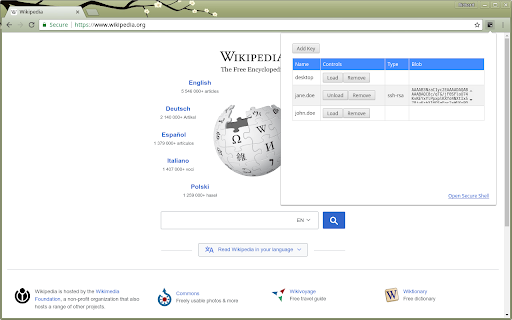
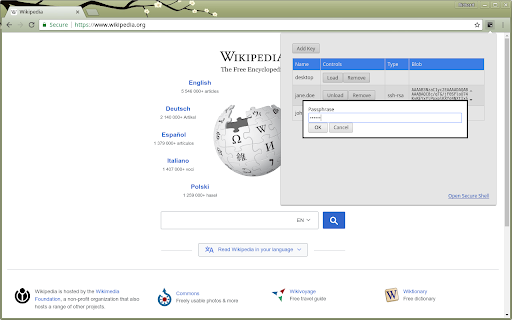
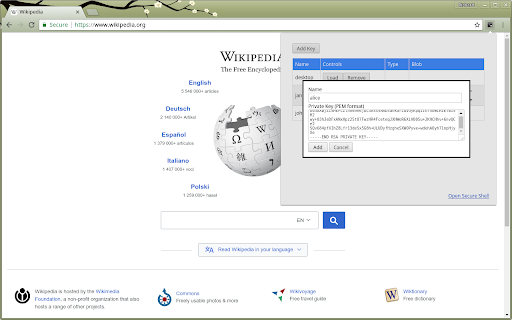
Provides an SSH Agent implementation for Chrome's Secure Shell extension THIS EXTENSION IS FOR BETA TESTING. This is a bare-bones SSH agent extension for Google Chrome™. It provides an SSH agent implementation that can be used with the Secure Shell Chrome extension. See https://github.com/google/chrome-ssh-agent for usage instructions.

Chrome Terminal
A command line interface for chrome. *Important Note*: For a listing of possible commands, type HELP. For information about a specific command, type HELP . A "terminal" for chrome which implements common chrome tasks as command line functions. For a more user-friendly bookmark opening experience, check out SMP Bookmark Opener: https://chromewebstore.google.com/detail/smp-bookmark-opener/fkmeadklbnpemgmonhnlbadgpcpflibd - tab - open a new tab or bookmark - tab new - tab new google.com - tab open Google - close an open tab - tab close Google - tab close -i 1652151025 - view info about open tabs - tab ls - tab info Google - tab info -i 1652151025 - select a tab - tab activate Google - tab activate -i 1652151025 - tabgroup - add ungrouped tabs to new or existing group - tabgroup new Google - view open tab groups - tabgroup list - bookmark - save a new bookmark - bookmark new - bookmark new Google - bookmark new -rq Google - Remove query params before saving - bookmark new -i 1652151025 - Save new bookmark from tab ID - open a bookmark - bookmark open Google - view existing bookmarks in current folder - cd Bookmark bar/ - ls -al - delete a bookmark - rm Google - view details about a bookmark - bookmark info Google - bookmark info -i 65 - find - find a bookmark or open tab based on given search term using asterisk (*) as a wildcard - find Google/ *ke*p* - find -s *keep - find -i *keep - find -t keep - history - list recent history - history ls - history ls google - reopen - List recently closed tabs/windows - reopen ls - reopen ls google - Reopen recent tabs/windows - reopen - reopen -s (silent - does not activate the tab or remove from recent tab history) - reopen Google - reopen -i 1652151025 - google - open a google search in new tab - google search term

Fedora free online linux server
Run the Linux Fedora, RedHat, RHEL, CentOS, Oracle Linux, Open SUSE and Mandriva from the OnWorks free servers hosting provider This extension is a file manager integration to import and export your desktop files into the Fedora linux server provided by the OnWorks free hosting provider. It also allows to import files detected as links by Google Chrome. Users should install this extension in order to import and export their files in their OnWorks Fedora linux online workstation.

ManageEngine PAM360
A comprehensive privileged access management software to control, manage and audit the entire life cycle of privileged accounts. A complete privileged access management solution for enterprise IT teams that combines credential vaulting, privileged account governance, remote access management, privileged user monitoring, threat analytics, and web-based SSH Key and SSL certificate management solution, all into a single platform accessible through a central console. Key benefits include: ● Unify the enforcement of privileged access policies for all categories of users. ● Regulate access to critical assets and monitor and audit all subsequent privileged access from a single, central console. ● Delegate just-in-time controls for domain accounts through on-demand, time frame-based privilege elevation. ● Orchestrate complex access management workflows from a unified platform. ● Consolidate privileged access data with endpoint event logs to make meaningful inferences and quicker remedies. ● Integrate password security into your DevOps pipeline, and protect your continuous integration and delivery platforms against credential-based attacks without compromising on engineering efficiency. ● End-to-end management of SSL certificates and SSH keys.

Secure Shell
Terminal emulator and SSH and SFTP client. Secure Shell is an xterm-compatible terminal emulator and stand-alone ssh client for Chrome. It uses Native-Client to connect directly to ssh servers without the need for external proxies. A SFTP command line client is included. On ChromeOS, you can create SFTP mounts and access them from the Files app! It has been well tested for a couple of years. Please read the FAQ, available here: https://hterm.org/x/ssh/faq. You can also exchange feedback in the chromium-hterm mailing list, available here: https://hterm.org/x/ssh/contact. The changelog is available here: https://hterm.org/x/ssh/changelog
