
omkdkhiolmoenpgjfemapeeiamfhnbkc
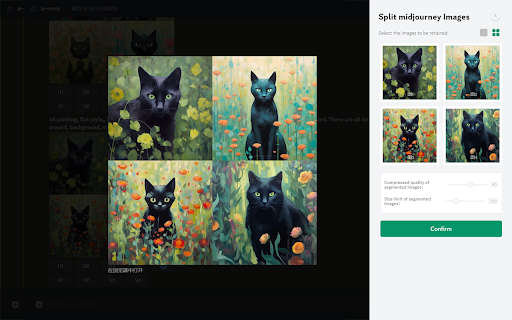
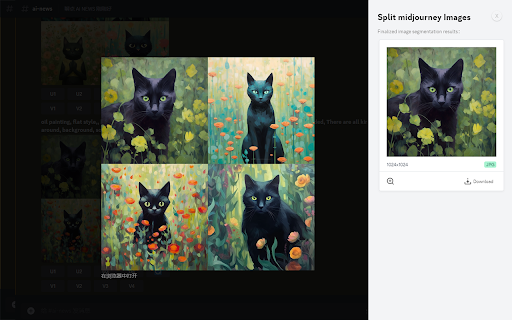
Right-click on any image within a webpage and effortlessly batch cut MidJourney's grid image (like a 4-by-4) into single images Split a grid of images, such as a 4-by-4 grid generated by diffusion models like Midjourney or Stable Diffusion, into individual images effortlessly. Use the "Split midjourney Images" tool to easily split your Midjourney Grid into separate images with just one click. Download and save them directly to your computer hassle-free. Right-click on any image within a webpage and effortlessly batch cut MidJourney's grid image. Allow users to select the images they want to keep, allow users to set the size of the cropped images, and the image quality. Note: Split midjourney Imagesis not affiliated with Midjourney. By default, Midjourney generates images in a 4-grid format. However, if users wish to have them split into 4 individual images, they would typically need to manually perform the task or generate each image separately, which can be time-consuming and inconvenient for those seeking a quick image generation solution. To address this, we have developed the Image Cutter plugin. With a simple right-click on the image, users can access the 'Midjourney Image Cutter' option from the menu. This powerful tool automatically splits the 4-grid image into 4 distinct and high-quality individual images, eliminating any blurriness or loss of detail. This streamlined process allows users to effortlessly download and view each image separately, saving valuable time and ensuring a seamless user experience.

Promptalot Helper
A Google Chrome extension that makes it easier to work with Midjourney and Promptalot. ⚠️ TECHNICAL PROBLEM? ⚠️ Please contact the developer before leaving a negative review. You are dealing with a real human being here. – I think we can all agree that Discord is a suboptimal place for working with Midjourney. And the endless copying and pasting makes the already cumbersome constraints of the platform only worse. The Promptalot Helper extension aims to eliminate most of these problems and supercharges your prompting experience. Whether you want to copy an entire prompt or only a specific part of it, or perhaps you want to download an image, Promptalot makes it a breeze and will save you thousands of unnecessary clicks. It also allows you to manage your prompts on the Promptalot platform where you can collect and curate your very best prompts. So what happens once Midjourney moves to its new web interface? Don't worry, Promptalot will be there to help you solve all of those tiny little inefficiencies which even the most polished web UI is guaranteed to produce. If it's annoying, Promptalot will eventually fix it. 👋 Do you use the Discord Desktop/Mobile App? ❓ This is a browser extension. Emphasis on "browser". So this will only work if you actually use the browser-version of Discord. There is absolutely no way for a Chrome extension to impact anything outside the browser. It's just not possible. ⚠️ Permission Requirements ⚠️ In order to work and help you get the most out of your prompting experience, the Promptalot Helper extension needs access to pages hosted on discord.com, midjourney.com and promptalot.com. Without these permissions, it is impossible for the extension to attach itself to the UI. No data is collected by the extension. It only helps you do things directly on the page and, if you have a Promptalot account, manage your prompts directly from Midjourney. 🆕 What's New 🆕 • [v1.0.2, 2026-01-21]: Ability to deactivate itself on breaking UI changes • [v1.0.1, 2026-01-16]: Minor UI glitch fix • [v1.0.0, 2026-01-13]: Rebuilt from the ground up.

Image Splitter
Plugin Introduction Image Splitter is a Chrome plugin designed specifically for handling grid images (like 4x4) generated by… Plugin Introduction Image Splitter is a Chrome plugin designed specifically for handling grid images (like 4x4) generated by Midjourney and Stable Diffusion models. It helps you quickly split a grid image into individual images, with one click to download and save them onto your computer. For the sake of your privacy, our plugin does not support reading Midjourney image URLs. All operations are completed on your own local machine, so you don't have to worry about your data being uploaded or shared. With the Image Divider plugin, you can easily split a 4x4 Midjourney grid image into individual images. The unique splitting algorithm ensures the quality of the split images, making your works more artistic. Features ✓ Split a Midjourney 4x4 grid image into individual images. ✓ Supports image splitting by uploading. ✓ One-click to download and save the split images to your computer. ✓ Supports batch processing, no need to upload images one by one. ✓ Automatically generates a compressed package, convenient for you to download all split images at once. Security and Privacy We highly value user security and privacy. For your privacy, the plugin does not support reading Midjourney image URLs, and all operations are conducted locally on your own machine. Your data will only be processed on your own device, and will never be sent anywhere else. We respect and protect your privacy, so you can use our service with confidence. The Image Splitter plugin makes image splitting simple and fast. Try it now, and start your creative journey! Support If you have any questions, please keep in touch via 9037258@gmail.com

Midjourney Grid Splitter - Image Splitter
Use the MJ Grid Splitter to split your Midjourney Grid into single images. one click to download and save them into your computer. If you have any questions, please keep in touch via help@extensionsfox.com. MJ Grid Splitter is not affiliated with Midjourney.

Midjourney Image Splitter / Photo cutting
Allows you to easily divide images generated by Midjourney, as well as split photo lists arranged in rows and columns. Midjourney Image Splitter / Photo cutting is a versatile tool tailored for users who wish to dissect images into smaller segments. Whether you're dealing with images generated by Midjourney or have a photo list arranged in multi-row and multi-column formats, our extension streamlines the splitting process. With an intuitive UI, users can upload a photo, determine how many rows and columns they want to split the image into, and then download the segmented images seamlessly. The preview feature also ensures that you're aware of how the final segments will look before the split. Enhance your image processing workflow with Midjourney Image Splitter.
