
mcjihhgddailfldjgkjjokalgmhidmnm
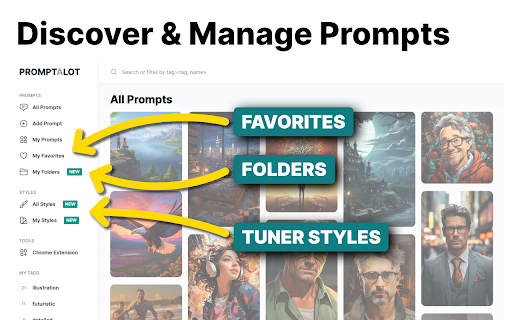


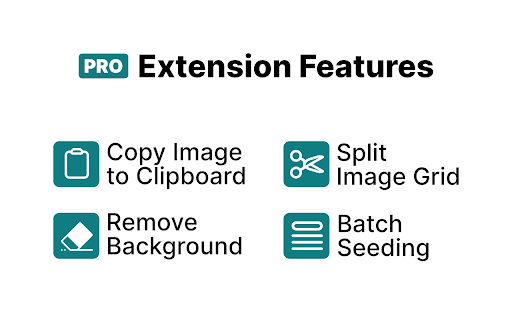
A Google Chrome extension that makes it easier to work with Midjourney and Promptalot. ⚠️ TECHNICAL PROBLEM? ⚠️ Please contact the developer before leaving a negative review. You are dealing with a real human being here. – I think we can all agree that Discord is a suboptimal place for working with Midjourney. And the endless copying and pasting makes the already cumbersome constraints of the platform only worse. The Promptalot Helper extension aims to eliminate most of these problems and supercharges your prompting experience. Whether you want to copy an entire prompt or only a specific part of it, or perhaps you want to download an image, Promptalot makes it a breeze and will save you thousands of unnecessary clicks. It also allows you to manage your prompts on the Promptalot platform where you can collect and curate your very best prompts. So what happens once Midjourney moves to its new web interface? Don't worry, Promptalot will be there to help you solve all of those tiny little inefficiencies which even the most polished web UI is guaranteed to produce. If it's annoying, Promptalot will eventually fix it. 👋 Do you use the Discord Desktop/Mobile App? ❓ This is a browser extension. Emphasis on "browser". So this will only work if you actually use the browser-version of Discord. There is absolutely no way for a Chrome extension to impact anything outside the browser. It's just not possible. ⚠️ Permission Requirements ⚠️ In order to work and help you get the most out of your prompting experience, the Promptalot Helper extension needs access to pages hosted on discord.com, midjourney.com and promptalot.com. Without these permissions, it is impossible for the extension to attach itself to the UI. No data is collected by the extension. It only helps you do things directly on the page and, if you have a Promptalot account, manage your prompts directly from Midjourney. 🆕 What's New 🆕 • [v1.0.2, 2026-01-21]: Ability to deactivate itself on breaking UI changes • [v1.0.1, 2026-01-16]: Minor UI glitch fix • [v1.0.0, 2026-01-13]: Rebuilt from the ground up.

Prompt2Notion
Just click to save the Prompt, Image, Author, etc. from Midjourney to your Notion database 1. Add a "Save2Notion" button on Midjourney's artwork page. 2. Click the button to send the prompt, property, author, image, and web URL to your own Notion Database. 3. Optional translation of the prompt sentence by sentence. With this Chrome extension, you can quickly save important information from Midjourney's artwork page to your Notion Database. The "Save2Notion" button allows you to easily transfer the prompt, property, author, image, and web URL to your database with just one click. You also have the option to translate the prompt sentence by sentence to make it easier to understand. Streamline your workflow and keep all your important information organized with this handy tool. So now you need to upload the image to imgur to get the new url, so that the image can be displayed properly in Notion.

Midjourney Images Batch Downloader
This is an extension for downloading images when using Midjourney in Discord, very simple and easy to use This is an extension for downloading images when using Midjourney in Discord, very simple and easy to use

MyDesigns
MyDesigns automates your POD and digital product workflows. Generate images in MidJourney and instantly save them to MyDesigns. Transform and streamline your Print on Demand and Digital products workflows with the MyDesigns Chrome Extension. By bridging the capabilities of MyDesigns with the expansive image generation AI of MidJourney, we offer an integrated experience that pushes the boundaries of efficiency. With MyDesigns extension, here's what you can achieve: Easy Account Linking: Effortlessly connect your MyDesigns account to MidJourney, creating a unified workspace. One-Click Image Saving: Generating AI images through MidJourney? Save images directly to your MyDesigns collections with a single click. Save To Same Listing: NEW: Save multiple designs to the same listing in MyDesigns. Great for creating digital product bundles, or POD products that contain more than one design on the same listing. Optimized Templates: Choose from a range of product templates, ensuring the perfect aspect ratio for every design generated. These templates are meticulously crafted to support the vast array of Print on Demand (and digital) products available on MyDesigns. Perfect for those in the Print on Demand or Digital product businesses, and anyone in between, MyDesigns extension is your companion in simplifying the design creation process. Whether you're curating designs for Etsy, Shopify, Amazon Merch, RedBubble, ect... or generating graphics for other reasons — MyDesigns offers a suite of bulk automation and production tools designed to save you time. Unlock a seamless and innovative workflow experience today. Expand your possibilities, reduce manual tasks, and let MyDesigns take care of the technicalities.

Midjourney Archive Downloader
🚨 Midjourney released a new website which killed access to the archive endpoints. This means this extension will only work as long… 🚨 Midjourney released a new website which killed access to the archive endpoints. This means this extension will only work as long as legacy.midjourney.com is online. Consider bringing this to the attention of the MJ team by posting about it in their Discord 🚨 I got a bit tired of Midjourney's limited and buggy archive download solution so I decided to put together a quick and dirty chrome extension with GPT-4. Features: - Select a date range which you want to download images from - Only downloads upscaled images (no more cleaning up grids) - Option to download all v5+ and niji 5+ grid images separated - Each download contains a `archived_jobs.json` file that contains all metadata about the jobs including prompts (can also be downloaded separately) - Batch download support for older devices Make sure you're logged into Midjourney, otherwise this won't work.
