
ombpcpigmndepfckcifdblemkabaoihk

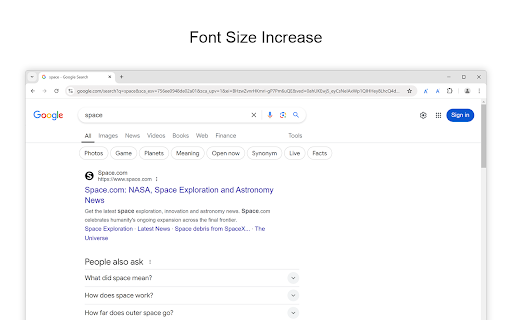

Increase font size on any web page with one click. Font Size Increase is a lightweight and straightforward browser extension that brings a single, essential feature to your browsing experience: a button to increase the font size on any webpage with one simple click. Whether you are looking to make the text easier to read, reduce eye strain, or enhance accessibility, Font Size Increase makes it effortless to enlarge text instantly without affecting the page layout or performance. Install today and enjoy larger, more readable fonts with minimal effort. Font Size Increase is perfect for users who prefer an easy, no-fuss solution to improve readability, including those with visual impairments or anyone who spends long hours reading online. With just one button to increase the font size, this extension is designed for simplicity and ease of use. If you are also looking to decrease font size with a single click, we offer a companion extension, Font Size Decrease, for complete control over your text size preferences. https://chromewebstore.google.com/detail/font-size-decrease/mpajngnpcmjjeoflljdjpnehcfaldcia Browser extension features: ◆ One-Click Font Size Increase: Easily enlarge text on any website with a single click. ◆ Dark Mode Support: Designed to work seamlessly with dark mode, ensuring comfortable use regardless of your browser's theme. ◆ Toolbar Icon Customization: Choose from 6 custom icons for your toolbar to personalize the look of the extension. ◆ Double-Click Reset: Enable the option to reset the font size on the current web page by simply double-clicking the button. ◆ Right-Click Menu Integration: Optionally enable a right-click menu option to increase the font size on the current web page for quick access. ◆ Simple and Lightweight: No complicated settings—just a single button to increase font size instantly without slowing down your browsing experience. ◆ Companion Extension Available: If you want to decrease font size, check out our Font Size Decrease extension for a similarly easy-to-use tool. Project Information: https://www.stefanvd.net/project/font-size-increase/browser-extension Required Permissions: ◆ "contextMenus": This is to add the "Increase font size on this page" menu item in the web browser context menu. ◆ "activeTab": Allow the increase the font size function to be accessible on the currently visible tab page. ◆ "storage": Save settings locally and sync with your web browser account. >> Unlock an option feature to protect your eyes at night and focus on the video player, such as YouTube™, by installing Turn Off the Lights browser extension for YouTube and Beyond. https://chromewebstore.google.com/detail/turn-off-the-lights/bfbmjmiodbnnpllbbbfblcplfjjepjdn

Font Size Decrease for Google Chrome
Decrease font size on any web page with one click. Font Size Decrease is a lightweight and straightforward browser extension that brings a single, essential feature to your browsing experience: a button to decrease the font size on any webpage with one simple click. Whether you are looking to make the text easier to read, reduce eye strain, or enhance accessibility, Font Size Decrease makes it effortless to enlarge text instantly without affecting the page layout or performance. Install today and enjoy larger, more readable fonts with minimal effort. Font Size Decrease is perfect for users who prefer an easy, no-fuss solution to improve readability, including those with visual impairments or anyone who spends long hours reading online. With just one button to decrease the font size, this extension is designed for simplicity and ease of use. If you are also looking to decrease font size with a single click, we offer a companion extension, Font Size Increase, for complete control over your text size preferences. https://chromewebstore.google.com/detail/font-size-increase/ombpcpigmndepfckcifdblemkabaoihk Browser extension features: ◆ One-Click Font Size Decrease: Easily enlarge text on any website with a single click. ◆ Dark Mode Support: Designed to work seamlessly with dark mode, ensuring comfortable use regardless of your browser's theme. ◆ Toolbar Icon Customization: Choose from 6 custom icons for your toolbar to personalize the look of the extension. ◆ Double-Click Reset: Enable the option to reset the font size on the current web page by simply double-clicking the button. ◆ Right-Click Menu Integration: Optionally enable a right-click menu option to incrdecreaseease the font size on the current web page for quick access. ◆ Simple and Lightweight: No complicated settings—just a single button to decrease font size instantly without slowing down your browsing experience. ◆ Companion Extension Available: If you want to decrease font size, check out our Font Size Decrease extension for a similarly easy-to-use tool. Project Information: https://www.stefanvd.net/project/font-size-decrease/browser-extension Required Permissions: ◆ "contextMenus": This is to add the "Decrease font size on this page" menu item in the web browser context menu. ◆ "activeTab": Allow the decrease the font size function to be accessible on the currently visible tab page. ◆ "storage": Save settings locally and sync with your web browser account. >> Unlock an option feature to protect your eyes at night and focus on the video player, such as YouTube™, by installing Turn Off the Lights browser extension for YouTube and Beyond. https://chromewebstore.google.com/detail/turn-off-the-lights/bfbmjmiodbnnpllbbbfblcplfjjepjdn

Turn Off the Lights
The entire page will be fading to dark, so you can watch the videos as if you were in the cinema. Works for YouTube™ and beyond. Immerse yourself in a cinematic atmosphere while watching videos online with Turn Off the Lights. This powerful browser extension dims everything on the web page except for the video you are watching, bringing your focus to the content that matters most. 🏆🥇 Turn Off the Lights browser extension has also been featured on several popular websites, including Lifehacker, CNET, ZDNet, BuzzFeed, and PC World. With its growing popularity and positive feedback, it is no surprise that the Turn Off the Lights browser extension has become one of the most popular and trusted browser extensions in the market. 🔷 Please share your feedback, suggestions, and thoughts with us https://www.turnoffthelights.com/support Enjoy a simplified browsing experience with the Turn Off the Lights browser extension. With just one click on the lamp button, your page will smoothly fade into darkness, focusing automatically on the video. Another click restores the page to its original state. Explore additional customization options on the Turn Off the Lights Options page to tailor your viewing experience to your preferences. Turn Off the Lights is a lightweight and useful add-on designed for a more comfortable watching experience. It is more than just a dimming tool; it is your gateway to an enhanced viewing experience tailored for three key types of users: + Video Lovers: Whether you are binge-watching your favorite series or catching up on the latest viral clips, Turn Off the Lights creates the perfect ambiance for uninterrupted viewing pleasure. + Dark Mode Enthusiasts: Embrace the dark side of browsing with Turn Off the Lights, converting all websites into your personalized dark mode theme. + Eye Protection Advocates: Shield your eyes from harsh screen glare and blue light emissions. With its accessibility features, Turn Off the Lights helps prioritize your visual health while you enjoy your favorite online content. Plus, keep the dark layer always enabled, even when you click on a hyperlink. Browser extension features: ◆ Effortless Control: Toggle the lights with a simple click, effortlessly enhancing your viewing pleasure, akin to reading a newspaper with a dark reader tint. ◆ Cinematic Experience: Dive into your favorite videos without distractions as everything else fades into the background. ◆ Support multiple video sites: Enjoy distraction-free viewing on YouTube, Dailymotion, Vimeo, Twitch, and more of your favorite platforms. ◆ Enhance your YouTube experience with features like: - Auto HD: Set videos to play in HD automatically. Users can select from highres > 8K > 5K > 4K > 1080p > 720p > 480p > 360p > 240p > 144p > default. - Auto Wide: Automatically adjusts the video to the widest mode for enhanced viewing. - 60 FPS Block: Disable YouTube 60 FPS and watch YouTube Auto HD 30 FPS video quality. - Top Layer: Place elements at the top of the dark layer, such as the number of YouTube subscribers, title, video suggestions, etc. ◆ Multitasking: Watch your video with Audio Visualisation in Picture-in-picture (PiP) mode, maximizing productivity without sacrificing entertainment. ◆ Easter Eggs: Shortcut key: Tap 'T' for a genuine movie theater ambiance, bringing nostalgia to your viewing sessions. T -> Do you like a real movie theater feeling? ◆ Option to make the screen dark when the user clicks on the play button: Enhance immersion by dimming the surroundings when the video starts playing. ◆ Option to turn on/off the fade in and fade out effects: Tailor your experience by toggling the transition effects according to your preference. ◆ Custom Dark Layer: Personalize the dark layer with your preferred color and opacity value. Alternatively, select your own background image to use as the dark layer. ◆ Option to Show Dimness Level Bar: Keep track of the dimness level with a visible indicator for better control. ◆ Eye Protection Options: Ensure comfortable viewing, especially at night, with customizable eye protection settings. - A screen shader that blends the web page with an orange color to reduce eye strain and fatigue, while also supporting your brain's day/night cycle. - An option to click through the dark layer and keep the lights always off. - Whitelist/blacklist filters for greater control over your browsing experience. ◆ Option to show the dark layer on the top of the window: Enjoy enhanced focus by obscuring distractions outside of the video window. ◆ Custom Colors: Personalize the lighting with custom colors to match your mood or aesthetic. ◆ Multimedia Detection: Option to enable flash objects, iframe video elements, and more to appear on top of the dark layer. ◆ Dimness Level Bar: Display a floating dimness level bar at the bottom of the current web page for easy adjustment of the dark layer opacity. ◆ Nighttime Eye Protection: Activate eye protection mode during nighttime browsing with customizable whitelist/blacklist filters. ◆ Atmosphere Lighting: Experience an immersive glow around the video player, adding to the ambiance of your viewing environment. - Vivid Mode: Realistic and lifelike color glow effects match the video content - One solid: 1 Custom color around the video player - Four solid: 4 Custom colors around the video player ◆ Dark Layer Overlay: Choose to show a dark layer overlay on top of the window for enhanced focus. ◆ Shortcut Keys: Ctrl + Shift + L: Toggle the lights Alt + F8: Restore default opacity value Alt + F9: Save current opacity value Alt + F10: Enable/disable the Eye Protection feature Alt + (Arrow Up): Increase opacity Alt + (Arrow Down): Decrease opacity Alt + *: Toggle lights on all open tabs ◆ Mouse Wheel Volume Control: Adjust the volume using your mouse wheel for individual video players. ◆ Video Player Filters: Apply various filters like grayscale, sepia, invert, contrast, saturate, hue rotation, and brightness to the current video player. ◆ Audio Visualization Effects: Enjoy visual effects like blocks, frequency, and music tunnel on top of the current video. ◆ Full Tab Video Player: Expand the video player to fill your entire current tab for immersive viewing. ◆ Video Looping: Loop your current video player for continuous playback. ◆ Night Mode: Transform all websites into your personalized dark mode theme or switch between black and white themes. - Customizable whitelist/blacklist to apply night mode selectively to certain websites. - Timestamp: Activate Night Mode within specified time intervals. - Blackout: Dim the web page and activate Night Mode. - Darker Images: Dim images when dark mode is enabled. - Customizable Colors: Personalize background, text, hyperlink, and button colors to match your preferred dark theme settings. - Option to convert Dark Mode PDF files, network files, and local files ◆ Stop Auto-Playing: Prevent YouTube and HTML5 videos from automatically playing. ◆ Video Screen Capture: Capture snapshots of YouTube and HTML5 videos with customizable filters such as Invert, Blur, Saturation, Grayscale, Hue rotate, etc. And save the screenshot in PNG, JPEG, BMP, or WEBP image format. ◆ Custom Toolbar Icon: Select your preferred toolbar icon in either light or dark mode, adapting to your visual preferences. ◆ Zoom In or Out the Video: Adjust the zoom level of the video player content. ◆ Customizable Video Playback Rate: Adjust the playback rate for optimal viewing. ◆ Game Controller Support: Control the current video player using Xbox and PlayStation game controllers. ◆ Translated into 55 languages ◆ And more… Required Permissions: ◆ "contextMenus": This permission allows the addition of the "Darken this page" menu item to the web browser's context menu. ◆ "tabs": This permission allows us to display the welcome and guide page, detect the currently playing video, take a screenshot of the video, and provide options to dim all open tabs. ◆ "storage": Save settings locally and sync with your web browser account. ◆ "webNavigation": This permission is used to load the Night Mode feature before the web page is fully loaded, providing an instant Dark Mode experience. ◆ "scripting": This permission allows injecting JavaScript and CSS into websites. ◆ "": Control the lamp button on all websites, including http, https, ftp, and file. Free and Open Source: https://github.com/turnoffthelights Licensed under the GNU General Public License Version 2 (GPLv2), we believe in the principles of transparency and collaboration. Compatible with Adblock, AdBlock Pus, Adguard AdBlocker, and uBlock Origin browser extension. Note: YouTube is a trademark of Google Inc. Use of this trademark is subject to Google Permissions. Turn Off the Lights™ is not created by, affiliated with, or supported by Google Inc.

Chrome Notes
A simple notepad extension for Google Chrome NEW: You can now use speech to text NEW: You can now open Chrome Notes with Ctrl+Shift+X (Command+Shift+X on mac) NEW: You can now download and upload complete backups NEW: Chrome Notes adds a right click menu option to send the selected text to a new note! NEW: You can now have multiple notes! NEW: You can now customize the font size! A simple notes extension, right in your browser! Easily copy around a few words to and from different browser windows and other apps. Thank you for over 100,000 users, 100 ratings and 4.5 stars! Chrome Notes remembers your notes and mode, even after closing your browser or restarting your computer! Notes are stored in local storage, so nobody else will ever see them, not us, and not Google, Microsoft, or Apple. Features: * Resizable notepad * Shortcut buttons for cut, copy, paste, and select all * Normal keyboard shortcuts work too * Save as a .txt file * Open in new window * Speak selected text out-loud * Remembers last notepad size for you next time * Store multiple notes, and quickly create, edit, share, or delete * Focus mode for distraction free writing * Adjustable font size * Right click and send selection to new note * Download and upload full backups * Speech to text (click the mic and speak to put your words on the notepad) * Keyboard shortcut Ctrl+Shift+X (Command+Shift+X on mac) to open Chrome Notes is the smart, simple notepad built for you 😊

Zoom for Google Chrome
Zoom in or out on web content using the zoom button and mouse scroll wheel for more comfortable reading. That to each percent value. Are you tired of struggling to zoom in and out of web pages? Look no further! The Zoom browser extension is the ultimate solution, featuring an intuitive slider and zoom buttons for effortless navigation. Ranked as the number one and best magnifying browser extension, it allows you to customize the zoom value of any webpage, enhancing readability and comfort. Zoom is a lightweight and useful add-in designed to get a perfect zoom experience. Whether you are dealing with bad vision issues, myopia, lazy eye, or amblyopia, this extension can enhance your vision on any website. Simply increase the zoom slider to select your preferred scale. Additionally, you have the option to switch between the zoom engine, allowing you to zoom the entire page or only text zoom. Browser extension features: ◆ Slider Zoom: The slider offers a perfect zoom experience, allowing you to adjust the zoom factor from 1 up to 400. ◆ Scroll and Zoom: Click the Z button and scroll up or down with your mouse to witness live changes in the webpage's zoom. ◆ Zoom All Together In/Out: Enable this option to simultaneously zoom in/out on all open web pages. ◆ Save Website Zoom Value: Automatically save the current zoom value of a website, ensuring it is restored when you return. Easily reset to default zoom with the "Reset" button. ◆ Zoom Engine Options: Choose between the default browser zoom engine, the CSS website style zoom, or the font-size engine for text adjustment. The font-size engine will specifically increase or decrease the text on that website while preserving the page's layout and formatting. ◆ Manage Zoom for Each Website: Edit or remove zoom values for specific websites in the options page. That according to the domain or web page level. By utilizing the web page level and the built-in zoom engine, it enables the browser's built-in zoom per tab. ◆ Display Options: - Show Zoom value percent number in the Z button as a badge. - Display right-click context menu with necessary zoom percentages. - Display right-click context menu with your chosen zoom percentages. - Hold mouse click and scroll to zoom in or out. - Include visual cues, such as a circle or square magnifying glass around the cursor. Specify the magnifier glass size, and zoom scale to determine the degree of magnification. ◆ Set Default Zoom: Choose default zoom ratio and zoom step for a personalized experience. ◆ Video and Web Enhancement: Improve your video entertainment by enlarging web pages and increasing video player sizes on platforms like YouTube™ and HTML5 video. You can achieve this with the widely-used Turn Off the Lights browser extension, which dims the surrounding area around the video player, providing a more immersive viewing environment. ◆ Custom Zoom Keyboard Combinations: - Shortcut to display the magnifying glass. - Shortcut to zoom in. - Shortcut to zoom out. - Shortcut to reset zoom value. ◆ Zoom Popup Design Options: - Choose between a minimalist popup design. - Opt for a larger popup window for enhanced accessibility. - Explore the new default modern panel with direct control of your magnifying glass. ◆ Support for Dark Mode Project Information: https://www.stefanvd.net/project/zoom/browser-extension/ Required Permissions: ◆ "contextMenus": Add Zoom percentage levels to the web browser context menu. ◆ "tabs": Manage zoom on open tabs, show welcome/guide page, and access Options page. ◆ "storage": Save settings locally and sync with your web browser account. ◆ "": Control the button on all websites, including http, https, ftp, and file. Note: Windows: CTRL and + or CTRL and - Linux: CTRL and + or CTRL and - Mac: ⌘ and + or CTRL and - Performing the same action is possible with this browser extension. However, this extension enhances user experience by enabling you to adjust the zoom to a custom percentage with greater ease. >> Unlock an option feature to protect your eyes at night and focus on the video player, such as YouTube™, by installing Turn Off the Lights browser extension for YouTube and Beyond. https://chromewebstore.google.com/detail/turn-off-the-lights/bfbmjmiodbnnpllbbbfblcplfjjepjdn
