
olknpjlgffmcdcbdnpheaonmmcaapble
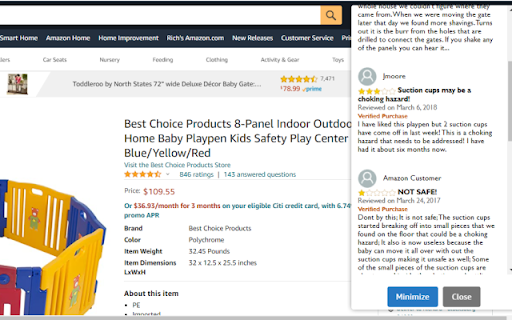
Provides users with additional useful information about products on Amazon.com.

Turk Guru BETA | For MTurk
Increase your mturk earnings by automating HIT acceptance based on your preferences and using Machine Learning. FOR BETA TESTING. For Amazon Mechanical Turk workers, this tool helps you accept new tasks based on your preferences: ★ Accept tasks based on your liked and disliked tasks history. ★ Accept tasks that have favorite keywords. ★ Block tasks that contain blocked keywords. ★ Accept tasks only from favorite requesters. ★ Filter tasks based on requester hourly wage rate, activity level, approval rate. ★ Return tasks automatically when away from the desktop. ★ Zero click HITs queue drawer. ★ Reactions by workers for HITs and requesters. This tool reduces the time worker spends searching for tasks and helps the user get high-paying tasks, which results in higher earnings and increased efficiency. If you have any questions, comments, or suggestions, contact at support@turk-guru.com THIS EXTENSION IS FOR BETA TESTING. The stable version can be found here: https://chrome.google.com/webstore/detail/turking-guru/kgejhghjgpndnehjgldgaknbiadbjoom

mei's lens
mei's lens provides search the web by image feature for web pages. 「mei's lens」provides search the web by image feature for web pages. With 「mei's lens」you could do the following stuff. - Pick & select image for searching by image. - Comes with light / dark mode. ※ Usage instructions: 1. Turn on「mei's lens」by context menu or browser bar icon.(「mei's lens」will apply image directly once tap image context menu).「mei's lens」 will ask for google account login for 1st time usage. (This is just for recording request count only) 2. Switch mode to select area which you like to search. ※ How to switch main image source? 1. Drag & drop image file or web page element into main image section. 2. Focus main image section then paste url、image、html string on it. 3. Double click main image section to pick up image you like. ※ Change Log: 1.0.5: a. Add identity permission to connect with user's google account. (This is just for recording request count only) 1.0.4: a. Add options page for customize appearance. 1.0.3: a. Keyboard shortcut: 「esc」for turn off「mei's lens」. b. Performance enhancement. 1.0.2: a. Keyboard shortcut: 「ctrl」+「shift」+「L」 for toggle「mei's lens」. b. Add several ways to switch image source. User can copy / paste url、image、html string on main image when focus on it. Besides that,DnD also support drag file or web element into main image to switch its source.

Prolific Assistant
Monitors https://prolific.com/ for new studies. This is an extension designed to monitor https://www.prolific.com/ for new studies and alert you when it finds them. Features - Desktop notification for every new study found. - Displays how many studies are available on the extension icon. - Shows the last time studies were checked for. Settings - Alert Sound: The type of sound you want when a new study is found (none, voice, choice of 5 different sounds). - Alert Volume: The volume level for the alert sound (0-100). - Desktop notifications

Feed Collector
A browser extension used for research purposes that collects some tweets from your Twitter feed. This is a browser extension used for research purposes that collects some tweets from your Twitter feed and then redirects you to a platform which asks some questions about your feed. The purpose of this study is to help us understand more about user experience on social media.
