
okbolnpchoemijfoegogkgedckhmplhb
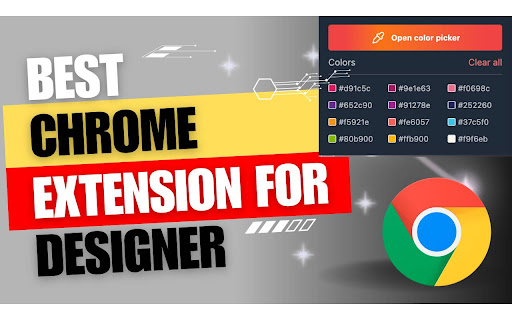
Color Bookmarker is your essential tool for organizing and managing colors while browsing the web. Color Bookmarker is your essential tool for organizing and managing colors while browsing the web. This intuitive Chrome extension allows you to capture, and save colors from any webpage with ease. Detailed step-by-step description for your Chrome extension, emphasizing the "color picker" functionality: 1. Color Capture: Instantly grab colors from any element on a webpage with the built-in color picker tool. Simply hover over the desired color and click to capture it effortlessly. 2. Color Change: Easily change the color of any element on a webpage in real-time using the color picker feature. Instantly see how different color options will look before making your selection. 3. Color Copy: Copy the hexadecimal, color codes with just a click, allowing you to quickly transfer colors to your design or development projects. 4. Color Delete: Remove unwanted colors from your saved palette with the color delete function. Keep your color library organized and clutter-free by removing obsolete or duplicate colors with ease. 1. Install Color Picker Plus from the Chrome Web Store. 2. Navigate to any webpage containing colors you want to capture or manipulate. 3. Click on the Color Picker Plus icon in your Chrome toolbar to activate the color picker tool. 4. Hover over any color on the webpage and click to capture it. 5. Click on color preview box to change the color by picking new color or changing the color from color palate. 6. Click on color code to copy the color on your clip board for further use in your design. 7. Delete unwanted colors from your palette to keep it clean and organized by click on cross icon that appear on hover on color code. 8. Click on "Clear all" button to clear all the colors that listed. Transform your browsing experience with Color Picker Plus and take control of your color management tasks with precision and ease. Enhance your design workflow, boost productivity, and unleash your creativity with this essential Chrome extension.

hb-sd Page Color
You can apply 3 types of filters : - Filter stack among brightness, contrast, saturate, hue-rotate, invert and sepia. - Set Red, Green, Blue color channels. - Monochrome or monochrome+normal intermediate color. Can simulate dark mode page by applying invert color for background+text and normal color for images. Can use dynamic icon on toolbar to quickly view filter state of the current tab page. Save settings globally or by domain. Dark/light + old/modern + font size and more theme for extension UI.

Bookmark Color Sorter
Sort your bookmarks by favicon dominant color using HSV color space, starting with red Bring a splash of color and a new level of organization to your browser with Bookmark Color Sorter! This simple yet powerful extension tidies up your bookmarks by intelligently arranging them based on the dominant color of their website icons (favicons). Transform your cluttered Bookmarks Bar or any folder into a clean, intuitive, and visually pleasing rainbow of colors. 🎨 Smart Color Sorting: Automatically arranges your bookmarks by color. The sorting uses the HSV color model (Hue, Saturation, Value) to group similar colors together in a natural, rainbow-like flow. 📂 Sort Any Folder: Apply color sorting to your main Bookmarks Bar or dive into your folders and organize them individually. A simple dropdown menu gives you full control. 👀 Instant Preview: Not sure if you'll like the change? Use the "Preview" button to see a quick visual of the new sorted order before you commit. ↩️ Safe & Reversible: Your original order is always safe! If you don't like the result of a sort, a one-click "Restore" button will instantly undo the change and return your bookmarks to their previous state. ✨ Modern & Simple UI: A clean, easy-to-use interface that gets the job done without any complicated settings. 🔒 Privacy-Focused: Built on Chrome's latest and most secure Manifest V3 platform. This extension requires minimal permissions and respects your privacy. It only needs access to your bookmarks to sort them and does not collect or transmit any of your data. Rediscover your bookmarks and enjoy a more organized browsing experience today!

Simple Music Player
A simple offline music player with built-in white noise. A minimalist offline music player for Chrome with built-in white noise and beautiful wallpapers. Enjoy your favorite music or relaxing white noise directly from your browser, even without an internet connection. Simple, distraction-free, and easy to use. Features: - Play music and white noise offline - Clean, minimal popup interface - Perfect for studying, working, or relaxing. Enjoy your music with simplicity!

Color Picker - Web Development
Free eyedropper tool for capturing website colors. Features live color picking, plus color history. Introducing our latest feature, the Color Picker - Web Development: A powerful addition to our Color Picker extension that enhances your web design workflow. The Color Picker - Web Development is a free eyedropper tool designed specifically for capturing website colors, offering live color picking and an innovative color history feature. With the Color Picker - Web Development extension, you not only have access to the precise eyedropper and color selection tool but also a dynamic way to visualize and manage your color choices. This new feature takes your color exploration to the next level by providing real-time color picking from web pages, complete with an intuitive interface and enhanced functionality. Key features of the Color Picker - Web Development include: Live Color Picking: Effortlessly capture colors from any site as you browse, ensuring accuracy and efficiency in your design process. Color History: Keep track of your recently selected colors, allowing you to revisit and reuse them seamlessly.
