
ogncjekihbecgebggcagkebnoenfipph
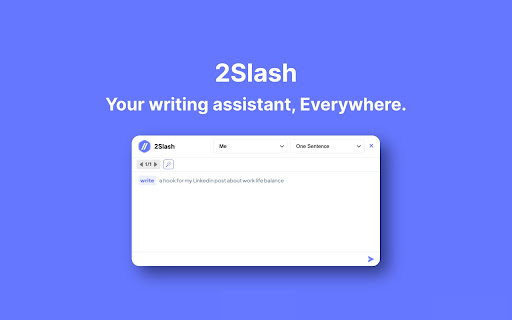
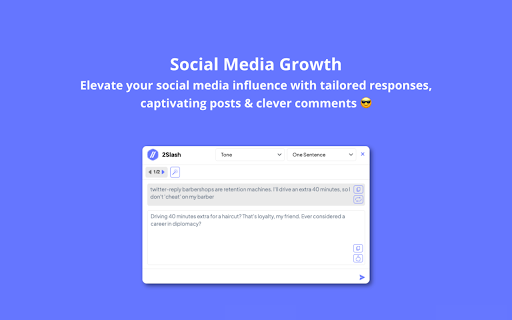
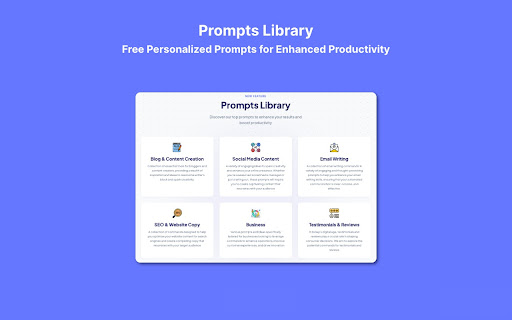
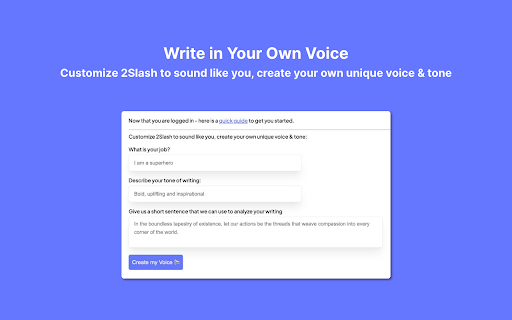
Your Prompt-Free AI Assistant, Everywhere Simplify your content creation and start writing smarter & faster - making your daily work more efficient! Type "//" in any text field to create emails, social media posts or replies and even summarize long text - all in seconds. Social Media Growth - Elevate your social media influence with tailored responses, captivating posts & clever comments. Achieve 10x growth & amplify your impact effortlessly across social platforms. Let your presence shine! Community Growth & Engagement - Connecting with your community and boosting engagement has never been easier. Add a splash of color to every post, reply, or comment to ensure a diverse and engaging experience for your audience! Sales & Support Productivity - Productivity is a marathon, not a sprint. You can complete tasks like setting up outreach, handling prospect responses & booking meetings effortlessly. Type less and win more! Refine writing using expert prompts. Personalized Prompts for enhanced productivity. Explore our curated library of tailor-made prompts crafted by our engineers. They are designed to help you refine your skills, deepen your knowledge, and achieve results across all mediums. Discover our collections, from creating blogs to crafting social media responses, writing emails, and developing your content strategy. Need a specific prompt? Just request it from our team of experts - and you should have it in 24 hours :)

TwoSlash: An OpenAI ChatGPT Chrome Extension
Type '//ai' in any text field on your browser and unleash the power of ChatGPT AI. 🚀 Welcome to TwoSlash, the ultimate productivity tool that harnesses the power of ChatGPT AI to enhance your online experience. 🌟 Features at a Glance: ✓ Fix bugs and write code in your preferred programming language ✓ Create and improve social media content across multiple platforms ✓ Write, reply, and summarize emails for a professional touch ✓ Generate and understand Google Sheets formulas seamlessly ✓ Translate content to different languages with accuracy ✓ Boost your productivity with AI-powered tasks ✨ How It Works Simply type "//ai" anywhere you can enter text on the web, and watch as your ideas transform into reality. TwoSlash empowers you to generate content, improve grammar, translate languages, write and fix code, and much more—all with the speed and precision of ChatGPT AI. Let your creativity flow, while TwoSlash handles the heavy lifting. 🔒 Simple Pricing, No Hassle Enjoy the full range of TwoSlash features with our straightforward pricing plan. For just $9 per month, unlock unlimited access to all current and upcoming features, without the need for an API key. Experience the power of TwoSlash today and take your productivity to new heights. 👨💻 Coding Made Effortless Developers, rejoice! TwoSlash makes coding a breeze. Fix bugs, write code in your preferred programming language, explain complex code snippets, and even convert code to a different language—all in seconds. With TwoSlash, your coding journey becomes smoother and more enjoyable. 🐦 Supercharge Your Social Media Presence Level up your social media game with TwoSlash. Craft compelling Facebook, LinkedIn, Instagram, and Twitter posts effortlessly. Engage with your audience by leveraging AI to reply to comments and direct messages, and watch your social media presence grow organically. 📧 Professional Emailing, Simplified Impress clients and colleagues with professional emails, written flawlessly by TwoSlash. Compose new emails, reply promptly, and summarize lengthy email threads with ease. TwoSlash ensures your communication stands out, giving you more time to focus on what matters most. 📊 Master Google Sheets with ChatGPT's AI Supercharge your Google Sheets productivity using TwoSlash. Generate complex formulas right within Google Sheets, saving you valuable time and effort. Need to understand a specific formula? TwoSlash provides clear explanations, empowering you to navigate spreadsheets effortlessly.

Chat with Desksense AI Powered by GPT4
The Ultimate AI Assistant with GPT-4 powered responses. Answers any queries, summarize articles, create emails, content & AI images. Desksense ChatGPT AI app provides Free Chat GPT & GPT-4 access, AI writer for Email, Blogs, Articles, Tweets, Linkedin posts, Facebook Posts, Replies and more. Desksense AI uses OpenAI ChatGPT to summarize Youtube videos & Blog in one-click. Desksense AI app revolutionizes your online search experience by integrating Open AI ChatGPT alongside your Google search engine. With Desksense you can access instant AI-generated responses, providing valuable insights and information right alongside the search results you're browsing. With just a CMD+ I OR CTRL+ I Desksense makes it easy for you to access the ChatGPT on any website. Use "Shortcuts" for Advanced users. 👉👉 Save ANY ChatGPT, GPT-4, Claude3 OR Genini Pro response to your Desksense Account in one-click. 👉 [New Update] Desksense comes with new Chat GPT models like; GPT-4-o-mini and other LLM's like Claude3, Gemini Pro & Llama 3version. 👉 [New Update] Desksense comes AI Image Analyzer 👉 Desksense iOS App is now live in App Store. 👉 New AI Summarizer is now live with upload file feature. 👉 AI Writer for ANY content with ChatGPT-4, GPT-4-o-mini, Claude 3 & Gemini Pro option (Emoji, character limit included with a different lanuage model.) 👉 FREE AI Chatbot integrated with ChatGPT & GPT-4 in web app 👉 Get ChatGpt AI response or replies with 'Tone' and 'Emoji' 👉 Unlimited AI response on Google Search 👉 One-click AI summarizer for Youtube videos 👉 One-click AI summarizer for ANY website 👉 ChatGPT AI Image generator using Dall-E 👉 Save ChatGPT response in your account for later use. 👉 Save your frequently used prompt(s) 👉 List of 100+ preset prompts and option to edit and save in your account. 👉 Easy Access with CMD + I OR CTRL + I on ANY website 👉 Grow your Social Media presence using Desksense AI response in LinkedIn posts, Twitter & Facebook posts. 👉 Write faster and smarter emails on Gmail, Tweets, Linkedin Posts and Facebook posts 👉 Generate online content, video script, hashtags & keywords and topics for blog posts, articles and socials using Desksense AI ChatGPT App. 👉 Share your saved response to social media using our Desksense Web App 👉 Copy to clipboard, Save, Favorite and add tags to ChatGPT responses as Card. 👉 Desksense Chat GPT & GPT 4 Android Mobile App 👉 Auto Dark/light mode 👉 Change the Tone of your response and include emoji when needed. 👉 AI Chatroom Collaboration with your Team 👉 AI Chatbot in Extension 👉 AI Content Generator - AI Email Writer, AI Article Writer using ChatGPT, GPT-4, GPT-4-o-mini, Claude3 and Gemini Pro., AI Code Generator, AI Social Media Post Generator and more... Are you a busy professional juggling multiple tasks? A student striving for academic excellence? Or someone seeking to optimize their daily routines? Look no further! Desksense is here to revolutionize your digital experience. Desksense is a powerful chrome extension that leverages the ChatGPT API to enhance your productivity. It provides a range of AI applications, including ChatGPT & GPT-4 AI chatbot, summarizers, AI writers, and more, accessible on any website. Yes, Desksense is completely free to download and use. Every free user gets 5000 Word limit for month. No, you do not require a separate ChatGPT account. Simply sign up for free at Desksense.com to access the extension. Yes, Desksense chrome extension works seamlessly in all countries, ensuring that users worldwide can benefit from its features. To install Desksense on your browser, you will need to follow these steps: 1) In your browser open the browser's app store or extension store 2) Search for the Desksense in the browser's app store or extension store (or click for : Google Chrome | Edge) 3) Click on the "Add to Browser" or "Install" button to begin the installation process. 4) Follow the prompts to give the extension permission to access certain parts of your browser, if prompted. 5) Once the installation is complete, you will be redirected to our onboarding page 6) That’s it ! you are done :) Please pin the ext. on top bar to get on-time updates. If you have any questions, please feel free to reach us at support@desksense.com === VERSION 1.0.13 ==== * NEW FEATURE: AI Writer for ANY content with newest version of GPT models (Emoji, character limit included with a different lanuage model.) * NEW FEATURE: AI Image Analyzer that analyses any image and gives you response describing the image. * File Summarizer: Upload any file & summarize in one-click * Minor Bug fixes

Multi-RTL
Configurable RTL support for any website - Supports Hebrew, Arabic & Persian ⬅️➡️ The first chrome extension that provides configurable Right-to-Left (RTL) text alignment support for ANY website! See demos and user guide on: https://multi-rtl.asia-digital.online Align Hebrew / Arabic / Persian text to Right-to-Left (while keeping non-RTL left-aligned, including code snippets and *math formulas* (KaTeX/LaTeX). Comes pre-configured for ChatGPT, Gemini, Claude.ai, NotebookLM and Slack and enables you to configure any DOM selectors in any web site to automatically detect and apply RTL alignment. Struggling with reading Hebrew/Arabic on websites that don't support RTL properly? Struggling with reading twisted Math Formulas in ChatGPT in Hebrew conversations? 🌐 Universal Support - Works with any website! 🎯 Auto-Detection - Automatically detects Hebrew, Arabic, and Persian for auto-RTL using the Unicode BiDi first-strong-character algorithm 📐 Math Formula Support - Correctly aligns mathematical formulas (KaTeX/LaTeX) in RTL contexts 🔄 Real-time Processing - Works with streaming/dynamic content ⚙️ Per-Domain Configuration - Configure different selectors for each domain 📌 Side Panel - Persistent settings panel stays open while you interact with the page — no more popup that closes on every click! 🔍 Element Picker - Click 🔍 to pick an element on the page and build a reliable selector easily. The Side Panel stays open so you see results live! 🎛️ Master Toggle - Enable/disable all selectors for a domain with one switch ⌨️ Keyboard Shortcut - Press `Ctrl+Shift+H` to toggle Master switch ⌨️ Customizable Shortcuts : Set your own preferred keyboard shortcut for the Master Toggle ⌨️ Customizable Fonts - Change the font for all matched elements on any domain! 🔘 Individual Selectors - Enable/disable each selector independently 🎨 Advanced Style Controls - Control direction (dir) and text-align separately ⚡ Force RTL Mode - Skip content inspection and force RTL for specific selectors 👀 Visual Highlight : Hover over selectors in the list to instantly see which elements they match on the page ⏱️ Load Delay - Configure per-domain delay for late-loading content 💾 Smart Import/Export : Backup your settings or share configurations. Imports now merge with your existing settings! ⭐ Premium Features - Unlock advanced capabilities with an affordable lifetime subscription ✅ Pre-configured - The extension comes pre-configured for popular AI chat platforms and collaboration tools: - ChatGPT (chatgpt.com) - Google Gemini (gemini.google.com) - Claude.ai (claude.ai) - Slack (app.slack.com) - NotebookLM (notebooklm.google.com) Just visit these sites and RTL text will automatically align to the right! ### Configure it for any website: 1. Visit the website you want to configure 2. Click the extension icon in toolbar to open the Side Panel 3. Click "➕ Add" to add a new selector 4. Click the 🔍 button on the new selector row - The Side Panel stays open and Multi-RTL enters "pick" mode on the page - Click an element you want to target 5. An in-page Selector Builder opens (top-right): - Choose the best element/ancestor from the dropdown - Optionally add classes/attributes via the Properties dropdown (hovering previews highlight) - Click Save to update the selector you started from (or Cancel to discard) 6. Load Delay: Configure a delay (in milliseconds) before the initial processing runs on page load. (useful for sites with late-loading content) 7. The new configuration is saved automatically! Content-based : When enabled, Multi-RTL detects whether the content starts with RTL text before applying styles. When disabled, Multi-RTL forces RTL for that selector. 1. Install & Go : Pre-configured for popular sites - just visit Gemini, ChatGPT, Claude, NotebookLM, or Slack. 2. Add Custom Sites : Click the extension icon to open the Side Panel, click ➕ (Add), then click the 🔍 to pick the target element — the panel stays open so you see results live! 3. Toggle Control : Use the Master toggle or individual selector toggles for instant control 4. Configure Options : Fine-tune with style controls, force RTL, load delays, and more 5. Share & Backup : Export your configuration to share with others or keep as a backup. Multi-RTL is designed with your privacy in mind: * 100% Local Processing : All text analysis and RTL detection happens entirely on your device * Zero Browsing Data Collection : We never collect, store, or transmit your browsing data or page content * No Tracking : No analytics, no telemetry — the only external connection is to our payment provider (PayVia - PayPal) for premium license validation * Secure Identity : The `identity` permission is used solely to associate your Google account with a premium license, so it works seamlessly across devices. Users without a Google account are assigned an anonymous ID instead * Open Source Ready : Transparent code you can inspect 💡 PERFECT FOR: * AI Chat Platforms (ChatGPT, Claude, Gemini, Perplexity) * Team Collaboration (Slack, Microsoft Teams, Discord) * Messaging Apps (WhatsApp Web, Telegram Web) * Project Management (Monday, Trello, Asana, Notion) * Social Media & Forums * Email Clients & Web Apps * Any website with Hebrew, Arabic, or Persian content *Made with ❤️ for the RTL community* See demos and user guide on https://multi-rtl.interact-ed.online ### Fixed - Cancel Subscription mid-period - extension stopped applying RTL styles immediately after Cancel until manual refresh, even though the paid period was still active. Cache is now updated correctly so RTL stays active until the end of the paid period. ### Added - Custom Font Override (PRO) - change the font for all matched elements on any domain - CSS Variable Discovery - automatically detects font variables from the page - System Font Browser - browse available system fonts with live preview on page ### Improved - Extension version is now sent with all license API calls (trial/start, checkout/token, license/cancel) for better diagnostics and audit logging ### Fixed - License lockout on empty tabs - extension incorrectly showed "Subscription Required" even for licensed users - License check race condition - API returned ACTIVE but extension fell into error handler ### Added - Support contact on lockdown screen for users encountering license issues ### Added - PRO indicator on custom sites with easy upgrade option - PRO badge on custom selectors within built-in sites - Community configs: Import pre-made configs for Kimi and other sites from GitHub - Dynamic community config portal with live fetching from GitHub repo ### Improved - Unified CTA messaging across all upgrade prompts - Config Portal redesign: RTL table layout with community contribution support - License refresh button with visual feedback - "Already have a license?" link on lockdown screen - Improved offline resilience — no more lockouts when server is temporarily unreachable - More reliable license matching ### Added - License indicator: Shows your current license tier (Basic/Extended/Pro) with color-coded badges and days remaining - Smart unsubscribe dialog: Shows your subscription/trial expiry date — no more "lose access immediately" scare ### Improved - Header layout redesign: Cleaner domain info and license display - Post-cancellation behavior: Subscription stays active until your paid period ends — no immediate lockout ### Added - Side Panel UI : Replaced popup with a persistent Side Panel that stays open while you interact with the page - Tab-Switch Awareness : Side panel automatically updates when switching tabs or navigating to a new domain - Inspector Instructions : Visual overlay (Hebrew + Arabic) guides users to pick an element - Selector Flash : Green glowing animation highlights selectors after configuration - Claude Code Web support : New built-in selector for the Claude Web prompt input box - License enforcement : Auto-trial for new users, subscription management, and pricing page - Premium features: Added subscriptions based (Annual & Lifetime) premium features (Import /Export config and Add Selector). - Unsubscribe flow : Users can manage their subscription directly from the extension ### Improved - Inspector Workflow : Panel stays open during element picking — no more close/reopen cycle - Responsive Layout : UI adapts to side panel width instead of fixed popup dimensions - Top section layout : Redesigned popup header for cleaner appearance - Tab handling : Side panel auto-closes on new tab, better handling for blank tabs - Updated built-in configs : Refreshed default configurations with latest selectors ### Improved - Smarter RTL Detection : Now uses the Unicode BiDi "first strong character" algorithm instead of checking just the first character. Emojis, numbers, bullets, and punctuation are properly skipped. - Mixed Content Support : Sentences starting with English but containing mostly Hebrew/Arabic (30%+ RTL letters) are now correctly detected as RTL (e.g. "Phase 1 - תשתית DB"). - Mixed Inline Elements : Fixed detection for elements with mixed inline children (e.g. ` Phase 1 - Hebrew text `) where the first text wasn't in a child element. ### Added - Premium Features : Added subscriptions based (Annual & Lifetime) premium features (Import config). - User Authentication : Secure identification via Google Identity for cross-device license validation. ### Added - Major UI Improvements : - Highlight elements on page when hovering over selectors in popup - Option to delete all selectors for the current domain - Option to customize the keyboard shortcut - Enhanced Configuration : - Merge functionality when importing configuration (instead of overwrite) - Added more built-in selectors for ChatGPT, NotebookLM, Claude, Gemini and Slack - Add handling of mathematical formulas (KaTeX/LaTeX) in RTL contexts - Popup UI Overhaul : Replaced footer with a new "Actions" dropdown menu in the header for cleaner navigation. - Tooltips : Added detailed tooltips to Export/Import buttons for better user guidance. - User Guide : Added a link to a detailed User Guide (in the "Actions" dropdown) ### Changed - Layout Refinement : Improved Domain Settings layout using Flexbox for better alignment. - Bug Fixes : Added missing "delete selector" icon. ### Added - Multi-language RTL support : Now supports Arabic and Persian (Farsi) in addition to Hebrew - Expanded Unicode range detection to include Arabic script (\u0600-\u06FF, \u0750-\u077F) - All RTL languages now automatically detected and aligned correctly - Works seamlessly with mixed Hebrew/Arabic/Persian content This release is a major UX and workflow upgrade focused on making selector setup faster, more accurate, and less error-prone. - Added an element picker (🔍) to select page elements directly, with hover preview (outline + tooltip) and click-to-pick. - Introduced an in-page Selector Builder overlay (top-right) that appears after picking an element, with Save/Cancel. - Selector Builder supports building selectors from element ancestry and optionally refining with class/attribute matching. - Improved persistence: inspector/builder state is stored and preserved through Import/Export. - Inspector flow - Click 🔍 on a selector row in the popup. - The popup closes and the page enters pick mode. - Click the element you want to target. - The in-page overlay opens with the Selector Builder. - Save updates the same selector row you started from; Cancel discards. - Selector Builder overlay - Dropdown browsing previews highlight on the page. - Dropdown menus use a "portal" positioning approach to avoid being clipped. - Popup UI updates - Selector rows were redesigned to emphasize quick actions: enable checkbox, delete, and 🔍 inspector. - Import/Export continues to work, now including inspector builder state. - Existing selector strings continue to work. - v4 adds optional per-selector "builder" metadata used by the inspector Selector Builder. - Some fields still exist in configuration for backward compatibility but are no longer shown in the popup UI. - The recommended way to create/adjust selectors is now the built-in 🔍 picker + in-page Selector Builder. - The popup no longer relies on a "copy selector from DevTools" workflow as the primary path.

MyMemo Web Clipper
MyMemo Chrome Extension 🚀 Introducing the MyMemo Chrome Plugin — Your Smart Digital Knowledge Hub Save, organize, and reflect on valuable web content effortlessly — all in one place. !New updates: Now supports saving directly from X (Twitter) and Gmails, seamlessly integrated into your browsing experience. ✨ Key Features: 🌐 One-Click Save – Instantly capture webpages, YouTube videos, tweets, and even emails to your MyMemo library with just one click. 🧠 Reflective Learning – Save with AI-powered summaries. Review key points and truly retain what matters. 🔍 Quick Access & Smart Search – Say goodbye to digging through bookmarks. Easily find saved content with powerful tags and filters. 📁 Workspace Selection – Choose where your content goes. Keep work, study, and personal life neatly separated with multiple workspaces. 🎧 MemoCast – Turn your saved content into audio playlists. Learn on the go by listening to summaries and highlights. Add MyMemo to Chrome today and take control of your digital knowledge. Smarter browsing starts now. Update: Reliability improvements. Server-side error messages now surface correctly. Sign-out and session expiry sync across every open tab. Saved summaries are now rendered with stricter HTML sanitization. Fixed an issue where Login could appear unresponsive on a fresh install, and silenced repeated "summary still processing" notifications.
