
ogjibjphoadhljaoicdnjnmgokohngcc
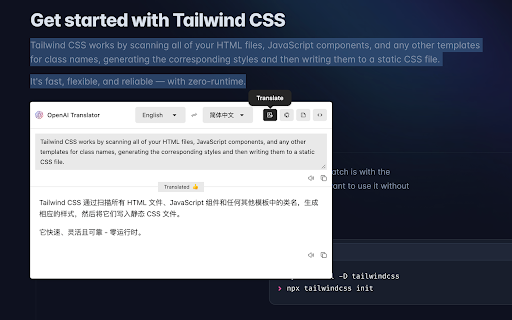
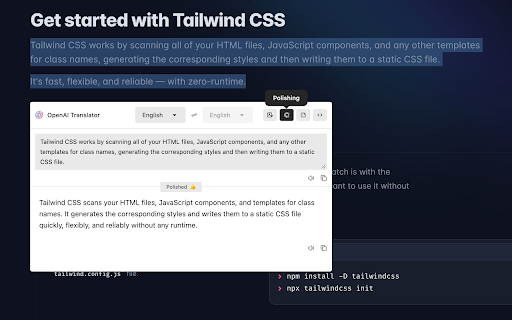
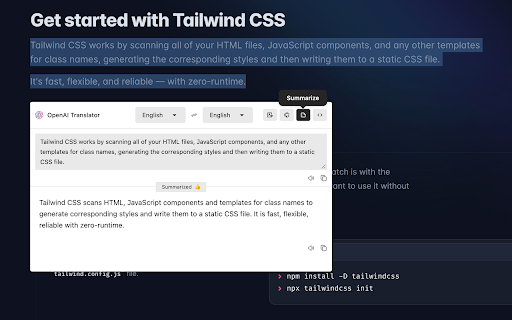

NextAI-Translator is a browser extension that uses the ChatGPT API for translation.

Chat GPT Translation
AI translator powered by ChatGPT language translator. Use GPT Translation for fast, accurate results in any language. 🌐 Chat GPT Translation — The Smartest AI Translator Built Into Your Browser 🤯 Tired of switching browser tabs just to convert a sentence? Meet the ultimate extension for Chrome — instant, context-aware output powered by advanced AI. Whether you need to decode a Chinese article or reach international partners, this tool handles it all. Millions of users around the world prove it every single day — and now it is your turn. 🚀 Get started with this ai translator in four steps: 1️⃣ Install the Chat GPT Translation extension from the Chrome Web Store 2️⃣ Pin the extension to your browser toolbar for quick one-click access 3️⃣ Highlight any text on any webpage — or paste it directly into the popup 4️⃣ Get your ai translate chatgpt result in under one second instantly 🧠 How good is chat gpt for translation? Here is what users say after switching to this extension from competing tools: Preserves tone and style better than any competing tool on the market Handles technical, legal, and medical language with outstanding precision. 🔔 Produces natural-sounding output in every target language without robotic phrasing Adapts to formal and informal registers automatically based on context Outperforms every competing solution on nuanced, multi-clause, and domain-specific content. 💎 Ideal for Every Chrome User: ✅ Business: global outreach, client deals, and daily international communication made simple. ✅ Research: read academic papers in Chinese, German, Arabic, and more without missing any detail. ✅ Sourcing: essential for product teams and procurement specialists in Asian and European markets. ✅ Legal & Medical: handles precision content where every single word matters greatly. ✅ Travel: navigate menus, signs, and local sites abroad without any confusion or costly delay. 🌍 You can chat gpt translate to spanish for business and chat gpt translate chinese to english for research — all without leaving the page. Need to translate chat gpt content to english instantly? Use chat gpt translate to english from any source language. The result appears in under a second on any page you visit, in any window you have open. 🌟 Key Features at Your Fingertips: 📌 Powered by advanced AI — full chat gpt translator capabilities for maximum accuracy 📌 Instant results — chatgpt translate delivers in under one second on any page 📌 Right-click menu — convert any highlighted text with a single click 📌 One-click copy — processed result sent to clipboard instantly 📌 Auto-detection — source language identified in milliseconds automatically 📌 Batch mode — chatgpt language translator handles full documents at once 🟢 Most popular language pairs: 📍 chat gpt translate to spanish — US teams, educators, and marketers worldwide 📍 ai translate chatgpt — zero-setup conversion on any page and any device 📍 translate gpt — trusted by professionals for fast and accurate results 💬 Frequently Asked Questions ❓ How good is chat gpt for translation vs other tools? 💡 Much better on complex content — understands full meaning and tone, not just individual words. ❓ Can this extension convert content from any language accurately? 💡 Yes — use translate gpt for any language pair and get consistently top-rated results instantly. ❓ Does it detect languages automatically? 💡 Yes — source language identified instantly with zero configuration needed from the user. ❓ Does it work on all websites? 💡 Yes — dynamic pages, social networks, webmail, and PDF viewers are all fully supported out of the box. 🔒 Your Privacy Is Protected This ai translator never stores or shares your text. No chat history, no logs, no third-party sharing — ever. Use this chatgpt language translator with full confidence for any sensitive or professional content. Your data always stays yours and is never shared with any third parties under any circumstances. Every request is processed securely and discarded immediately after delivery. ℹ️ What sets this Chat GPT tool apart: ➤ Real AI power — premium output quality, not a watered-down model ➤ Zero setup — works immediately after installation with no configuration required ➤ Built for professionals and power users — done right, not a toy demo 👆 Click Add to Chrome and start using the world's most powerful Chat GPT Translation tool today. Break all barriers in any language, on any page.

ChatGenie for Chatgpt
The ultimate browser extension for accessing Chatgpt Chatgenie brings the power of OpenAI's ChatGPT to your browsing experience, Chatgenie is focused on reliability and keeping up with recent changes. Features: • Easily access ChatGPT by clicking on the icon in the toolbar. The popup will appear and you can start a conversation with ChatGPT. • Quickly access ChatGPT from the navigation bar (aka Omnibox) by typing `gpt` and pressing space. • Run ChatGPT from the context menu. • Maintains a longer ChatGPT session by periodically pinging it. • (Beta) Prevents leaks of personal data to the LLM We strive to keep up with the fast-paced development of ChatGPT to bring you the best possible experience. How to use: • Log in to https://chat.openai.com • If you encounter an error, try opening chat.openai.com again. The service may be under high demand. • If you continue to experience issues, please report a bug in the review section of our extension's page.

EasyGPT
A Chrome extension that generates personalized LinkedIn messages using ChatGPT API. A Chrome extension that generates personalised cold emails & LinkedIn messages using ChatGPT API.

ChatGPT Chrome Extension - Silly Ai
Chat GPT powered writing companion that enables you to write, rewrite, and translate anything anywhere. 👋 Say hello to Silly AI's ChatGPT Chrome Extension, your new writing partner! Designed to simplify and elevate your writing process, this extension is as feather-light and unobtrusive as they come. No more cluttered workspace - we're all about a seamless, widget-free experience. 🚫💻 This easy-to-use tool is supercharged by ChatGPT and is operational on practically any website. Need to jot down a comment, draft an email, create social media content, or even fill out a job application? 📝 Silly AI's ChatGPT extension has got you covered. Just write it with a '>>' symbol then your prompt and hit Enter or Return key(⏎) on your keyboard. and sit back to watch the AI do its magic! 🪄✨ Our promise to you is an uninterrupted writing process. Forget about copy-pasting or unnecessary clicking - Silly AI is all about maintaining your writing flow. 🌊 This extension works on almost all websites, from Google Docs to spreadsheets, bringing AI efficiency to your fingertips.👌 But Silly AI's ChatGPT extension isn't just about writing. You can rewrite, summarize, translate, explain, and even reply to texts anywhere, all with a single command. 📚🌍 And guess what? No ChatGPT (OpenAI) account is required! Plus, you get 20000 free tokens every month for your daily tasks. 🎉 What's more, Silly AI's ChatGPT extension delivers consistently high speed and quality for all users, free or premium. Choose your preferred AI - OpenAI's Chat GPT, Google's BARD, or our unique hybrid API for diverse content. 🚀 Add a personal touch to your writing by setting the tone, verbosity, or creativity per site - make it professional for LinkedIn, casual for Twitter, or extra creative for Google Docs. 🕴️💃🎨 Silly AI remembers your preferences, so you only have to set it once. Remembering complex commands or shortcuts is a thing of the past. 📜 With Silly AI's ChatGPT extension, just type '>>', your prompt, and hit Enter. Want to give your AI assistant a unique name? Go right ahead! 🎈 Your experience with Silly AI's ChatGPT extension is just like using ChatGPT, but without the need to visit a separate site. Pay the same amount and recharge tokens as needed, with an easy-to-track system right within your browser. Plus, we're all about privacy. 🔒 Your prompts and writing history are saved locally and deleted once you refresh the page. So, ready for a smoother, more efficient writing experience? 👍 1. Click "Add to Chrome" at the top-right corner. 🖱️ 2. Refresh your open tabs to activate the extension. 🔄 3. Type '>>' followed by your prompt and hit Enter. ⌨️ Welcome to the future of writing with Silly AI’s ChatGPT Chrome Extension. Your words, our magic. 🌈🖊️
