
ofokfnlmkfghjcmppfopibknmlhadhbm




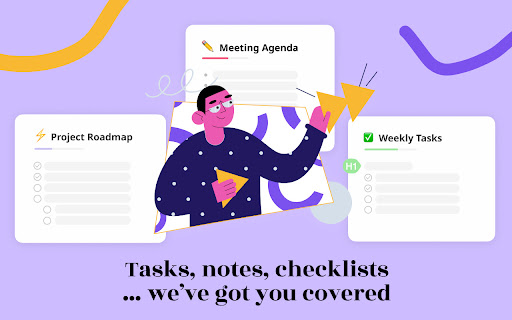
Beautiful bullet journal for weekly tasks, todos, agendas. Brainstorm, share, and plan your weekly list. Turn your New Tab into a bullet journal to capture your ideas, goals, and daily tasks. This extension is a simple and forgiving way to stay organized. Customize your bujo the way you want, share it with friends, and edit your journal from anywhere. Try the perfect flexible solution to manage your tasks, plans, notes, and ideas. Use it to organize your thoughts, ideas, and daily, weekly, monthly todos. Declutter your thoughts so you can focus on your tasks, ideas, and getting more things done. Use this extension to capture your ideas, goals, daily tasks and stay organized. • New Tab into a beautiful and customizable journal • Edit bujo together with friends and team members • Share your bullet lists instantly using a link • Easily invite friends and teammates to your folder • Collaborate together in a group folder • Select any style, whether bullet list, numbered list, or checklist • Infinitely nested bujo lists with unlimited hierarchy • Tag and filter tasks using #hashtag and @mentions • Works on all devices with live real-time syncing • Inspiring wallpaper backgrounds • Beautiful and minimal interface • Simple, instant, and FREE ➜ IS THIS EXTENSION FREE? Yes, this extension is completely free. Soon you will have the option to upgrade to Pro, which will have additional features like themes, sticker packs, and customizations. If you are feeling unmotivated, find one small task that needs doing and do it. Sometimes just getting the ball rolling has a snowball effect. Break down larger tasks into smaller steps (hit tab to add sub-tasks) and start with the smallest one. Get motivated, the only way to gain momentum is to start moving. Create bujo checklist, and studyblr for organizing your notes, tasks, and getting things done. This extension is simple and easy to use, but incredibly powerful, and can help you manage all the information in your life into beautiful lists. Bullet Journal is like a notepad with superpowers. ➜ CAN I USE THIS WITH MY FRIENDS AND TEAMS COLLABORATIVELY? Yes. Create a shared folder and invite your team. It helps keep your lists and team organized. Members will have full access to lists in the workspace. Use this as your collaboration tool to help each other get stuff done for team group project, brainstorming session, and more.

fluany
Fluany is a flashcards platform that helps you memorize and study anything. Quickly and easily while you do your work. Fluany is a flashcards platform to memorize and study anything, fast and easy while you're surfing the Internet. With our extension, you have an incredible tool to improve your learning and consolidate your knowledge quickly and efficiently. With a minimalist and easy-to-use interface, fluany displays your flashcards in a New Tab, making your study more dynamic and interactive. You can learn a lot while you work, or spend hours on social networks. Create your study lists, customize, add questions, terms or expressions you want to memorize, choosing the interval at which a question/term should appear for you. Friendly and intuitive interface. Start practicing in a few clicks. Your time is precious and with fluany, you can study while you work, talk with your friends or even watching videos. The fluany enters into your routine forcing your mind to learn.

Planyway for Trello: Calendar, Timeline, Time Tracking and Reports
Explore the most powerful features: ✔️ Calendar (daily, weekly and monthly views) ✔️ Timeline (grouped by members, boards, lists, and labels) ✔️ Time tracking and reporting ✔️ Workload ✔️ Gantt-like roadmap ✔️ Multi-board view ✔️ Dependencies ✔️ Recurring cards ✔️ Subtasks ✔️ Export to PDF, Excel, and CSV ✔️ Integration with Google Calendar, Outlook, and more Planyway is an intuitive Trello Chrome extension that significantly expands Trello capabilities in personal planning and project management. See why Planyway extension for Trello is an excellent choice for managing your weekly schedule: ✔️ DRAG&DROP SCHEDULING Simply drag cards from Trello board and drop them on the calendar to schedule ✔️ INTEGRATION WITH GOOGLE CALENDAR, OUTLOOK, ETC. See and edit events from Google and Outlook calendars in Planyway. Or, sync Planyway with Google to see and edit Trello cards in Google Calendar. The app also supports 1-way integration with any other calendar for viewing purposes. ✔️ RECURRING TASKS Put Trello cards on repeat to visualize them in your calendar as often as you need automatically ✔️ NOTIFICATIONS AND REMINDERS Set reminders and notifications not to miss anything. You can receive them both on your computer or mobile ✔️ RESOURCE MANAGEMENT Manage work of your team with a powerful timeline view. Group it by team members to distribute tasks easily, see who is working on what, and avoid burnout ✔️ PROJECT ROADMAPPING Visualize your project plan on a Gantt-like timeline view to keep track of how you’re progressing to make sure you deliver work on time ✔️ TIME TRACKING AND REPORTING Track time against estimates to easily identify areas for improvement and make sure you stay on time and within budget. All data can be visualized with reports or exported in Excel or PDF Need help? If you have any questions about Planyway Chrome extension, reach out at support@planyway.com. We’re always happy to help:)

Otto: Pomodoro timer & Website Blocker. Block sites, Focus mindfully
Otto is a mindful focus timer and website blocker. Block websites, work mindfully with the Pomodoro timer. Be mindful while working. Otto - A Little Friend for a Wandering Mind A creature wanders through the vast winding meadows and flat plains of a place that has no name. Those who wander into it, call it the Garden. It's mysteries are shrouded in forgotten dreams and faded memories. The philosophy behind Otto is simple. It's about being present in the moment, being intentional about the things you choose to work on and a little forgiving of yourself. It's not about trying to do many things all at once, but doing very few intentional things that move you a little forward each day. But simple isn't easy. And life isn't perfect, it's mostly uncertain, and the mind always wanders. So a little structure wouldn't hurt. The Timer and Blocker are the core features of Otto. Everything else is built on top of them. The Pomodoro Focus timer helps you be intentional and break your time into focused intervals, while the website blocker helps you with your wandering mind. Pomodoro Timer: Break your time into focused intervals with the Pomodoro timer. Task Timer: Turn your Pomodoro sessions into Task sessions by naming them to be more intentional. Scheduled Website Blocker: Block websites during chosen hours of the day (does not require focus sessions to be running) Autoblock: Set a count down timer on websites instead of blocking them right away. Once the countdown reaches zero, the website will be blocked (Only works during focus sessions) Analytics: See your focus analytics and distraction analytics and more About the Game Mechanic Otto now has a new game mechanic that is more positive and mindful compared to the old mechanic (arcade style health/deplete). In the new one, your primary goal is to build a bond and friendship with Otto. As you spend more time with Otto, you get closer and closer until you reach the final stage. There are three stages for your friendship - The Stranger, The Friend and the Guardian. How does it Work? The more you focus, or the more your mind wanders, you get something called "Essense Particles", these particles represent your bond, the more you have them the more clsoer you get. Think of this as a real life friendship, where you spend time with your friend, you knew them as strangers and the more time you spent with them, the closer you got. There are no punishments or penalties for being distracted or missing a couple of days. But if you drift apart a little too much, your bond starts decaying slowly and you'll have to start over. Data and Privacy We take your privacy very very seriously. We do not spy, collect, steal, or sell your data. That goes against our values of creating good software products and building trust with our users and customers. All the data that is collect for visualization is stored in your browsers local storage and indexDB. It never leaves it! We do collect events and page views using Google analytics. This will help us improve Otto. This is a list of data google analytics colelcts - how long people use the extension - the number of daily/weekly/monthly users - what part of the UI is most active (via GA events) If you have any questions, bug reports or feature requests, email at jbnj@ottoapp.me ✌️

New Tab Todo List: Checklist, Notes, Outliner
Beautiful and sharable checklists, notes, and to-do lists. Collaborate and outline in real-time. Turn your New Tab into a Todo List! ✏️ A lightning fast new tab productivity page and dashboard with stunning backgrounds, todo, tasks, lists, and more. Make your new tab / start page the way it should be: Fast, customizable, beautiful and productive! Make lists, outlines, todos, and more. With the New Tab Todo List extension for Chrome, just open a New Tab to capture your ideas, goals, and daily tasks. New Tab Todo List is a friendly space for your lists, outlines, and teams. Use it as your simple to-do list and task manager. You can instantly make a list and share it with your friends, family, and team. Simple, clean, and beautifully designed with relaxing themes and backgrounds. New Tab Todo List declutters your thoughts so you can focus on your tasks, ideas, and getting things done. Use New Tab Todo List to capture your ideas, goals, daily tasks and stay organized. A homepage you will fall in love with! Checklists, tasks, todos, quick notes, calendar and more. Replace your new tab with a personal productivity tool featuring to-do, task lists, team outliner, and inspirations. • New Tab into a beautiful task list • Collaborate with others, with real-time syncing • Share your task lists instantly using a share link • Easily invite friends and teammates to New Tab Todo List • Work together in a shared team space • Task lists with a natural editing interface • Edit to-do lists like a word doc and document • Mark any items as complete, whether bullet, number, or checkbox. • Infinitely nested lists with indent / outdent • Tag and filter tasks using #hashtag and @mentions • Works on phones and tablets, with live real-time syncing between devices • Automatic syncing between your phone, tablet and computer • Simply click to edit, like a text document • Easily expand and collapse outlines and lists • Inspirational wallpapers and photos • Beautiful and minimal interface • Simple, instant and FREE • Feel good, get motivated, seize the momentum and get things done! Yes, New Tab Todo List is completely free. Soon you will have the option to upgrade to New Tab Todo List Pro, which will have additional features like themes, sticker packs, and customizations. ➜ CAN I USE New Tab Todo List WITH MY TEAM? Yes. Create a space and invite your team instantly. It helps keep your lists and team organized. Members will have full access to lists in space. Use New Tab Todo List as your collaboration tool to help each other get stuff done. Meeting notes, task lists, collaborative documents and processes are now in one place in your shared New Tab Todo List space. Unleash your team’s potential ➜ CAN I COLLABORATE WITH OTHERS? Yes. New Tab Todo List allows you to edit lists dynamically with anyone through a share link in real-time. Your task lists are in sync across all devices live and in real-time. Collaboratively edit together in real-time with teams and groups. Simply select and share the edit link. Stay organized and make progress with your team projects using New Tab Todo List. Your team is on the same page!
