
hdkbnhcgfcokjhlfiicbphafdnipnhjf
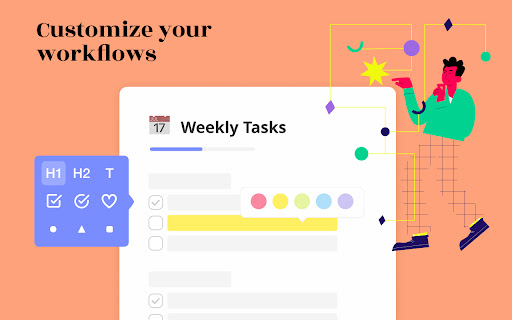


Beautiful and sharable checklists, notes, and to-do lists. Collaborate and outline in real-time. Turn your New Tab into a Todo List! ✏️ A lightning fast new tab productivity page and dashboard with stunning backgrounds, todo, tasks, lists, and more. Make your new tab / start page the way it should be: Fast, customizable, beautiful and productive! Make lists, outlines, todos, and more. With the New Tab Todo List extension for Chrome, just open a New Tab to capture your ideas, goals, and daily tasks. New Tab Todo List is a friendly space for your lists, outlines, and teams. Use it as your simple to-do list and task manager. You can instantly make a list and share it with your friends, family, and team. Simple, clean, and beautifully designed with relaxing themes and backgrounds. New Tab Todo List declutters your thoughts so you can focus on your tasks, ideas, and getting things done. Use New Tab Todo List to capture your ideas, goals, daily tasks and stay organized. A homepage you will fall in love with! Checklists, tasks, todos, quick notes, calendar and more. Replace your new tab with a personal productivity tool featuring to-do, task lists, team outliner, and inspirations. • New Tab into a beautiful task list • Collaborate with others, with real-time syncing • Share your task lists instantly using a share link • Easily invite friends and teammates to New Tab Todo List • Work together in a shared team space • Task lists with a natural editing interface • Edit to-do lists like a word doc and document • Mark any items as complete, whether bullet, number, or checkbox. • Infinitely nested lists with indent / outdent • Tag and filter tasks using #hashtag and @mentions • Works on phones and tablets, with live real-time syncing between devices • Automatic syncing between your phone, tablet and computer • Simply click to edit, like a text document • Easily expand and collapse outlines and lists • Inspirational wallpapers and photos • Beautiful and minimal interface • Simple, instant and FREE • Feel good, get motivated, seize the momentum and get things done! Yes, New Tab Todo List is completely free. Soon you will have the option to upgrade to New Tab Todo List Pro, which will have additional features like themes, sticker packs, and customizations. ➜ CAN I USE New Tab Todo List WITH MY TEAM? Yes. Create a space and invite your team instantly. It helps keep your lists and team organized. Members will have full access to lists in space. Use New Tab Todo List as your collaboration tool to help each other get stuff done. Meeting notes, task lists, collaborative documents and processes are now in one place in your shared New Tab Todo List space. Unleash your team’s potential ➜ CAN I COLLABORATE WITH OTHERS? Yes. New Tab Todo List allows you to edit lists dynamically with anyone through a share link in real-time. Your task lists are in sync across all devices live and in real-time. Collaboratively edit together in real-time with teams and groups. Simply select and share the edit link. Stay organized and make progress with your team projects using New Tab Todo List. Your team is on the same page!

Simple Todo
Replace the newtab page with a simple todo list 👉 Manage todo items across three predefined lists: Today, This Week, Eventually 🌒 Dark mode 🎨 Configurable color schemes 🏞 Background images from Unsplash or custom uploaded image 🙈 Privacy mode 🏷 Custom tags 🔍 Search and filtering 🔗 Quick links and frequently visited sites

Tasks - To do & task list by Workona
The best task list for work in the browser. Workona Tasks are the best way to manage tasks in Chrome. Now it’s simple to jot down a task, check in with your most important todos, or create a task list for a project. Creating todo lists is easier than ever — just click the button in your browser bar. This extension lets you create and update tasks from any Chrome tab, and even attach tabs to your tasks so you have the full context. Learn more about Workona: https://workona.com ______________________________________________ FEATURES Create a task instantly Turn any tab or email into a task as soon as you think of it. Just click the extension button in your browser bar or use the keyboard shortcut Opt + Z (or Alt + Z). This lets you quickly add tasks while you work and attach a tab or resource. With your to-do list accessible from every page, it’s easier to stay on top of tasks. Top tasks at your fingertips Your task list is now just a click away in Chrome. Without leaving your current tab or interrupting your workflow, you can access your most important tasks and log any other to-dos that come to mind. Convenient task popup Workona’s task manager includes a popup that’s just a click away. This helps you capture to-dos without opening a separate app. It’s designed to cut down on context switching so you can maintain focus. Without breaking your workflow, you can create as many todo lists as you need. To-do lists for every project Want to separate your to-dos by project? Add them to workspaces, which can provide instant context for each task. To give even more context, attach relevant tabs and docs to the task. Fully featured task list Your task list includes a rich text editor for polished formatting, keyboard shortcuts to move faster, and intuitive drag-and-drop attachments. Plus, a due date email digest to let you know when deadlines are here (optional). Feel free to contact support at support@workona.com and we'll reply as soon as possible. By installing the extension, you agree to Workona’s Terms of Service (workona.com/policies/terms) and Privacy Policy (workona.com/policies/privacy).

Wrike ToDo list
Wrike ToDo is all about you. Create a task list just for yourself and see your Inbox notifications, without needing to open Wrike. What's wrong with sticky notes? They get lost easily, for one thing. Oh, and you can’t copy-and-paste or edit them. We know they were once an office staple, but that was so yesterday. As a modern alternative, we’ve combined the simple beauty of sticky notes with the power of the digital workspace. In Chrome's new tab, you can create notes and to-do lists, and complete, prioritize, and edit them with the Wrike ToDo Chrome extension. Each note is a Wrike task, so if one line isn’t enough, just open it in Wrike. You can benefit from this extension if you: - Have a to-do, action, follow-up or just an interesting item to jot down - Want to check your personal to-do list - Feel like you’re always forgetting something All you have to do is open a new tab, and your item is there. Write, read, cross out. No pencil required. Additional benefits: - The Wrike ToDo Extension is clean, simple, and really fast - You can choose a background that matches your mood - Notifications are viewable from Wrike - You can build your personal productivity report or dashboard in Wrike - You can tag tasks in Wrike and they’ll appear in the new tab

Calendar New Tab
Meomni is the best calendar extension for Chrome, built for users who depend on Google Calendar and Microsoft Outlook to stay organized. It transforms your New Tab into a fast, minimalist productivity dashboard with the most reliable and seamless calendar integration available on the Chrome Web Store. Whether you manage a busy schedule, track appointments, or plan upcoming events, Meomni provides a unified, intuitive calendar experience that outperforms traditional calendar add-ons. Designed as the top Google Calendar extension, Meomni syncs instantly with your Google Calendar and Microsoft Outlook calendar. Events, reminders, and schedules load immediately on your New Tab, giving you a clear snapshot of your day every time you open the browser. It is also the most complete Outlook calendar extension for Chrome, offering dependable two-way syncing and smooth navigation between work and personal calendars. Meomni goes beyond standard calendar tools by combining advanced task management, a powerful ChatGPT sidebar, Gmail notifications, note-taking, and news updates—all in one place. Manage tasks across Google Tasks, Todoist, TickTick, and Microsoft To Do, while using AI to summarize information, rewrite text, translate content, or assist with work and research. Integrated weather forecasts, RSS news feeds, and a cloud-synced notepad enhance daily planning. Customization options include themes, wallpapers, colors, fonts, and layout controls, helping you create the calendar dashboard that fits your style. Live wallpapers and premium visual themes elevate the experience further. If you’re searching for the best Google Calendar extension or the most reliable Outlook calendar integration for Chrome, Meomni stands out by combining speed, clarity, and powerful productivity tools. It transforms your New Tab into the most complete calendar and productivity hub available. Upgrade your workflow with Meomni and experience why users consider it the best calendar extension for Chrome.
