
oeingmcibfkfneecplcppjhcekgedmco


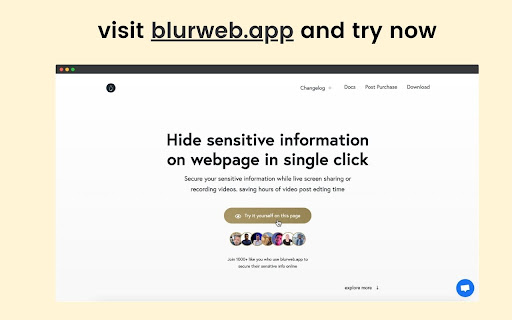
Blur any element text, image, input or paragraphs with single click. 🔒 Blurweb.app - Protect Your Sensitive Data on the Web Instantly! 🔒 Whether you're recording, screen sharing, or presenting online, blurweb.app ensures your sensitive information remains private. No editing required! 🎥✨ Easily blur text, paragraphs, images, inputs, or any selected elements with just one click. Now featuring a new 'Keep Blur' function that maintains your blur settings even after a reload. 🔄 💨 Single Click Blur: Effortlessly blur headings, paragraphs, images, or videos with just one click. 🖍️ Blur Area: Draw a rectangle anywhere on the page, and we'll blur it while keeping it in place. 🔄 Keep Blur: Click 'Keep Blur' before applying any blurs to maintain them after reloading or revisiting the URL. 🔧 Customizable: Control blur intensity, clear all blurs with a click, and even blur selected text. Plus, hide tab titles & icons for added privacy. 🔥 Use Cases 🔥 📺 Content creators: Protect sensitive information while live streaming or recording. 🏢 Agency owners: Share client projects securely during presentations or demos. 👩🏫 Teachers: Keep students' personal information confidential during online classes. 💼 Professionals: Safeguard sensitive company data during remote meetings. 🛍️ Online shoppers: Conceal personal details while sharing screens for shopping assistance. 🎮 Gamers: Hide private in-game chats or messages while live streaming. ✅ Pros Easy to use: Simply click to blur any element on the page. Customizable: Adjust blur intensity, hide tab titles & icons. Versatile: Suitable for various professional and personal use cases. ❌ Cons Requires a license: Visit blurweb.app to purchase your license. Limited compatibility: May not work with certain websites or web elements. 🛍️ Frequently Bought Together 🛍️ blurscreen.app: Blur anything on your screen. quickpresent.app: One-click worry-free screen sharing. Join 5000+ content creators, agency owners, teachers, and more who already trust blurweb.app for their privacy needs. Visit blurweb.app to grab your license today! 🚀 🎉 Enjoy a more secure and private browsing experience with blurweb.app! 🎉

Easy Blur
Blur parts of a web page, before taking screenshots or screen recordings Do you often need to mask confidential or sensitive details on a web page? Why spend many hours blurring parts of your videos, when you can blur them before recording? Save time in video editing and post processing! Easy Blur helps you quickly select elements to 👉 Blur one or more elements 👉 Unblur them, if needed 👉 Customise the strength of the blur effect and the keyboard shortcuts Common use cases ✅ Blur sensitive parts when recording product demos and walkthroughs ✅ Blur parts when recording tutorials ✅ Blur parts when recording videos for social media posts This is an open source extension. View source code here: https://github.com/vivek-nexus/easy-blur

Paced Email
Temporary disposable emails by Paced Email. Temp mail with extra privacy and anonymous identity protection. Create disposable or personalised email addresses from your browser with the official Paced Email extension. Anonymously shield your real identity from companies and advertisers who want to track you online. Block and unblock them anytime you want. Boost your productivity by choosing when inbound messages reach you. Batch into daily, weekly, or monthly digests for a calmer inbox. Extension features: • Email field icon to auto-generate burner emails with a single click • Right-click context menu • Single click copy to clipboard • Generate and manage Paced Email inboxes • Account switching

Inksprout - AI Social Media Writer
Compose a clear, trustworthy caption in social media link sharing with Inksprout's AI writing assistant. We'll seed your "create post" with the article summarization. You are free to edit the summarized text. Add a personal message. You will increase engagement with a clear description in your linked post. Provide value and gain more followers. Sharing your blog post has never been easier. Never miss the last opportunity to bring traffic to your site. Support schedulers such as Hootsuite, SocialBee, and Publer as well as native platforms like LinkedIn.

Stepsy: create step-by-step guide with screenshots
Struggle to describe your every step with screenshots in the browser manually? Welcome to Stepsy, your free AI-powered go-to solution for generating powerful, yet easy-to-understand step-by-step guides, SOPs, process tasks, or manuals, and sharing them with your colleagues and customers. Our software features have been proven to deliver exceptional results. With our intuitive interface and robust functionality, you can streamline your processes and achieve greater efficiency. Stepsy is free to use, along with Personal and Team plans to fit any team's needs. BENEFITS OF USING STEPSY: 📈 Increase data processing efficiency 📊 Improve workflow documentation accuracy ⚙️Ensure consistency across instructions ⏳ Save time of tedious work for each guide 🎯 Simplify the training and onboarding process STEPSY’S FEATURES: 📸Record your steps with screenshots on clicks: Just do your work, and we will automatically capture the screenshots with auto-generated descriptions. ✨Customize your screenshots: No need for other tools, we have a built-in image editor. ⚙️AI-tuned step descriptions and document summaries: Eliminate the need for manual repetitive text input, let us care about it. 📥Export and share via GDrive: Your guide quickly becomes shareable online via your own GDrive. 🔐Keep your screenshots safe: Your screenshots never leave YOUR space. Everything happens in YOUR browser and then gets exported directly to YOUR GDrive or YOUR local workstation. HOW TO USE STEPSY: Step 1. Get started Begin by downloading our extension for free. Step 2. Capture the process Navigate to the website you want to document. Then, open the Stepsy icon in your Chrome toolbar and click the “Record a Guide” icon to initiate the process. Once you've captured your process, you can edit and customize it with a built-in toolset. Step 3. Publish your results Simply click the “Finish and share” button and publish it as a Google Docs document directly to your Google Drive. WHO'S STEPSY FOR WHAT YOU CAN CREATE WITH STEPSY ✔️ Any documentation you need! What used to take hours, now takes seconds with our free step-by-step guide creator — empowering you and your team's productivity as well as allowing you all to focus on what truly matters: innovation and growth.
