
bilpfoldmicnjhdopaebihhiddkcickp
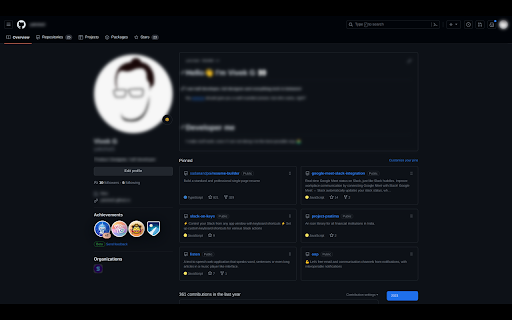

Blur parts of a web page, before taking screenshots or screen recordings Do you often need to mask confidential or sensitive details on a web page? Why spend many hours blurring parts of your videos, when you can blur them before recording? Save time in video editing and post processing! Easy Blur helps you quickly select elements to 👉 Blur one or more elements 👉 Unblur them, if needed 👉 Customise the strength of the blur effect and the keyboard shortcuts Common use cases ✅ Blur sensitive parts when recording product demos and walkthroughs ✅ Blur parts when recording tutorials ✅ Blur parts when recording videos for social media posts This is an open source extension. View source code here: https://github.com/vivek-nexus/easy-blur

Blur. The Image and Video blur extension
A browser extension that blurs all images on a page, for when you want to be discreet or don't want to look at certain images. Celebrating 100,000 installs, we've updated your favourite browser extension with a new look and feel! Here's to many more years of blurring! Watch this space as we continue to roll out new and exciting changes. The Blur Team. We’ve all had those times when we've 'accidentally' searched for something online and ended up seeing images we didn't want to see. Or maybe you’ve experienced browsing Facebook or Instagram at work or in a public place, only to catch someone glancing at your screen. Or perhaps you just want to read an article without being distracted by all the images and videos. Well, now you can. This add-on blurs all images and videos on a webpage, so you can concentrate on what’s important. You can choose to view the content or not. To see or not to see? The choice is yours. Shortcuts: ALT + K: Blur or unblur an image or video when hovering over it ALT + L: To quickly enable or disable the extension Language Support: We now support over 5 languages including English, Mandarin, Russian, Arabic, Bangla, Hindi and Urdu. Simply change your preferences via the settings tab. Themes: Change between light and dark theme or choose the system default. Two additional fun themes have been added, install to find out what they are. Allow list: You can also white list websites, simply open the extension and add the site to your allow list!

Blurred Out
The smart way to selectively blur parts of a website when sharing your screen. Keep your private parts hidden with Blurred Out. It’s an intelligent Chrome extension that lets you hide exactly what you need on any web page—live during meetings, demos, and recordings—while everything else stays visible. Manage everything from a simple side panel, and keep your data completely on your device. ✨ Smart Detection - Automatically detect common sensitive content with built‑in plugins - Email addresses, phone numbers, money amounts, names, and input fields - Preview detected items before applying blur - Enable/disable individual detection plugins to fit your needs 🎯 Precision Controls - Click‑to‑blur in Simple Mode - Numeric hotkeys to capture multiple items in Advanced Mode - Bulk apply to similar elements (e.g., all prices or PII) - Smart selection for table rows and columns—great for tables 📌 Pinning & Positioning - Pin rectangles to page content (moves with the page) - Pin to viewport to keep overlays fixed while scrolling - Switch pin modes anytime; states persist across sessions 🎥 Presentation & Resizing Capabilities - Demo Mode opens a clean, presentation‑ready window without the address bar - Window resizing presets (800×600, 1024×768, 1280×720, 1920×1080, iPhone, iPad) - Custom dimensions supported for exact recording targets 🎛️ Side Panel & Workflow - Manage all blurred elements from a tidy Chrome side panel - Enhanced hover/selection feedback and clearer icons - One‑click picker, real‑time preview, and four modes: Off, Capture, Draw, Blur - Import/export configurations; Keep your data local and safe 🔒 Privacy & Control - 100% local: no cloud, no external servers - Zero data collection - Works across multiple tabs and modern, dynamic web apps ⚡ Performance & Stability - Faster startup and lower memory usage - Optimized detection and improved cross‑site compatibility Benefits - Protect sensitive info during screen sharing - No need to create fake/sample data for demos - Professional presentations without switching apps or views - Save time with bulk selection and smart detection Perfect For - Customer demos and webinars - Teachers and tutorial creators - Developers showing code or dashboards - Anyone sharing screens that include private data What’s New in v1.0.3 - New plugin‑based Smart Detection system (emails, phones, money, names, inputs) - New rectangle pinning: Pin to Content or Pin to Viewport (persistent states) - New window resizing presets plus custom sizing controls - New Demo Mode for clean, presentation‑ready windows - Update extension badge to indicate the view mode - Improved side panel UX, import/export - Performance gains and numerous fixes Technical Details - Lightweight and performance‑optimized - Compatible with the latest Chrome versions - Zero data collection—privacy by design

Easy Screenshot - a Web Clipper
all-in-on capturing tool for the visual part, the entire page, or a selective area with auto-scrolling and editing support You can capture screenshots from the active tab with just two clicks. It provides multiple options for capturing specific portions of the page, the visual viewport, or even the entire page if it extends beyond the screen with both vertical and horizontal scroll bars. The captured image can be saved to the default download directory, copied to the clipboard, or opened in an online paint editor. The extension currently integrates JSPaint, a web-based replica of MS Paint, which offers offline functionality, allowing you to edit your images without an internet connection. The extension adds a toolbar button to the browser's action area. Clicking on this button opens a popup window with three options: 1. Capture the Entire Screen (3 methods. Works even if the page contains fixed-position elements) 2. Capture Visual Part 3. Capture a Portion Supported formats: PNG, JPEG, Avif, and WebP These options are also accessible via the right-click context menu on any page, providing easy access to the screenshot functionality. Here are some additional notes about the extension: 1. When selecting the "Capture Entire Screen" option, and the page size exceeds the window size, the extension will automatically scroll through the entire page to capture different sections and merge them into a single image. This process may take a few seconds to complete. 2. The resolution of the captured image depends on the screen resolution. For instance, if you have a 4K display, such as a Retina display, the image resolution will be at least four times higher than a regular display. 3. To ensure compatibility across various devices, the extension saves all captured screenshots in the widely supported PNG format, which offers high-quality lossless images. 4. The extension does NOT add watermarks to the captured images. 5. If you prefer to customize the format of the filenames for downloaded images, you can visit the options page and utilize the "filename mask" option to make the desired changes.

Web Site blocker
Easy way to block distracting websites to prevent access while you work The Web Site Blocker Chrome extension empowers users to permanently deny access to websites or implement scheduled restrictions. Safeguard yourself from distracting or harmful content or shield your children from inappropriate material. - URL Blocking: Block distracting and harmful websites, including subdomains. - White List: Activate this option to block all websites except those included in the whitelist. - Password Protection: Secure the options page with a password to prevent easy removal of blocked sites. - Custom Rules Keyword based control. Allow or block access to a specific site only if the URL contains specific keyword - White & Black Time Configuration: Customize your daily schedule with the Scheduling feature, allowing you to set specific days and times for accessing certain sites. Stay focused and maintain daily routines effortlessly.
