
obgdmgimjijpnhkjpehliffkacgmlloo
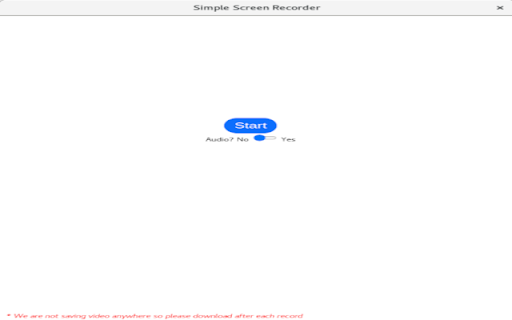


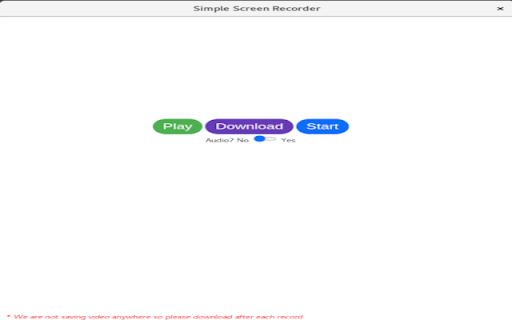
A Simple Screen video Recorder!! Using this extention you can record your entire screen or a window or a chrome Tab.

Awesome Screen Recorder & Screenshot
The best screen recorder and screen capture & screenshot tool to record screen. Want to share your screen for purposes such as reporting technical issues, creating product demos, or crafting how-to tutorials? Here are 🔟 reasons to choose Awesome Screen Recorder & Screenshot. 1️⃣ Provide stable service for more than 10 years 2️⃣ Loved by more than 4 million users across different platforms 👍 3️⃣ Local Screen Recorder & Cloud Screen Recorder 2 in 1 4️⃣ Screenshot/Screen Capture & Screen Recording 2 in 1 5️⃣ Record in WebM or MP4 6️⃣ Powerful features specially designed for work and educational scenarios 7️⃣ No ads and respect your privacy 8️⃣ Easy to use 9️⃣ Instantly share your screenshots and screen recordings 🔟 Most importantly, your voice matters! 🗣 & continuous improvements Here are some features for recording screens and capturing screenshots: 🎦🎦🎦 Screen Recorder 🎦🎦🎦 🎥 Record ▸ Record your Desktop (Entire Screen or Window), Current Tab or Camera only ▸ Include your voice in recording with the Microphone option on ▸ Include your face in your video by embedding your webcam ▸ Choose video dimensions from 720p, 1080p or 4K 💾 Save ▸ Save recordings to your local disk ▸ Save recordings to your online account ▸ Download uploaded videos in the MP4 or WebM format 🖍 Annotate & Edit ▸ Annotate the screen while recording ▸ Annotate and edit the video after recording Prefer to screenshot web pages as images? No problem, you can set the Capture tab as the primary tab. 📷 Screen Capture ▸ Capture a screenshot of the page you visit, full page, selected area or visible part ▸ Capture a screenshot of your entire screen or a specific application window ▸ Capture visible part, entire screen or app window after delay 🖍 Annotate Screenshot ▸ Resize or crop a screenshot to the size you need ▸ Annotate your screenshot with rectangles, circles, arrows, lines, etc. ▸ Add text to your screenshot with or without background color, change text font and font size ▸ Blur sensitive information on your screenshot ▸ Highlight important part on your screenshot ▸ Select a local image or paste a copied image from your clipboard to annotate 📥 Save & Share Screenshot ▸ Save screenshot as image in PNG or JPG format, or download screenshot as PDF ▸ One click to save screenshot to your Awesome Screenshot account and get a shareable link ▸ Send a screenshot to a destination in Jira, Slack, Trello, Asana, GitHub ▸ Copy a screenshot directly when capturing selected area for quick pasting 📧 Contact us📧 If you have any questions, suggestions, or feature requests, feel free to contact us by clicking Feedback (recommended) in our browser extension’s popup menu or by this page https://www.awesomescreenshot.com/contact_us. Thank you.

Screen Capture and Screen Recorder
Screen capture and screen recorder tool to record screen. Get more out of your screen captures! Take screenshots for free. Introducing the Ultimate Screen Capture and Screen Recording Extension for Chrome! Are you tired of the limited screenshot and screen recording capabilities of your browser? Look no further! Our Chrome browser extension is here to revolutionize your online experience. With an array of powerful features designed to cater to all your screen capture and recording needs, this simple yet versatile extension is completely free, giving you the tools you need without breaking the bank. 📷 Capture Your Screen ✔ Whole Page Say goodbye to tedious scrolling and stitching! Our extension allows you to capture entire web pages in a single, seamless screenshot. Whether it's a lengthy article, a captivating webpage, or an extensive document, you can capture it all with ease. ✔ Visible Area Sometimes, you don't need the whole page. Our extension lets you snap a screenshot of just the visible area on your screen, saving you time and ensuring you get exactly what you need. ✔ Selected Area Precision matters. Select and capturing a specific area of your screen, is perfect for highlighting important information or showcasing a particular part of a webpage. 🎥 Record Your Screen Like a Pro ✔ Desktop Bring your screen to life! Record your entire desktop to create comprehensive tutorials, presentations, or demonstrations. ✔ Current Tab Focus on what matters most! Capture only the content within the current browser tab. Ideal for recording webinars, video conferences, or gameplay without distractions. ✔ Record Yourself Personalize your content! With the option to record yourself via your device's camera, you can add a personal touch to your screen recordings. Perfect for vlogs, video messages, or commentary. Our extension is not only feature-rich but also incredibly user-friendly. You'll be capturing screenshots and recording your screen like a pro in no time. Best of all, it's completely free, so there are no hidden costs or subscriptions to worry about. Whether you're a student, a professional, or just someone who loves to share content online, our Chrome browser extension is your go-to tool for all your screen capture and screen recording needs. Elevate your online presence, streamline your workflow, and unlock new possibilities today!

Vidline Screen Recorder
Quickly record screen with audio and camera. Instantly share videos with one click. Vidline helps you to record your screen and cam quickly, and share the recording instantly. You can record screen with camera and audio, share videos instantly with links, collaborate with teams, upload recordings to the cloud, or download videos, and more! Get Vidline now for free! No ads! No recording time limits! KEY FEATURE ⏺️ Record screen, camera, microphone and system audio 🔗 Share recordings instantly with links, viewers could watch the video without login 🔒 Choose if viewers could download and save your shared videos 💾 Save videos to the cloud, without occupying your computer space ⏬ Download HD screen recording files without watermark 💬 Comment and interact with people on videos 🖌️ Mark contents and explain clearly through annotation tools 🎬 Right click web to start recording quickly 🖥 Manage recorded videos easily in the video library 📀 Record videos of different resolution at 720p, 1080p, 2k and 4k RECORD SCREEN - Record videos at full screen, in a window, a browser tab, or custom area - Record system audio, microphone, output Bluetooth, earphone, voice - Select cloud recordings, recorded videos will directly save to the cloud, with no space occupied - Select local recordings, recorded videos will directly save to your computer RECORDING SCENARIO - Study: record videos of online courses and remote teaching, connect educators and students, record screen of research reports, useful information - Work: Screen record business meetings, zoom meetings and personal presentation - Entertain: Screencastify game videos, and share them with friends and family, capture live stream, facecam reaction, music video, Youtube video - Daily life: Record everything you think that is worth stored and memorized VIDEO NOTES FOR WORK - Create workspaces for teams to collaborate, store materials - Leave time-based comments, tag team members to notify them - Get notified immediately when someone comments - Save time for meeting arrangements ABOUT VIDLINE Vidline is a video recorder created for hybrid workplaces and remote workers. There are now countless uses for short videos in the workplace from daily standups to online classes, from bug reports to design demos. Vidline is trying to be the best easy-to-use screen recorder extension to help improve video communication and productivity in work, study and daily life. If you have any questions or feedback, please feel free to contact us at care@vidline.com. We’ll be always here to help along the way.

Video Recorder
Use Video Recorder, a simple tool to screen record. It also lets you audio recorder online, capturing both your camera and display. 🚀 Looking for a powerful and easy-to-use screen recorder Chrome? Our extension provides all the tools you need for seamless video recorder. 1️⃣ Effortless Screen Recording: ➞ Easily capture your display with just one click using this intuitive tool. ➞ Simultaneously create a screencast. 2️⃣ Video Recording in One: – Record video while checking your webcam settings. – Perform a record camera and start capturing without interruptions. 3️⃣ All-in-One Recording Software: ◆ Webcam recorder and capture audio from your computer or microphone. ◆ Includes features like screen castify and screencastomatic for high-quality screencast. ◆ Essential for content creators and educators using a stream recorder. ◆ This recording software offers both video and audio recording. 4️⃣ High-Quality Display and Audio Recorder Online: ▶ Supports both screen and audio recording for crystal-clear video and sound quality. ▶ Full control over video recording with adjustable audio and video settings. 5️⃣ All-in-One Solution: ■ No need for tools like Clipchamp – our product provides all the features directly in the browser. ■ Forget about Bandicam – capture both display and audio directly without any additional software installation. ■ No more reliance on loom video – get full video and webcam features all in one place. 🎨 For Creators: ➞ Record a video with both display and audio at the same time. ➞ Capture high-quality screencast. ➞ Webcam test feature to ensure your camera is set up correctly. 🤓 For Remote Workers and Students: ➤ Capture lectures, webinars, or meetings effortlessly. ➤ Use the video recorder to capture both display and audio. ➤ Record video online. 🎓 For Teachers and Trainers: 🔹 Use the camera recording to capture both your display and voice. 🔹 Ideal for classroom screen captures with just a few clicks. 🔹 Works seamlessly as a screen recorder for PC or mac screen recorder. 🧑💻 For Content Creators and Bloggers: ⭐ Create engaging content with video recording software. ⭐ Capture both video and audio at once. ⭐ Enhance videos with features like online screen recorder and screencastomatic. 🖥️ For Those Who Want Simplicity Without Extra Software: ➡️ Record your video online along with audio directly, with no additional installations required. 💼 For Professionals and Beginners: ■ Screen recorder Windows and best screen recorder for mac options available. ■ Screencastify extension integration for advanced editing features. ■ Simple, user-friendly interface for the recording app. ❓ FAQ: 📌 How does the screen recording program work? 💡 Our tool lets you easily capture both your screen and audio with just one click. 📌 Can I capture both the display and webcam simultaneously? 💡 You can screen record and video with your webcam at the same time for a dynamic recording experience. 📌 Does the product support audio recording software? 💡 Yes, our tool is a screen and audio recorder that allows you to capture both video content and sound from your microphone or computer. 📌 Can I use this product to capture tutorials or presentations? 💡 Our screen video recorder allows you to capture everything you need, whether you're making a product demo or teaching a class. 📌 Can I record video online without downloading any software? 💡 Yes, our tool is an online video recorder, so you can create your video online directly from your browser without needing any extra installations. 📌 Is this tool suitable for classroom or educational use? 💡 Yes, it’s great for classroom screen recording, whether you’re teaching online classes or creating educational videos for students. 📌 What about audio recorder online capabilities? 💡 Our tool also functions as an online audio recorder, allowing you to capture high-quality audio along with media, making it ideal for podcasts or voice-over recordings. 📌 Can you screen record on mac? 💡 Yes, our screen recording software mac and screen recorder windows versions are fully optimized for their respective platforms. 📌 How to screen record on mac? 💡 Install this extension. Click the icon and press the "Record" orange button.
