
obcaknmopenojgcmacjbkpdjainhaebn
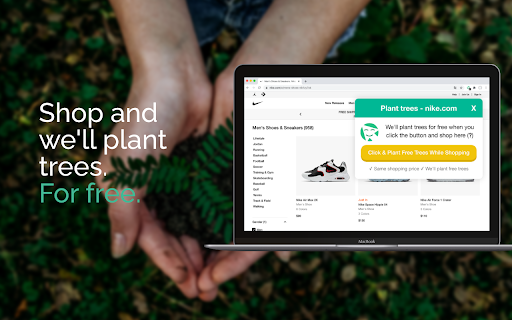
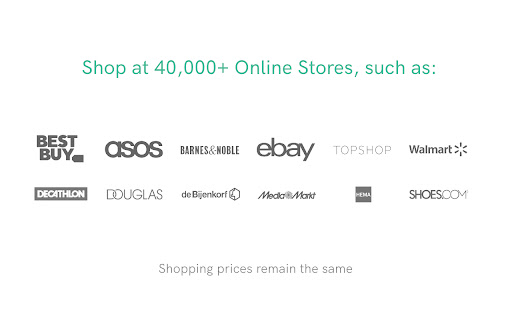


An extension that plants trees for free every time you shop online at one of our 40000+ shopping partners. TreeClicks is a 🛒 shopping extension that receives advertising fee 💰 for bringing you in as a customer and uses it for planting trees 🌲! Features: 🌐 Free Chrome plugin 🛍️ Shopping prices remain the same 🌳 We use the majority of our advertising fee to plant trees in India. Deforestation currently accounts for more that 10% of the global greenhouse gas emissions (GHG). Since e-commerce is trillion dollar economy, if everybody were to use TreeClicks, enormous amounts of forests could be planted 🌳🌲🌴. With this Chrome plugin, you're taking a small step in becoming more sustainable by letting us plant trees and support other green projects by shopping online. We can't stop you from shopping, but you can help us planting trees for free!

OpenTabs: Save trees by surfing the web
Customize your new tab page so you can fight climate change while browsing the web. Save trees by doing what you do every day. 🌳 How it works OpenTabs uses a search bar on the new-tab page to enable users to save trees simply by searching the web. 🎯 Our mission With OpenTabs, we made an active decision to save existing trees rather than planting new ones. You might be wondering why this matters or why we made this decision when other well-known companies have chosen to plant new ones. To put it simply, compelling studies show that planting trees won’t be enough to tackle climate change and that efforts on rainforest conservation lead to a more sustainable and lasting change. 🌎 How it helps Using the OpenTabs new tab homepage search bar for your internet searches, enables you to automatically support a global community of people working hard to conserve and restore the Earth's forests. ⚙️Settings and Features • Fast search results • Beautiful backgrounds • Trees saved counter • List of your favorite websites • Interesting search suggestions • Affiliate disclosure popup on website bookmarks

Popup Tab Switcher
The extension shows you a popup with last active tabs when you press its shortcut (Alt + Y by default). You cycle through them by holding Alt and pressing Y. By releasing the Alt key you switch to the chosen tab. This is like switching between apps in Windows (Alt + Tab) and in macOS (Cmd + Tab). Also, when you close an active tab, you will be placed to the previously active one. It is more helpful than the default Chrome's behaviour, which activates the nearest tab. You can delegate default switching between tabs by pressing Ctrl + Tab to the extension, see how https://github.com/dvdvdmt/popup-tab-switcher#replace-default-tab-switching-behaviour NOTE: The extension tries to render its popup on the page wherever it is possible, but there are cases where it can't do that: * Chrome's web store pages. The extension doesn't work here. * Special Chrome tabs such as Settings, New tab, History, etc. In this case the extension tries to switch a user from a special tab to a previous tab without showing a popup. * The page has no focus (a user searches on the page, focused on address bar, etc.). In this case the extension shows its popup and starts a timer by the end of which it will switch a user to the selected tab. * Files pages (URL starts with file:///). The extension can't work on such pages without a special permission which you can turn on in Extensions > Popup Tab Switcher (Details) > Allow access to file URLs.

FlowTime
A Chrome Extension to boost your productivity! Learn more at the FlowTime Website: https://flowtime.biz/ Double Your Productivity. Guaranteed. FlowTime works as a Pomodoro-like timer & website blocker that boosts your productivity by making your mind go into the state of flow faster. The FlowTime Chrome Extension connects to the FlowTime web application, allowing users to block specific websites or the entire internet. The extension works with both basic (free) and premium (paid) accounts. Please note that the website blocking feature works while using the Chrome Extension in conjunction with the FlowTime web app [flowtime.biz]. Flow is the mental state of operation in you are fully immersed in a feeling of energized focus, full involvement, and enjoyment in the process of the activity. It is a state in which you are the most productive!

Ekoru Search
⭐️ About Ekoru Ekoru.org is committed to protecting and restoring ocean ecosystems. We've partnered with organizations like Big Blue Ocean Cleanup and Operation Posidonia to raise awareness and support for ocean conservation. 🌍 A mindful search experience Ekoru replaces your new tab page with a simple, privacy-conscious search experience that promotes sustainability and ocean health. By making Ekoru your homepage, you’re choosing a platform that values environmental responsibility. ⚙️ Features • Minimalist, solid-color backgrounds • Date and time display • Quick-access to your favorite websites • Servers powered by hydro-electricity for a low carbon footprint 📋 Terms By clicking "Add to Chrome", I accept and agree to installing the Ekoru Search extension and setting the Chrome New Tab search provider to Yahoo as described in the Terms of Use and Privacy Policy.
