
oapmdlafnfjhhjgehldfimpdempjogpa
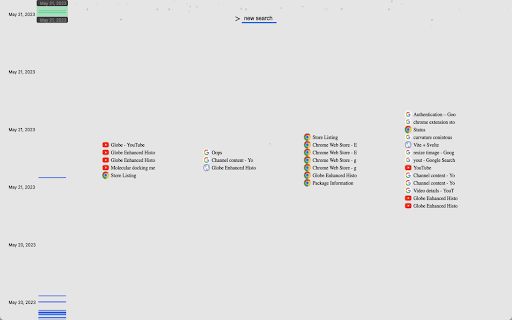
An enhanced history viewer, scrub through time and search to visually find what you are looking for. An enhanced history viewer, scrub through time and search to visually find what you are looking for.

Folderwise Bookmarks: Search & Sessions
Search for Bookmarks by Folder Name, and save Sessions in Bookmark Folders With its searchable folder-centric approach, Folderwise Bookmarks rewards you for your well-maintained hierarchy of Bookmarks! Search for Folders by Name, by Path, or by the Bookmarks they contain; expand a folder panel to see its Bookmarks. Click a Bookmark to open it, or use the buttons in the folder panel to open all Bookmarks. Hold Shift to open in a new window. If you have too many tabs open and want to de-clutter, or if you want to save your work and pick up on a different computer, click the Save button at the foot of the popup. Folderwise Bookmarks saves sessions as Bookmarks, so they will be available on all your devices and can be reopened from the popup. ⚠ To use the Sessions feature, you will be required to grant a new permission to the extension: "Read your browsing history". This permission will be used only to access the addresses and titles of your open tabs, specifically to create Bookmarks for the saved Session. Leaving in a hurry? Right-click the toolbar icon to save and close the current window. "Places folder favorites Icon" by Oxygen Team is available from http://www.iconarchive.com/show/oxygen-icons-by-oxygen-icons.org/Places-folder-favorites-icon.html and used under the GNU Lesser General Public License Icons used in promotional images are in the public domain and available from http://paomedia.github.io/small-n-flat/

Bookmark Navigator
Fast and simple bookmark navigation Fast and simple plugin that helps with manage and explore your bookmarks

YATM (Yet Another Tab Manager) 3.0
Preview, Rename, Reorder and Search for your tabs from a central location Tired of clicking on all your Chrome tabs one by one to find the one you want? What if you could manage all of them from a central location using yet another tab manager? Well, you found the right extension my friend! Using YATM you can: - See all your tabs from a central location with their full title - Reorder tabs using drag'n'drop - Search for tabs by name - Close tabs - Identify duplicate tabs ... including support for pinned tabs and tab groups! v3.0 - removed the capacity to rename tabs - replaced the "side panel" view mode with the "tab" view mode - added support for tab groups - duplicate tabs are now highlighted in red - (internal) migration to manifest v3 v2.1 - Added buttons to access the configuration dialog & the help video - Added ability to switch between popup mode (the default) or side panel mode - Fixed a nasty bug that was causing the side panel to randomly close when previewing tabs - Removed the capacity to close YATM when clicking anywhere in the main browser window (this was buggy anyways) v2.0 - YATM now opens as a side panel: -- click on a tab in YATM to preview it -- double click on a tab in YATM to close YATM -- click anywhere in the main browser window to close YATM - Side panel width is adjustable using your mouse - Removed sort button v1.5 - Renamed extension from "Tab List" to "YATM"

RemoveElement
Remove HTML elements from the right-click context menu Right-click over the HTML element you want to delete. You can view the tag name and size in the context menu. And all you have to do is click it.
