
npjpenabklghongijldkcpieocgailoc
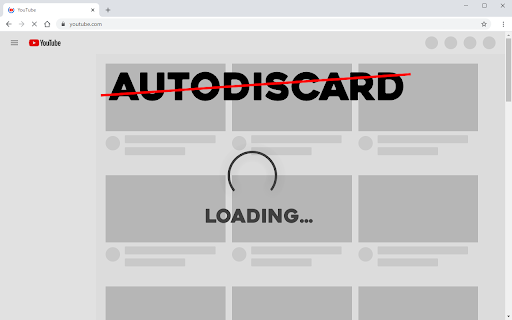
Prevents the browser from discarding tabs. You won't have to wait for them to load again. Sometimes, your browser can dicard your tabs, for example: when resources are low, in other words: the browser delete the loaded tabs from memory. This lightweight extension removes this feature, prevents the browser from auto discardable your tabs, so you do not wait for them to load again. After right-clicking on the icon, you can: 1. Remove the icon 2. See the cookie, but I didn't tell you that, right? The extension contains: 1. Feature: Prevents the browser from auto discardable tabs 2. Feature: Displays cookies in the context menu 3. Has: English language support (for what?)

Tab Discard (Suspender)
Easily suspend inactive tabs and save up memory for your browser. Tab Discard (Suspender) is an extension that lets you easily suspend either all inactive tabs or just the active tab by clicking on the toolbar button. In principle, suspending tabs can reduce the browser memory and enhances your browsing experience. When you click on a suspended tab (make it active) it will be loaded with the previous content automatically. This addon is useful when you have several open tabs, you can suspend them all (free up the memory) with just one click and then visit them one-by-one to unsuspend. This way, your browser will use the least amount of memory and have a better performance. Please right-click on the toolbar button and then select the desired option for suspending tabs (i.e. active or inactive tabs). To report bugs, please visit the addon's homepage (https://mybrowseraddon.com/tab-discard.html) and fill the bug report form.

Tab Session Manager
Save and restore your browser sessions. Never lose your tabs again. Tab Session Manager is the most complete browser session manager for Chrome. Save your open tabs as named sessions and restore them with one click — perfect for switching between projects, research, and workflows without losing a single tab. CORE FEATURES • Save current window as a named session with one click • Restore full sessions instantly — opens all tabs in a new window • Auto-backup sessions on a configurable schedule (default every 30 min) • Retention policy — automatically removes old backups beyond your limit • Pin important sessions to keep them at the top • Search sessions with full-text indexer across names, URLs, and tags • Import sessions from JSON — perfect for sharing or migrating TAB UTILITIES • Duplicate tab detector — find and close duplicate tabs across all windows • Tab analytics — real-time tab count, unique domain tracking, history • Session health checker — validates all stored sessions are restorable STORAGE MANAGEMENT • Storage quota monitor — warns before you hit Chrome's 5MB storage limit • Configurable retention — auto-delete backups older than N days • Per-session statistics and restore history KEYBOARD SHORTCUTS • Alt+Shift+S — Save current session instantly • Right-click any page → Save tab to session PERFECT FOR • Developers switching between multiple projects • Researchers managing topic-specific tab sets • Students organizing study sessions • Anyone who works with 10+ tabs daily

Tab Suspender by Workona
Suspend your browser tabs to save memory. Keep your computer running quickly with the Workona Tab Suspender. You can choose to suspend tabs automatically or on demand with one click. Either way, you’ll dramatically reduce your browser’s memory usage. Now you can keep all your tabs open without getting slowed down. 2/5/2021 UPDATE: Need to restore lost tabs from The Great Suspender? Workona Tab Suspender will automatically repair any broken Great Suspender tabs we find in order to restore the tabs you lost when the extension was disabled. Visit this article for instructions on how to restore these tabs: https://workona.com/pages/the-great-suspender-malicious-chrome-extension/ Save memory Dramatically reduce memory usage and keep your computer running quickly, just by adding the Workona Tab Suspender. Suspended tabs are just like normal tabs, except they don’t use memory. Keep more tabs open Tabs are where modern work gets done. Now you can work on multiple projects and keep those tabs open, all without impacting the performance of your computer. Auto-suspend tabs Choose automatic tab suspension based on how many active tabs you have or how much time has elapsed. You can rest easy knowing that suspension is working behind the scenes to free up resources. Never lose tabs Unlike other tab suspenders, you never have to worry about being locked into our system or losing your suspended tabs if you decide to stop using the Workona Tab Suspender. From a company you can trust More than 175,000 people trust Workona to keep their browser’s memory under control. Our company is venture-backed and built to last. Learn more at workona.com We believe that great software shouldn't come at a cost to privacy. Workona Tab Suspender does not store your browser data, use it for advertising, or share it with third parties. Your suspended tabs are 100% private to you, and we request the minimum permissions needed to suspend your tabs. If you ever have questions about Workona’s privacy practices, reach out to us at privacy@workona.com. Feel free to contact support at support@workona.com and we'll reply as soon as possible. By installing the extension, you agree to Workona’s Terms of Service (workona.com/policies/terms) and Privacy Policy (workona.com/policies/privacy).

Tabs Unloader
An extension recapture your own memory from browser. An extension recapture your own memory from browser. Features: ‧ No tab disappearing. Just unload it from memory. You can reload it anytime if you want. ‧ Simple to use. Just click your mouse. Unload tabs in 5 mode. ‧ No more memory waste. Unload tabs. Recapture your own memory.
