
npdjgljjkbnofodmnokgcfjkjnlldmfd

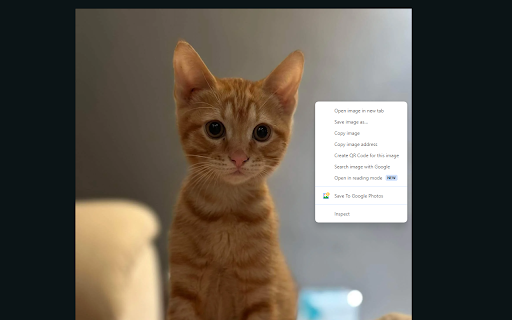
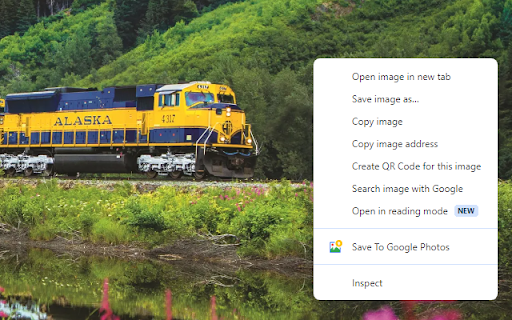
The Save To Google Photos Extension adds a button to your right click that instantly uploads images to your Google Photos account. The extension will upload the image to the currently signed in google account. The image will be saved in its original quality. If the image is not hosted publicly or is hosted locally the extension my not be able to fetch the image.

Save Image To Google Photos
Save Images to Google Photos with right click Upload images to Google Photos Save any picture you find on the internet right into your Google Photos! Create new albums and upload with one click! Pick which albums shows up on your right-click menu. This very popular feature is back and better then ever! With unlimited and free storage, you'll never have to worry about storage again! Save to any album on your account and have your precious photos everywhere you go! Duplicate pictures are automatically handled for you! This extension is not affiliated with Google Photos or Google Photos Team. Please visit https://photos.google.com for Google Photos. Google Photos and the related logo are trademarks of Google LLC. Use of these trademarks are subject to Google Permissions.

PNG Optimizer
Optimize PNG images and reduce the file size right in your browser! PNG Optimizer is a browser extension that helps you optimize PNG images. It also reduces the file size depending on the optimization level. Simply drag & drop PNG file(s) to a designated area in the app interface (top section) and then wait for a few seconds for the optimization process to finish up. You can choose your desired optimization engine from the drop-down list as well. The first and last engines can optimize both PNG and JPEG files, but other engines are designed for PNG files only. All the info about the optimization process is displayed in the console area within the app UI. Once the optimization process is done, please click on the download button to download the optimized image. Please note that the download location is the default location in your browser. Note 1: PNG Optimizer add-on uses 5 different open-source optimization engines: optipng.js, pngcrush.js, pngquant.js, compressor.js and browser-image-compression.js. Optimizer engines have different performances and results. Please use the one that best matches your need. Note 2: because this is an ongoing project, you might see some bugs in optimizing image files. If you found a bug to report, or have a feature request, please fill out the bug report form on the add-on's homepage (https://mybrowseraddon.com/png-optimizer.html).

Live Photo Editor Online
Edit photos from any web page A very simple yet powerful tool live photo edit online. Save hassle downloading and importing photos to an image editor one by one to find the right image. I'm an artist and I use it for my pencil drawing purpose. It's not always easy to understand if a good photo will translate into a good drawing. Made this tool so it's really easy check the Grayscale, Contrast, Brightness and Saturation on the fly. It's mainly focused for artists but possibility is endless.

Photo Editor
A simple in-browser photo editor - use this when you want to do some quick edits to your photos Use this free online tool to quickly and easily perform common photo editing tasks directly in your browser... Features: - edit images from your computer - edit images from a URL you enter - select an image in a browser tab, then choose "Edit Photo" from the right-click context menu - adjust brightness, contrast, saturation, change orientation, image scaling, apply presets and filters, crop and scale, add watermarks and signature. - provides links to other tools from LinangData from the More tools menu, including: XML Formatter; CSV - JSON Converter; Grammar, spelling and style checker; Calculator; Photo Exif Data Viewer; Weather Forecast; World Clock - It's free!
