
hnphmjgdfnfhjponpjddkmchkfmkkgcc

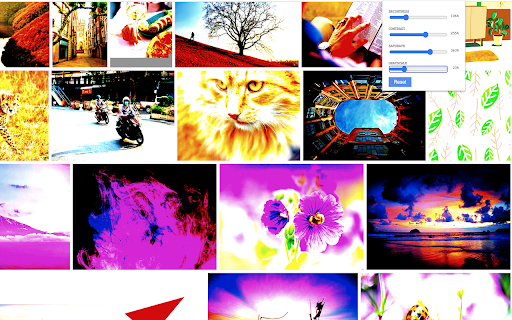
Edit photos from any web page A very simple yet powerful tool live photo edit online. Save hassle downloading and importing photos to an image editor one by one to find the right image. I'm an artist and I use it for my pencil drawing purpose. It's not always easy to understand if a good photo will translate into a good drawing. Made this tool so it's really easy check the Grayscale, Contrast, Brightness and Saturation on the fly. It's mainly focused for artists but possibility is endless.

Photo Editor
Photo Editor is a powerful application to edit any image or photo which are available on the internet. Just right click on the… Photo Editor is a powerful application to edit any image or photo which are available on the internet. Just right click on the photo and then select Open with Photo Editor. As simple as that. ✅ Edit any photos or images in the website with just right click on it. ✅ Tons of powerful builtin features and comes free of costs ✅ Lot of prebuilt image filters and effects ✅ Text editing and annotation ✅ Custom Icons and shapes ✅ Cropping images ✅ Editing Local files as well ✅ Wonderful User Interface ✅ Just click and go, no hassle of using desktop software or 3rd party web based applications

Image Editor
You can modify image text, image text, image watermark, rotation, filter, crop, flip, color. And get the DataURL of the picture. Right-click the picture to edit online! Edit pictures online, you can modify text, image text, image watermark, rotation, filter, crop, flip, color. And get the DataURL of the picture. Features Load image to canvas Undo/Redo (With shortcut) Crop Flip Rotation Free drawing Line drawing Shape Icon Text Mask Filter Image Filter

Free Photo Editor
You can modify image text, image text, image watermark, rotation, filter, crop, flip, color. And get the DataURL of the picture. Right-click the picture to edit online! Edit pictures online, you can modify text, image text, image watermark, rotation, filter, crop, flip, color. And get the DataURL of the picture. Features Load image to canvas Undo/Redo (With shortcut) Crop Flip Rotation Free drawing Line drawing Shape Icon Text Mask Filter Image Filter

Tiniest Gallery
Save and organize images, videos, and text snippets. Features: categorization, slideshow, color extraction, and zip download. 🌟🎉✨ Embark on an extraordinary creative journey with the Tiniest Gallery extension! Create your own gallery of stunning images, videos, and text snippets! - Save images, videos, and text snippets from any webpage. 💾 🖼️ 🎥 💬 - Organize your content into different categories. 📁 🗂️ - View your saved gallery in a beautiful, responsive layout. 👀 📸 - Enjoy a fullscreen slideshow of your saved items. 🖥️ 🎠 ✨ - Extract and copy dominant colors from images and videos. 🎨 🌈 - Save HEX codes of palette colors with a simple click. 🎨 💾 - Download your saved content as a zip file. ⬇️ 📦 - Filter your content by type: images, videos, or text snippets. 🔍 🏷️ - Control slideshow duration with an intuitive slider. ⏱️ 🎚️ - Quickly access your gallery through a toolbar icon. 🚀 🔧 🔒 Privacy-focused: No sign-up required, no login needed, and your data is saved only on your computer - never on any external servers! 🖥️ 🔐 The Tiniest Gallery extension is a powerful tool for artists, designers, researchers, and anyone seeking visual inspiration or an organized personal collection. 🎨✨🖌️ Unleash your creativity, organize your inspirations, and discover a world of captivating colors and images - all while maintaining complete control over your data. 🌈✨🎨 Install Tiniest Gallery now and let the magic unfold in fullscreen glory, right on your own device! 🌟🌈🎉💻
