
npcbllnmpghkdjeaocappkiedkiljhgk

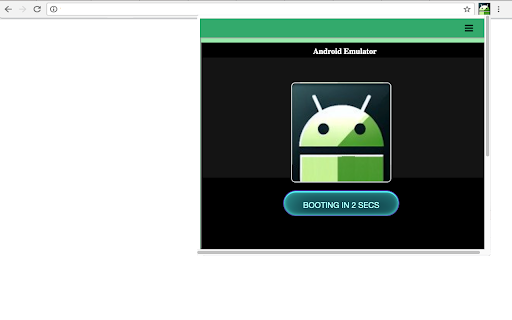

Run an android emulator and your Android games and apps you like more. This extension allows users to use an Android emulator and run any Android app or game directly on their Chrome browser. The Android emulator MyAndroid offers a wide range of features that enhance the Android app and gaming experience on Chrome. These features include: 1. Android Emulator: With this extension, users no longer need to switch between their Android device and PC to access their favorite apps or games. The integrated Android emulator provides a seamless experience on the Chrome browser, allowing users to enjoy their desired applications without any compatibility issues. 2. Quick Boot: Taking advantage of the top features in Android, the Android emulator MyAndroid includes a Quick Boot option. This feature enables lightning-fast start-up times, eliminating the tedious wait traditionally associated with launching an Android emulator. 3. Retain App State: Ensuring convenience and efficiency, the extension supports retaining the state of previously opened apps or games. Users can effortlessly switch between multiple applications without losing their progress or data. 4. Advanced Input and Controls: The Android emulator MyAndroid offers a range of input and control options, mimicking various aspects of touch screen devices. Users can easily interact with apps or games through the emulator using a mouse, keyboard, or joystick for a more immersive and enjoyable experience. 5. Multi-Platform Support: Our extension provides compatibility across different platforms, including Windows, Mac, and Linux, allowing users to access the emulator regardless of their operating system. To install and use the Android emulator MyAndroid, follow these simple steps: Step 1: Open your Google Chrome browser. Step 2: Navigate to the Chrome Web Store. Step 3: Search for “Android emulator MyAndroid" in the search bar. Step 4: Click on the extension and select "Add to Chrome". Step 5: Wait for the installation to complete, and then click on the extension icon in your browser toolbar. Step 6: The Android emulator will launch within the extension window, ready for you to run any desired app or game. The Android emulator MyAndroid opens up a new realm of possibilities for Android app and game enthusiasts. By providing an advanced Android emulator within the Chrome browser, users can seamlessly access and enjoy their favorite applications without the need for a separate Android device. With features such as Quick Boot, state retention, and multi-platform support, this extension guarantees a delightful and convenient user experience. • File Manager Integration for Android Files This extension allows users to automatically detect Android files, such as APK or APKX, while browsing the web and open them directly in the MyAndroid file manager to be run in the Android emulator MyAndroid.

Phone On Web | Android in browser
- File Manager, download/upload file - Quick Start, low latency - HD quality - Keyboard and mouse operation - Turn off screen saver privacy & power - No internet connection required

Android developer Cordova online
Editor to create Android Cordova app that are run with the ApkOnline android emulator platform This extension is an Android Cordova online editor that allows you to create Android applications online to be run on the android emulator ApkOnline. The extension provides an HTML text area, a CSS text area, and a JavaSCript text area to build your Android Cordova application. These text areas can be edited and any change appear automatically in a preview area that shows the final composition of the application that will be created using HTML, JS and CSS. You must take into account that Cordova Android is an Android application library that allows you to create Cordova-based projects for the Android platform. Cordova-based applications are essentially applications written with web technology: HTML, CSS, and JavaScript. Note that Apache Cordova allows software developers to create hybrid web applications for mobile devices using CSS3, HTML5, and JavaScript, rather than relying on platform-specific APIs such as Android. In fact, it allows you to complete the CSS, HTML and JavaScript code. It extends the functionality of HTML and JavaScript to work with the device. The resulting applications are hybrid, which means that they are neither truly native mobile applications nor purely web-based. They are not native because all design rendering is done through web views rather than the platform's native UI framework. They are not web applications because they are packaged as applications for distribution and have access to native device APIs. With this extension, you do not need to install Android Studio to work due to the fact that Apache Cordova (formerly PhoneGap) is a mobile app development framework that can be used with any Android IDE. Watch our video to know how to use our extension.

ApkOnline APK manager for Android emulator
Manager that allows to handle APK files that are run with the ApkOnline android emulator platform This extension scans browsed URLs to identify android APK or other files for our Android emulator online. The APK and files are presented in a list within the extension popup. This popup is sourced from our servers so the browsed URL are collected and reported to our cloud server. This is then a dynamic file manager to handle APK and other files for the android online emulator provided by ApkOnline. It also allows users to upload APK that can be renamed, copied, deleted and even executed using an API integration with ApkOnline. As a result of that, this extension speeds up the APK management and execution using the ApkOnline android online emulator, which has the following features: * Android Virtual Device (AVD). * Tablet skin configuration with Oreo 8.0, although you can request a higher version. * Test your android applications without access to the real hardware with only your web browser. * Internet access from the Android emulator. * Google Play Store app preinstalled. * Other apps like Chrome, Email, ... also preinstalled. * Basic emulated features for APK developments: device rotation, ... IMPORTANT NOTE: The scanning process to detect APK and files when browsing in the Internet occurs on our servers so the URL are reported there. In this process, no personal data is collected. Of course, users can opt to disable this scanning via a checkbox in the extension popup. However, note that disabling this functionality severely limits the extension's functionality while browsing through the Internet.

Open with Bluestacks
Open your APK files using Bluestacks Emulator now. Want to open APK files using your favorite emulator software Bluestacks? You can do so now after you install our software extension. To begin using our software extension, here are the steps you need to do. Ensure you have Bluestacks installed on your computer. Install our software extension "Open with Bluestacks" Once you install our software, please refresh all your existing Tabs/close browser and restart browser to let the extension load. Choose the APK file you wish to open with Bluestacks via the right click context menu button. Its that simple, just use the right click context menu to choose Bluestacks when you want to open your APK Files. Please note this extension was NOT made by Bluestacks. It was made by an external third party developer. This extension allows you to download and run APK files quickly using the context menu.
