
noojglkidnpfjbincgijbaiedldjfbhh
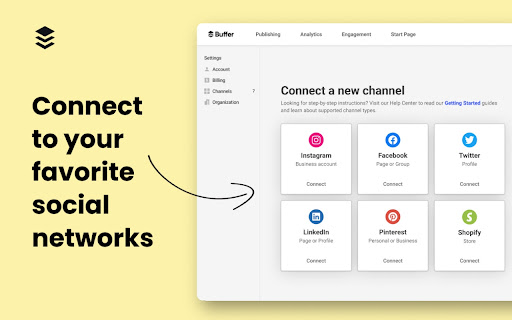


Buffer is the best way to share great content to Social Networks from anywhere on the web. The Buffer Chrome extension allows you to schedule posts through Buffer.com to your favorite social sites like Instagram, Facebook, TikTok, and more! Effortlessly capture content ideas, share articles and images, or schedule future posts with the click of button. All your content is automatically synced between your desktop and mobile account, so you can easily manage your social media content and grow your audience on the go. Use the Buffer web app to analyze and monitor engagement, respond to comments, and manage your social media presence across all your platforms. The use of the chrome extension requires a Buffer account - sign up now at Buffer.com!

RiteBoost
Improve the ROI of your posts with one click, right in your favorite scheduling tool. Enhance your posts with hashtags, emoji, GIFs and CTAs on links in a single click. 1/ Enhance button available right inside Twitter, Facebook, Buffer and Hootsuite 2/ Right-click menu for Enhancing posts on any other site 1/ Auto-hashtag Auto-hashtag your posts with hashtags that are both relevant and currently trending. 2/ Auto-emojify Automatically add relevant emojis to your post. 3/ Extract images from links Automatically attach an image extracted from meta tags in a link in your post. 4/ Create image/GIF from template Automatically create beautiful images from text of your post 5/ Shorten link with CTA Automatically shorten links with a button, image or video CTA.

AddToAny: Share Anywhere
Share to Facebook, Mastodon, email, and any other sharing or saving service quickly and easily with one share button. The AddToAny share button makes it easy and fast to share and save links using any service. - Share to Threads https://www.addtoany.com/blog/threads-share-button/ - Share to Bluesky - Share to Microsoft Teams - One-click sharing option if you enable just one service - Choose whether to open Email in a new tab - AddToAny's Universal Share Button - Sharing to Gmail, WhatsApp, LinkedIn, Threads, and more social media networks - AddToAny "More" button lets you instantly access any other service anytime - Right-click to share from the context menu (optional) - Share to multiple services quickly while keeping the share popup open: - Just Ctrl+click or ⌘+click on a service, or - Click the middle mouse button - Large buttons with vector icons - Perfectly crisp on high PPI screens such as Retina displays or the Chromebook family - Automatic dark mode based on system preference - Reassignable keyboard shortcut - Customize the services that appear in the sharing menu - Drag & drop to rearrange the order of services in the sharing menu - Enable one-click sharing if you select just one service - Toggle AddToAny in your context menu - Add a custom service to share to - Optimized to load instantly without slowing down Google Chrome - Directs to the HTTPS version of sites for privacy - Zero permissions needed

+ Flip It
Save anything you like from the web into your Flipboard. Save your favorite stories, images and videos from across the web into your own Flipboard magazines. Create magazines on any topic from Mid Century Design to Italian Cooking to Gadgets I Love.

SocialPilot
Expand the reach of quality content—whether your own or from others—by sharing it on social media in just a few clicks! With SocialPilot’s browser extension, you can share any content from a webpage, including blogs, product listings, videos, and more, across multiple social media platforms effortlessly. You can create custom posts, use Craft with AI to generate publish-ready content, or share an image post in one click. Save posts, publish instantly, or schedule them for the best engagement. All you need is a SocialPilot account to use the browser extension seamlessly! 2) Craft with AI: Get ready-made posts with captions and visuals perfectly aligned with the content in one click. 3) Generate AI-powered captions: Manually add captions to your posts or let SocialPilot’s AI do the work. 4) Customize posts for maximum impact: Add hashtags, mentions, geotags, emojis, and image tags to get maximum reach on your posts. 5) Upload, edit, and perfect your visuals: Upload images or videos from your own repository or use media fetched along with the content, editing as you go. 6) Keep all brands organized in one place: Schedule or share the post to all the accounts under one group or belonging to a client. 7) Reshare with automation: For evergreen content, set up schedules for it to be repeatedly posted, drawing eyes and engagement to your profile. 8) Stay consistent with scheduling: Simply select the best date and time for maximum engagement while scheduling. Your content will be published automatically—no extra steps required.
