
ffpgijchhhkhnokafdeklpllijgnbche
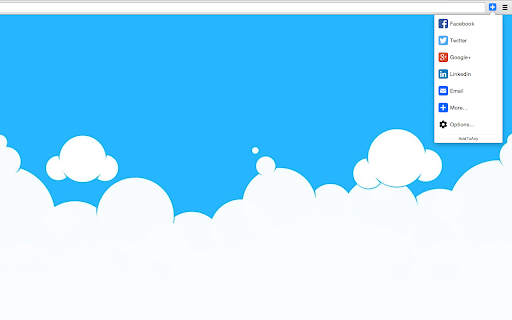


Share to Facebook, Mastodon, email, and any other sharing or saving service quickly and easily with one share button. The AddToAny share button makes it easy and fast to share and save links using any service. - Share to Threads https://www.addtoany.com/blog/threads-share-button/ - Share to Bluesky - Share to Microsoft Teams - One-click sharing option if you enable just one service - Choose whether to open Email in a new tab - AddToAny's Universal Share Button - Sharing to Gmail, WhatsApp, LinkedIn, Threads, and more social media networks - AddToAny "More" button lets you instantly access any other service anytime - Right-click to share from the context menu (optional) - Share to multiple services quickly while keeping the share popup open: - Just Ctrl+click or ⌘+click on a service, or - Click the middle mouse button - Large buttons with vector icons - Perfectly crisp on high PPI screens such as Retina displays or the Chromebook family - Automatic dark mode based on system preference - Reassignable keyboard shortcut - Customize the services that appear in the sharing menu - Drag & drop to rearrange the order of services in the sharing menu - Enable one-click sharing if you select just one service - Toggle AddToAny in your context menu - Add a custom service to share to - Optimized to load instantly without slowing down Google Chrome - Directs to the HTTPS version of sites for privacy - Zero permissions needed

Share link via email
Adds a button and context menu item to send the page URL or a link URL via email Create a new email with the current address, selected link or selected text. The email will include the page title. You can set text to be added before and after the page URL in the email. Email Clients to choose from: Default mail application, Gmail, AOL mail, Outlook/Office 365 and Yahoo Mail.

Ultra Button
A button for everything. You can now access most of chrome features in one Ultra Button. Functions Including: Bookmarks, Extensions, Downloads, History and Tabs. Mouse Middle Button Behaviors Bookmarks: Open bookmark in background Extensions: Remove extension Downloads: Remove download record History: Open history in background Tabs: Close tab or window ~~~~~~~~~~~~~~~~~~~~~~~~~~~~~~~~~ The icons in this extension were downloaded from Noun Project. https://thenounproject.com/ v 0.9.0 add download notification You can enable it in the options v 0.4.1 add session control You can now restore closed tab or windows

Elink - Bookmark Manager
Best visual Bookmarker for creating content for your Gmail Newsletters, HTML Newsletters, Website/Blog and Social bio links. elink bookmark extension for Chrome is the best bookmarking tool for saving & organizing visual bookmarks in one place. When you save a bookmark or a link you can can choose an image, capture a screenshot or upload your own image. You also have the ability to edit the title and description to add your own voice or notes and even bundle links together and share your link collection with others. More than 70,000 users use elink everyday to collect and share digital information professionally. From these bookmarks you can create beautiful Gmail newsletters, HTML email newsletters, content for your websites and blogs, RSS Feed powered website content, bookmark powered website content, social bio links, automated content publishing and more. Elink bookmarking tool is a must use tool for just about everyone. • Simple - Click the elink logo in the browser or right-click on any web page, link or image and save it as a bookmark with elink’s Chrome Extension. It’s a fast and easy way to collect and organize your bookmarks while you browse. • Multiple Templates– elink lets you choose from 50+ beautiful modern templates with single, grid, masonary, e-commerce, carousel, etc. style layouts to display your visual bookmarks. • Real-Time Editing – Quickly edit or update any information you have published and it will update in real-time. • Unlimited elinks - There are no limits to how many elink web pages and newsletters you can create. • Analytics – You can track engagement levels, referral sources and the location of your audience for each of your elinks. • Responsive Templates – Our responsive templates make your web page, newsletter, and website embed look great on all devices. Display your bookmarks professionally when sharing with others. • Bookmark Any Web Content – elink’s powerful tool allows you to curate and share any online content that has a link. Which includes articles, websites, videos, webinars, podcasts, articles, pictures, infographics, PDF’s, Google Docs, Dropbox files and more. You can pretty much bookmark anything on the web. How Does elink’s Bookmarking Extension Work? Use elink’s bookmarks icon or right click your mouse to collect any type of web content. You can right-click on any web page or link and save it as a bookmark with elink’s Chrome Extension. It’s a fast and easy way to collect and organize anything while you browse! Don’t just save bookmarks for yourself anymore, start collecting and sharing them with your customers, teammates, followers or whoever your audience is. • Websites • Articles • Videos (YouTube, Vimeo, Ted, etc.) • Slideshares • Google Docs • Dropbox Files • PDF’s • Images • Any content with a weblink can be saved and shared with elink! • You can even create image galleries by bookmarking photos from your Google Drive, Dropbox etc. Creating email newsletters can be time-consuming. With elink you can quickly curate and turn your elinks into email newsletters in minutes. Simply collect links around any topic and export them to Gmail, MailChimp or copy and paste the HTML code to your 3rd party email platform. elink works with nearly every email provider. You never have to worry about the design of your newsletter and can easily switch between various newsletter templates with a simple click of a button. Share the best online resources, products, tools, videos, news articles and much more with your audience. Curated email newsletters are a fantastic way to communicate with your clients, teammates, and followers. Catch their attention with a stunning email newsletter that you can send in minutes! It’s the fastest way to create a email newsletter on the planet. Elink bookmarks browser extension makes it a breeze to save and organize your content for the newsletters while you browse the web. ---------------------------- Can I Use elink for Content Curation? elink is the best tool for your content curation needs. Content curation in simple terms means finding the best content online and then sharing it with your audience in a professional manner. With elink you can save your bookmarks and curate content on the go. There are tons of content curation tools out there. However, there are some key features you must look for when choosing the right platform: How easy to use is the content curation tool? How is the curated content presented? Can you add your notes to the content you're curating? How can you share your curated content? The ease of use and the ability to present content in various formats makes elink the best content curation tool for any industry. Who Can Use elink Bookmarks for Curation? elink.io is great content curation for any industry – tech, retail, finance, health, real-estate, travel, legal, manufacturing, arts, construction, education, agriculture, governments, etc. elink.io is great for content curation nearly in every profession: marketers, management, techies, brokers, bloggers, website builders, realtors, administrators, human resources, accountants, lawyers, educators, engineers, insurance agents, etc. Even though elink.io is considered the Pinterest for business, you can also use elink's bookmarking tool for your personal needs! Download Elink Bookmarking Extension Today and Start Saving Your Bookmarks! If you have any questions on how to use elink bookmarks or want to get in touch with us, email us at info@elink.io. * Quick Save Panel * Choose the image for your bookmarks from a gallery of images like Pinterest. * Capture a screenshot for your bookmarks * Add tags to your bookmarks * Organize bookmarks in folders & subfolders * Smart search for your bookmarks in the link library * Advanced filter options for your bookmarks (time duration, used in post, tags, etc.) * Add bookmarks to collections directly from the bookmark extension * Edit images when saving bookmarks * Customize the text and description for your bookmarks * Faster uploading of images for your bookmarks * Save bookmarks directly to your published posts * Create automated scheduled content from bookmark folders. * Create website powered content from bookmark folders.

SocialPilot
Expand the reach of quality content—whether your own or from others—by sharing it on social media in just a few clicks! With SocialPilot’s browser extension, you can share any content from a webpage, including blogs, product listings, videos, and more, across multiple social media platforms effortlessly. You can create custom posts, use Craft with AI to generate publish-ready content, or share an image post in one click. Save posts, publish instantly, or schedule them for the best engagement. All you need is a SocialPilot account to use the browser extension seamlessly! 2) Craft with AI: Get ready-made posts with captions and visuals perfectly aligned with the content in one click. 3) Generate AI-powered captions: Manually add captions to your posts or let SocialPilot’s AI do the work. 4) Customize posts for maximum impact: Add hashtags, mentions, geotags, emojis, and image tags to get maximum reach on your posts. 5) Upload, edit, and perfect your visuals: Upload images or videos from your own repository or use media fetched along with the content, editing as you go. 6) Keep all brands organized in one place: Schedule or share the post to all the accounts under one group or belonging to a client. 7) Reshare with automation: For evergreen content, set up schedules for it to be repeatedly posted, drawing eyes and engagement to your profile. 8) Stay consistent with scheduling: Simply select the best date and time for maximum engagement while scheduling. Your content will be published automatically—no extra steps required.
