
fbmppankahdodchhioklnbcmohehhjoa
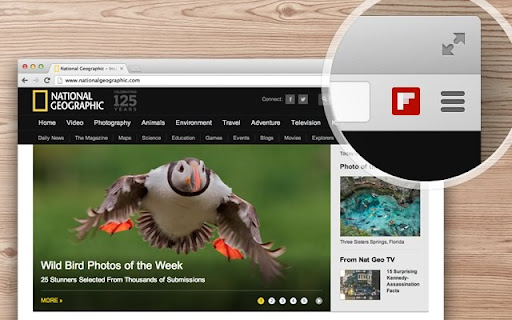
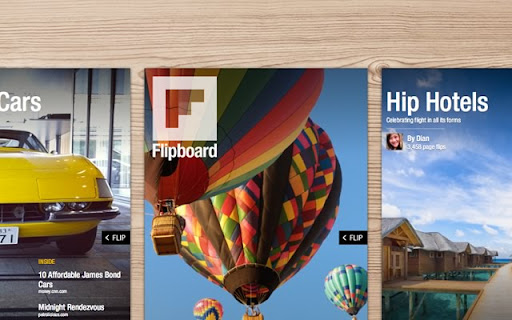

Save anything you like from the web into your Flipboard. Save your favorite stories, images and videos from across the web into your own Flipboard magazines. Create magazines on any topic from Mid Century Design to Italian Cooking to Gadgets I Love.

Inoreader: Read-later and RSS extension
Save articles for later and keep up with your favorite feeds. Discover, preview, and follow RSS feeds while organizing your content. With Inoreader, information comes to you the minute it’s available. Follow your favorite websites, social media feeds, podcasts, blogs, and newsletters – all in one place. Save articles for later, discover inspiring content, and make your time online more meaningful and productive. Enhance your workflow with the Inoreader browser extension without leaving your tab: • Save web pages to read or revisit later. • Annotate texts directly in your browser. • Monitor your unread counter at a glance. • View feeds and tags with recent updates. • Detect and follow RSS feeds effortlessly. • Preview RSS channels in a clean format. • Send articles to Team channels. Inoreader is a trusted RSS and news reader, recognized by professionals and casual users worldwide for its powerful features and intuitive design. It’s a one-stop solution for discovering, organizing, and sharing content online. Access Inoreader on inoreader.com or stay connected with our mobile apps for iOS and Android. Here’s what you get with Inoreader’s Free plan: • One hub for everything: Follow websites, Google News alerts, Reddit feeds, podcasts, blogs, and more. • Real-time updates: Get new content as soon as it’s published without relying on algorithms. • Distraction-free reading: Enjoy articles in a clean, ad-free environment. • Personalized experience: Choose from different themes, layouts, sorting, and grouping options to fit your preferences. • Smart organization: Keep your feeds and articles tidy with folders and tags. • Active reading tools: Highlight, annotate, and take notes while reading. • Content discovery: Explore curated sources and trending articles on different topics. • Save and archive content: Collect web pages and articles to read later. • Article search: Find items quickly across your feeds, folders, and tags. Take your experience to the next level with Inoreader Pro: • Advanced automation: Apply custom filters and rules for precise content curation. • Monitoring feeds: Track specific keywords or phrases in 30 languages. • Web feeds: Follow websites without native RSS support. • Track changes: Get notified for updates to any webpage. • Social feeds: Follow Facebook pages and Telegram channels; sync YouTube subscriptions. • Email newsletters: Receive newsletters in Inoreader without cluttering your inbox. • Offline access: Catch up with the latest news on the go with mobile offline mode. • Public article search: Discover content from all publicly available sources in Inoreader. • Article translation: Instantly translate content into 30 languages. • Text-to-speech: Listen to articles in 30 languages. • Audio player: Create playlists and enjoy podcasts in the background while multitasking. …and so much more! We’re constantly adding features and improving based on user feedback. Got a question or an idea? We’d love to hear from you. Reach out at support@inoreader.com.

Any.do
Any.do helps you remember everything you have to do. Get Organized with Any.do for Chrome Join millions who use Any.do to keep track of everything—from daily tasks to team projects—all in one place. With Any.do for Chrome, stay productive and organized with ease. Seamlessly Manage Tasks: • Quickly create tasks and reminders • Drag and drop to organize your to-dos • Mark tasks complete right from the extension • Save web pages as tasks or notes to track articles, research, and follow-ups • Customize your browsing by setting Any.do as your default new tab Stay on Top of Your Day: • Capture tasks the moment they come to mind • Set one-time and recurring reminders • Collaborate on projects with team members • Assign tasks to others and manage shared responsibilities • Sync your calendar for a clear view of your schedule

Feedly Notifier
Extension for Feedly news reader Feedly notifier is a tiny extension that keeps you up to date with your feedly subscriptions. - unread news count - unread news headers (with direct link on the news site) in the popup window - article preview in the popup window - ability to set categories for updates - HTTPS support - ability to mark news as read - ability to save feeds for later reading - ability to filter feeds by category in the popup - ability to open site on button click (work as a counter only) - desktop notifications - background mode **Translation** Help us to translate the extension or improve existing translations. https://poeditor.com/join/project?hash=2fZxqOmDJo If you found a bug or you have a suggestion, please let us know. You can report about it here: https://github.com/olsh/Feedly-Notifier/issues

Todoist for Gmail: Planner & Calendar
Stay on top of emails with Todoist for Gmail Trusted by over 47 million people, Todoist simplifies tasks for individuals and teams. Instantly declutter your mind, build habits, and boost your productivity. Use Todoist for Gmail to: • Add emails as tasks: Finally, achieve inbox zero by adding emails to Todoist so that you can take action on them later. • Remember to follow up: Include dates, reminders, deadlines, and priorities to the emails that you've added as tasks so that they'll never slip under your radar. • Plan your day: Quickly organize your tasks for the day right from the extension as a list, as boards or as a calendar planner. • Complete tasks from your inbox: Once your tasks are done, check them off from within Gmail without switching context.
