
nlgcogdbamhmdbpaabmpklojolokodaa

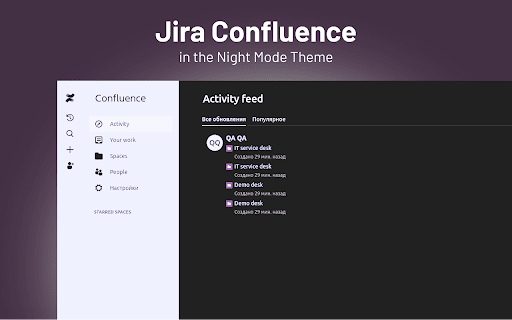
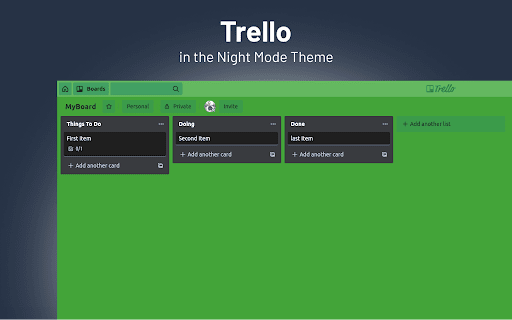

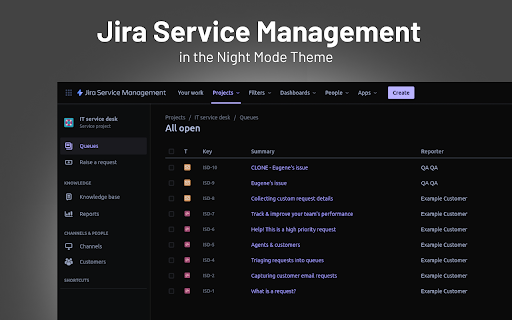
Take care of your eyes day and night using dark theme for Jira tools and services. Looking for a way to change the color of Jira Service Management UI to black? Atlassian doesn’t offer this out of the box, so we created an extension that can change the white light of the Jira Service Management to black. NEVER STRAIN YOUR EYES AGAIN The dark skin will do what the name implies. But for greater comfort, we added the possibility to tweak the contrast and brightness of the colors. Don’t forget about the Night Shift to save your eyes from straining. Shift the color scheme from blue to warm and minimize the harmful effects on your eyesight. MAINTAIN A HEALTHY SLEEP CYCLE WITH NIGHT SHIFT Excessive exposure to blue light that comes from the computer screen can mess up your sleep. Therefore, we added Night Shift, which you can turn on and off when needed. It will change the blue light to soft, warm tones to reduce the risk of insomnia and other health issues.

Dark Reader
Dark mode for every website. Take care of your eyes, use dark theme for night and daily browsing. This eye-care extension enables night mode by creating dark themes for websites on the fly. Dark Reader inverts bright colors to make web pages high contrast and easier to read. Adjust brightness, contrast, the sepia filter, font preferences. Enable dark mode on every web page or give websites a sepia tone. Enable or disable Dark Reader for specific websites, automatically sync with system dark mode, or detect already dark websites and leave them unchanged. This is the original Dark Reader extension. Since 2014, we continuously evolve alongside modern web technologies to deliver fast and reliable dark mode support for people sensitive to bright light. By installing the extension you agree to these terms of use https://darkreader.org/terms/

Dark Mode for Intercom
Take care of your eyes day and night using dark theme for Intercom tools and services. The white design of Intercom can be harmful to your eyes if you’re working in dimly-lit conditions. We care about your health, therefore, we introduce an extension for adding a dark theme to your Intercom interface. DARK MODE You can easily switch between light and dark modes and even adjust the contrast and brightness. The theme works across all functions of Intercom, allowing you to concentrate on what matters - your customers. NIGHT SHIFT FEATURE The screen of your computer or laptop emits blue light and when exposed for a long time can increase the risk of insomnia. But worse than that, extended exposure to blue light hurts your eyesight. Turn on Night Shift to switch cold tones to warm and reduce the probability of health problems caused by electronic devices.

Jira Black - Dark Mode
Turn your Jira Cloud to Black, a nice looking Dark Theme. Jira Black is a small extension to transform your JIRA in a nice dark Theme. No fancy stuff, no weird permissions, no tracker : it does what's it's supposed to and that's it! ⚠️ Important Notice: 1 - It's only working on Jira Cloud and not on self hosted Jira (links like https://*.atlassian.net/ ). 2 - It's not working on Confluence. 3 - Thanks to the community who corrected a few glitches and bugs: you guys are awesome! ℹ️ Last update: Excluded Confluence as the CSS is inverted.

Lunar Reader: Dark Theme & Night Shift Mode
Dark theme and night shift mode for every website. Care your eyes, use Lunar Dark Reader for night and daily web browsing. Lunar Dark Reader extension will put dark theme on all websites, suitable for those work at night and dark reader for online news or book reading. ★ What will you get from Lunar Dark Reader extension: 1) An easy way to create dark mode on every website. In addition, you can customize your dark theme visual from Brightness, Contrast, to Saturation. 2) A night shift mode which changes the website's color to warmer, making it much more pleasing to watch. You can choose to use either dark theme or night shift mode, or both. You can also quickly activate these modes with simple keyboard shortcuts. 3) You can set up schedule for each dark theme and night shift mode, and decide when you want to auto-activate dark theme. ★ Our Lunar Dark Reader extension is safe to use, as it complies with Google's policy: https://lunarreader.com/privacy/ ★ Note: Remember to disable any similar dark theme or night shift mode extension to prevent compatibility issues. UPDATE 2026.4.4: Lunar Reader updated to manifest v3 with improvements and bugfixes.
