
nlclnebpahbdinokjbcfonheainpmckn

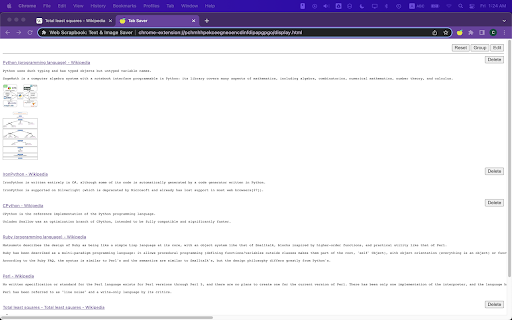


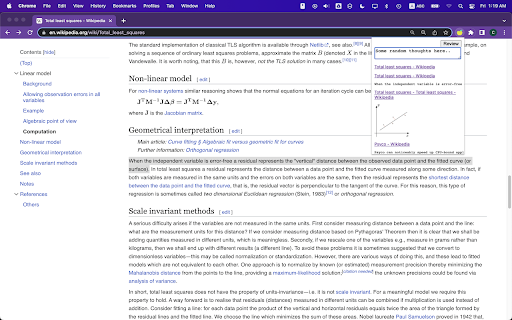
A minimalistic web scrapbook to save, manage, and streamline web content. No external requests. No tracking. No bullshit. Collect, manage, and archive important content from the web. Save images and text from any webpage with a single click! Web Scrapbook is your personal internet curator. Save images and text directly from your browser, manage your collection within our user-friendly interface, and organize your scrapbook your way. - **Save with Ease:** Right-click on any image or text selection to save directly to your Web Scrapbook. - **Intuitive Management:** Access your saved items through a simple popup interface. Review, add, or delete items with ease. - **Group By URL:** Consolidate items from the same page for easy reference. - **Edit Mode:** Switch to edit mode to modify your items in a Markdown format. - **Export Functionality:** Reset your collection and export all items as a JSON file for easy data migration or backup. - **Privacy Focused:** All your data is stored locally and never leaves your computer. With Web Scrapbook, you have a powerful tool that makes the internet more accessible and manageable, right at your fingertips. Transform your browsing experience today!

Website Downloader
Simple website downloader: easily download website. This site downloader is placed in the bar so you can clone website with a click 🔥 Meet the Website Downloader, the ultimate Chrome extension designed to help you effortlessly get website content for offline use. Whether you need to store a page for archiving, research, or development purposes, this powerful tool makes it easy to copy site with just a few clicks. Key Features 1️⃣ Get Pages Effortlessly: With out web site downloader, you can download websites quickly and easily. No technical skills required! 2️⃣ Clone Site Online: This extension allows you to clone website online, making it perfect for web developers and designers. Our website cloner can fulfill your needs if you need to copy website easily. 3️⃣ Comprehensive Page Copier: Our web downloader acts as a comprehensive website copier, enabling you to copy websites in their entirety. 4️⃣ HTML Downloader: Need the raw HTML? Our tool functions as an HTML downloader, giving you access to all the source files after you download site. Why Choose Website Downloader? • User-Friendly Interface: Our intuitive interface ensures that even beginners can download a website without any hassle. • Speed and Efficiency: This extension is optimized for speed, ensuring your loadings are completed quickly. • Versatility: From personal blogs to professional sites, quick website download. Downloading websites has never been easier. Simply follow these steps: ➤ Install the Extension: Add the Website Downloader to your Chrome browser. ➤ Navigate to the Site: Go to the page you wish to get. ➤ Start the Loading: Click on the downloader. 🙌 Benefits of Using a Website Page Downloader Using our plugin offers numerous benefits: ➡️ Offline Access: Access your local sites anytime, even without an internet connection. ➡️ Backup and Archive: Keep a backup of important web content for future reference. ➡️ Development and Testing: Perfect for developers who need to test pages offline. It’s the ideal solution for: 🔎Researchers needing offline access to articles and studies. 👩💻Developers looking to analyze or modify page code. 🕴️Businesses wanting to archive their web content. The Ultimate Website Extractor As a website extractor, our tool is second to none. It extracts all the necessary files and resources, ensuring you have a complete copy of the site. This includes: 🆙 HTML file 🆙 CSS stylesheets 🆙 JavaScript code 🆙 Images and media 🆙 Other resources ❓How to download a page? 🤌Click the extension button and watch the magic happen. ❓Is it complicated to download internet site? 🤌It’s as easy as just pressing the button. ❓Where the site is saved when you use a downloader website? 🤌It’s saved in the Downloads folder. ❓Is there a size limit for download web sites? 🤌There are no size limits on saving. ❓Should I use website downloader online? 🤌You need to be online when you get the site, but then you can use it without the connection. ❓ What formats can I download pages in? 🤌 Websites can be downloaded in HTML format, including all associated resources like CSS, JavaScript, and images. ❓ Does the downloader save all the content of a website? 🤌 The downloader saves all visible content on a website, including text, images, CSS, and JavaScript information. However, it may not get dynamically loaded content or content behind logins. ❓Can I download password-protected websites? 🤌No, the downloader cannot access or download content from password-protected or restricted websites. ❓ Is there a way to schedule downloads? 🤌 Currently, the downloader does not support scheduling downloads, but this feature may be considered in future updates. ❓ How can I use the local page? 🤌 The page can be used in the way you want: share it with someone, store it in a secure place, or just keep it on your computer. ❓ Can I use AI with this information? 🤌 You can upload the HTML file to an AI helper to get insights about it. ❓ What makes it stand out? ➕Ease of use. ➕Enhanced productivity. ➕Streamlined workflow for professionals. ➕User empowerment. ➕Minimal learning curve. 🚀 Take the Next Step. Elevate your browsing experience. 👆🏻Whether you’re a tech-savvy developer or just someone who needs to download a website for offline use, our web downloader is perfect for you. It’s designed to cater to all your website downloader needs.

SingleFile
Save a complete page into a single HTML file SingleFile is an extension that helps you to save a complete page (with CSS, images, fonts, frames, etc.) as a single HTML file. Getting started - Wait until the page is fully loaded. - Click on the SingleFile button in the extension toolbar to process and save the page. - You can click again on the button to cancel the action when processing a page. Additional notes - Open the context menu by right-clicking the SingleFile button in the extension toolbar or on the webpage. It allows you to save: - the current tab, - the selected content, - the selected frame, - the selected link(s). - Select "Annotate and save the page..." in the context menu to: - Highlight text, - add notes, - remove content. - You can also process multiple tabs in one click and save: - the selected tabs, - the unpinned tabs, - all the tabs. - The context menu also allows you to activate the auto-save (after pages are being loaded) of: - the current tab, - the unpinned tabs, - all the tabs. - Right-click on the SingleFile button and select "Manage extension" to open the options page. - Upload pages to Google Drive/Dropbox/GitHub/WebDAV via the Destination section in the options page. - Enable the option "Misc. > add proof of existence" to prove the existence of saved pages by linking the SHA256 of the pages into the blockchain. - You can use the customizable shortcut Ctrl+Shift+Y to save the current tab or selected tabs. - And more! See the extension help in the options page for more detailed information about the options. Project on GitHub: https://github.com/gildas-lormeau/SingleFile

Webrecorder ArchiveWeb.page
Create high-fidelity web archives directly in your browser When enabled, ArchiveWeb.page will record the network traffic on a given tab and stores the data in the browser for later viewing. Archives created with ArchiveWeb.page can be viewed from right within the app, or using Webrecorder's free ReplayWeb.page viewer. Files can be exported in standard WARC and WACZ formats.

Save Page as MHTML
Save a page's content and combine all of the resources into one file! A straightforward add-on called Save Page as MHTML allows you to save any webpage as a single MHTML file. A new file format called MHTML document was created to consolidate all of a website's contents into a single file. Only the Google Chrome browser currently supports this abbreviation for MIME HTML. An MHTML file is a local file that renders exactly like the original web page when opened in a browser. Due to the relative youth of this technology, there may be glitches or problems when saving online material. The Save Page as MHTML addon has a number of significant features, some of which are listed below. An overview of this addon follows this. A few words are used in this overview to describe the add-purpose on's and characteristics. The FAQ section follows, which is helpful for learning more about how this add-on functions in your browser. If you couldn't find the solution you were looking for, please fill out the contact form on the homepage or the bug report form on this page to let us know. The form for bug reports is located after the FAQ. It is intended to gather user comments and bugs regarding this add-on. Through this form, users can also request changes or new features.
