
njlpnnedlnahjlefhkdckhindoigeenl


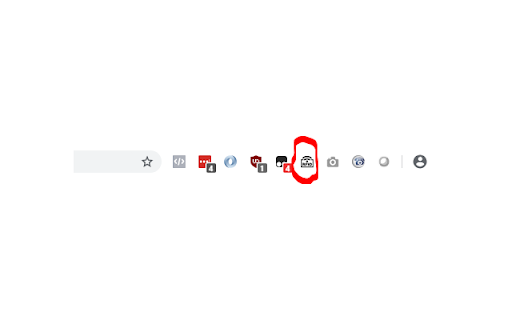

Native Messaging plugin for RFID block device What is this Browser Extension? This browser extension bridges your web application and the RF2400 RFID reader, allowing you to read and write RFID tags from your browser with JavaScript events. We provide a JavaScript library for integration, which is on GitHub: What is RFID Technology? Radio Frequency Identification (RFID) as a tracking tool has broad applications. An RFID tag or chip, which comes in a small form factor, can be attached to anything from packages and devices to vital records. The antenna on the tag receives a signal, and a reader device interprets it to carry out the tracking capabilities. The reader device can parse the information and send it to another device on your network or even a web application in the cloud. Many businesses use RFID technology due to its broad application, versatility, scalability, and ability to enhance productivity, quality assurance, and efficiency. What is the RF2400 Block RFID Reader? The RFID Block is a standalone RFID reader/writer designed as a plug-and-play device when connected to your PC’s USB port. Incorporating the RF 2400 reader/writer board, the RFID Block has low power requirements to enable it to use the power from the USB port with no other connection required. Requirements - RF2400 RFID Block Reader - A web application with the RFIDBlock class from github (or your own library using the events from that source code) - Our executable (optional, you can develop your own console app for this part): https://simplicity.online/EnsyncBlock.msi Drivers for the device: https://ftdichip.com/drivers/vcp-drivers/ RFID integration is a complex task. If you need help, please get in touch with us at:

Android Terminal
Access your USB-connected Android terminal without installing ADB This extension establishes an ADB-compatible connection with your Android device, eliminating the need for any native applications to be installed. It's designed to operate across various desktop environments, whether you're on Windows, Linux, macOS, or Chrome OS. Remarkably, the extension is written entirely in JavaScript, making it free from any native executables. Here are some of the key functionalities offered by this extension: 1. Multiple Terminal Windows: Easily open multiple terminal views to connect with your Android device, facilitating efficient debugging and interaction. 2. File Transfer: Streamline sending and receiving files between your desktop computer and the Android device. 3. Screenshot Capture: Capture screenshots of the current screen view on your Android device and store them on your desktop computer. 4. Application Backup: Perform comprehensive backups of your Android device, including all or select installed applications and their associated data. 5. Debugging with "logcat": Use the "logcat" command to debug your Android device directly from your desktop, enhancing your development capabilities. This extension serves as a compelling alternative to traditional native ADB (Android Debug Bridge) applications, offering a more accessible and platform-agnostic solution. If you already have the native ADB installed and want to explore this extension, ensure there are no ongoing communications with the ADB server by executing the "adb -kill-server" command. Then, refer to the instructions on the extension's homepage to get started seamlessly.

Data Recovery
Professional data recovery, providing hard drive recovery, SD card recovery, file repair and other functions, 100% safe. Panda Data Recovery is a data recovery and file repair software trusted by users all over the world. It is suitable for computer browser web page recovery, computer deleted file recovery, computer formatted recovery, hard disk formatted recovery, computer Recycle Bin emptied recovery, USB disk file deleted recovery, USB disk formatted recovery, SD card deleted file recovery, SD card formatted recovery, document damage repair, video damage repair, picture damage repair, etc. It supports the recovery of more than 1,000 file types, such as: deleted document recovery, deleted picture recovery, deleted video recovery, etc. Free scanning and preview of lost and damaged files, powerful and 100% safe. Web page recovery • Restore the web page before the browser crashed due to accidental browser closing. Partition loss recovery • When a partition is lost, all the stored data will become inaccessible, recover files from that partition •Step 1: Select the location where the data was lost Select the location where the data was permanently deleted or lost. •Step 2: Scan your computer or device Scan the selected location to search for lost files, use filters during the scanning process to easily find files. •Step 3: Preview lost data Supports preview while scanning, no limit on the size and number of preview files. •Step 4: Recover lost data Select the files you need to recover and click "Recover" to get everything you need. Why choose Panda Data Recovery software for recovery: •98% successful recovery rate Panda Data Recovery is one of the best data recovery tools, supporting multiple data loss scenarios, with a recovery success rate of up to 98% in all data loss situations. • Unlimited preview Preview lost files for free, without size or quantity restrictions. • Convenient file filtering function Provides you with the most convenient file filtering function, which can filter files according to file type, size, modification time, etc. • Stable performance No need to worry about system crashes during scanning or recovery, Panda Data Recovery's stability has always been at the industry leading level.

Shortcuts for Chrome
Navigation menu of Chrome URLs: internal pages of the Google Chrome browser. Chrome browser navigation is optimized for non-technical users. For users who want to inspect what is happening with indexedDB, service workers, or Bluetooth devices etc., this menu brings shortcuts to those hard-to-find, internal browser pages. This menu lists all Chrome URLs in a single, flat list, configurable menu. This application is free and open-source software, built by Chrome users for Chrome users. ✔️ Pin your favorites on top for fast access ✔️ Drag and drop pinned links to change their order ✔️ Discover hidden browser features you never knew existed ✔️ Automatically matches dark/light mode based on browser setting

Create bootable Windows10 USB on Mac-Tutorial
Easy 3 step interactive tutorial guide you through the process of making a bootable Windows USB.
